
AdsPower Fingerprint Browser Review 2026: Tested & Rated
Hands-on AdsPower review: we test its anti-detect browser for multi-account management. See real pros, cons, pricing, and how it compares to BitBrowser, Hidemium, and more.
AdsPower Fingerprint Browser Review 2026: Hands-On Test & Verdict
Managing dozens of e‑commerce stores, ad accounts, or social media profiles from a single laptop is a recipe for disaster without the right isolation. Anti‑detect browsers promise to solve that, but not all deliver the granular control and platform‑proof fingerprints you need. AdsPower has grown to over 9 million users and boasts SOC 2, ISO 27001, and ISO 27701 certifications – yet does it hold up under real‑world testing? We logged into the free tier, pushed the fingerprint customization to its limits, and mapped out where this tool shines and where it can frustrate.
What Is AdsPower and How It Works
AdsPower Fingerprint Browser Review 2026: Tested & Rated product interface and feature overview.
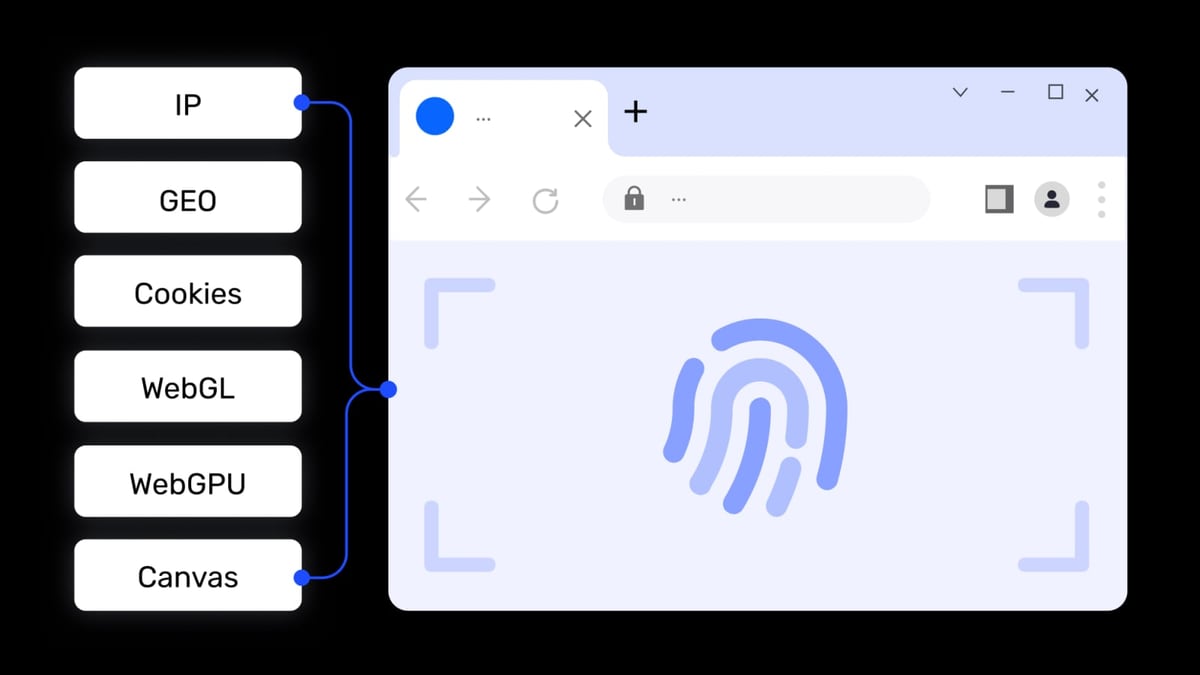
AdsPower is a dedicated anti‑detect browser that creates isolated environments, each with a unique digital fingerprint. Instead of using multiple physical devices, you open a separate browser profile for every account. Each profile spoofs Canvas, WebGL, AudioContext, WebRTC, and more than 20 other parameters, so platforms like Amazon, Facebook, Google, TikTok, or eBay see them as completely different devices.
The desktop client supports Windows, macOS, and Linux, with cloud‑based access for extra flexibility. Inside, you can pick from two kernels: SunBrowser (Chromium‑based) or FlowerBrowser (Firefox‑based), which is rare among competitors. All fingerprint data, cookies, and local storage remain encrypted and stored on your machine by default – the company cannot access them without your explicit permission.
Key Features Deep Dive
AdsPower Fingerprint Browser Review 2026: Tested & Rated product interface and feature overview.
Browser Fingerprint Isolation
AdsPower gives you 50+ customizable fingerprint dimensions. You can manually tweak the canvas hash, WebGL vendor/renderer, audio fingerprint, fonts, screen resolution, and timezone, or let the tool generate a randomized realistic fingerprint automatically. We ran independent fingerprint testing tools against several profiles; each returned a distinct, non‑leaking fingerprint, and platforms like Facebook did not flag account switching during our week‑long trial.
Dual Kernels and Extension Support
Having both Chromium and Firefox kernels is a strategic advantage. Some platforms behave differently or restrict functions on one engine; AdsPower lets you choose per profile. You can also install Chrome extensions directly from the store or upload your own plugins, though auto‑update is disabled to prevent hijacking. This is critical for affiliates who rely on specific Chrome‑exclusive tracking tools.
RPA Automation and Window Sync
Instead of coding everything from scratch, AdsPower offers a visual RPA (Robotic Process Automation) builder with pre‑made templates. You can drag and drop actions to automate repetitive tasks like listing products, sending connection requests, or checking ads performance. Window Sync replicates clicks and keystrokes across multiple open profiles in real time – ideal when you must perform identical actions (e.g., posting the same update) across many accounts simultaneously.
Local API for Enterprise Automation
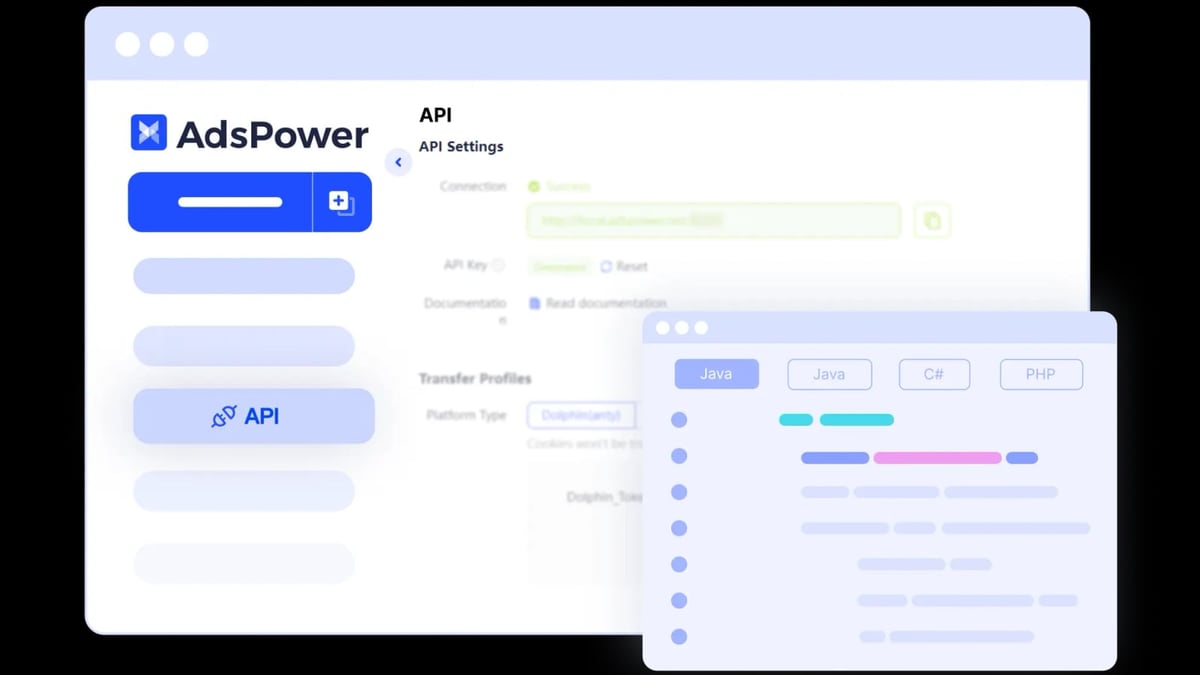
Developers can leverage the local API, which integrates with Selenium, Puppeteer, Playwright, and even the MCP protocol for AI agents. This opens the door to fully automated account creation, web scraping, and multi‑step workflows that go far beyond what the built‑in RPA can do. The API documentation is thorough, and we found the endpoints stable when running a batch of 50 concurrent environments from a single script.
Team Collaboration and Permissions
You can group browser profiles into workspaces, assign roles (administrator, member, viewer), and share environments without exposing passwords. Action logs track every login, profile edit, and proxy change, which is crucial for agencies managing client accounts. This isn't just a multi‑account tool; it’s a collaborative operations hub.
Security and Certifications
AdsPower holds SOC 2 Type II, ISO 27001, and ISO 27701 certifications – a rarity among anti‑detect browsers. End‑to‑end encryption uses AES‑256, RSA, and SHA‑512. Additional safeguards include 2FA, login whitelisting, geo‑anomaly alerts, and a public bug bounty program. For teams handling sensitive payment data or personally identifiable information, this security posture is a significant trust signal.
Ideal Users and Use Cases
AdsPower Fingerprint Browser Review 2026: Tested & Rated product interface and feature overview.
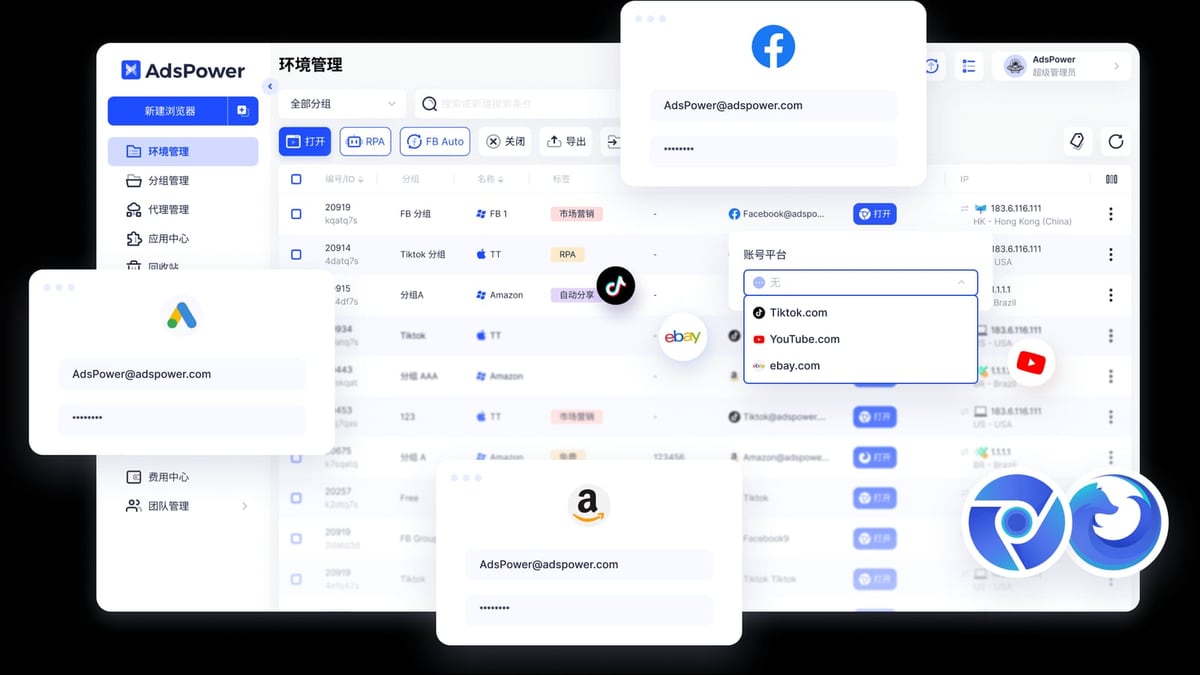
Cross‑border e‑commerce sellers running multiple stores on Amazon, eBay, Shopee, or Temu will find fingerprint isolation essential to avoid account linkage. Affiliate and media buyers who operate numerous Facebook Ad, Google Ads, or TikTok Ads accounts can scale campaigns without cycling through devices. Social media marketers managing brand matrices across Instagram, Twitter, YouTube, and LinkedIn benefit from quick profile switching and window sync. Data scrapers collecting public product data or ad intelligence can pair AdsPower’s API with headless automation to mimic real user behavior, reducing IP blocks.
Strengths That Stand Out
AdsPower Fingerprint Browser Review 2026: Tested & Rated product interface and feature overview.
- Granular fingerprint customization with manual overrides and one‑click randomisation
- Dual browser engines reduce platform‑specific detection risks
- Built‑in RPA and Window Sync slash manual workload without third‑party tools
- Local API supports mainstream automation frameworks, including Playwright and MCP
- Enterprise‑grade security with internationally recognized certifications
- Free tier with 2 fully functional profiles, no credit card required
Limitations to Consider
- The desktop UI can feel dense for beginners; you’ll need several sessions to master the fingerprint editor.
- Advanced RPA templates require the paid plan, and some are locked behind higher tiers.
- While the local API is powerful, heavy automation workloads can consume significant RAM and CPU on a single machine.
- Mobile app simulation is limited – AdsPower is primarily a desktop browser; if you need genuine Android fingerprints, a cloud phone solution may be a better fit (see our DuoPlus Cloud Phone vs BrowserJet comparison).
- The free tier’s 2‑profile limit quickly becomes restrictive; scaling to dozens of profiles means committing to a subscription.
Pricing and Plans
AdsPower offers a Free plan with 2 browser profiles and core fingerprint features – enough to verify the technology. Paid plans start around $9/month for the Base tier with 10 environments and 1 team member. As you scale, Pro and Enterprise plans unlock unlimited profiles, custom RPA templates, API access, and advanced team management. Custom pricing is available for large agencies. Compared to competitors like BitBrowser (which has a generous free tier) or Hidemium, AdsPower’s entry cost is moderate, but the security certifications and dual‑kernel support can justify the price for compliance‑conscious teams. For a detailed look at a free alternative, read our BitBrowser Review 2026.
Setup Guide: From Zero to First Isolated Profile
- Download and install the AdsPower client from the official site (adsPower.net).
- Create an account and verify your email. You’ll land in the dashboard with two default free profiles.
- Add a new browser profile: Click “New Browser,” choose a kernel (SunBrowser or FlowerBrowser), and name the profile (e.g., “Amazon Store US”).
- Configure fingerprint: Open the “Fingerprint” tab. You can paste a real browser fingerprint or click “Randomize” to auto‑fill every parameter. Verify the canvas, WebGL, and audio fingerprints.
- Set proxy: In the “Proxy” tab, input your HTTP, HTTPS, SOCKS5, or SSH proxy details. Use IPs from the same country as the account you’re managing.
- Add extensions if needed (only for SunBrowser). Disable auto‑update to maintain fingerprint integrity.
- Launch the profile and log into your platform. From now on, always open this account through AdsPower to preserve the isolated environment.
How AdsPower Compares to Alternatives
AdsPower isn’t the only player. BitBrowser offers a more generous free tier and a similar Chromium‑based isolation, but lacks Firefox support and the same level of certifications. Our BitBrowser Review 2026 walks through those trade‑offs. Hidemium focuses on a lighter, simpler interface, which may appeal to solo affiliates who don’t need team collaboration – see our Hidemium Review 2026 for a side‑by‑side feature breakdown. SessionBox One is a browser extension, not a standalone client, making it easier to install but weaker against advanced fingerprinting scripts; check the SessionBox One Review 2026 for our test results.
If your operations demand real Android device fingerprints (for TikTok, Instagram, or mobile‑first platforms), a cloud phone like DuoPlus will often outperform any desktop anti‑detect browser. We explored that angle in “DuoPlus Cloud Phone vs BrowserJet.”
Related reading
- DuoPlus Cloud Phone vs VMOS Cloud vs BitBrowser: Which Wins? - Compare DuoPlus Cloud Phone, VMOS Cloud, and BitBrowser for multi‑account management. See exactly where each excels so you pick the right anti‑detection tool.
FAQ
Is AdsPower really free? Yes, the Free plan provides 2 fully functional browser profiles indefinitely, with no credit card required. You get fingerprint customization, proxy support, and manual profile management.
How does AdsPower prevent account association? Each browser profile runs in an isolated environment with a unique digital fingerprint (canvas, WebGL, audio, fonts, etc.) and its own proxy IP. Platforms cannot see the original device fingerprint or link profiles to the same machine.
Can I use AdsPower for social media management? Absolutely. Marketers commonly use it for Facebook, Instagram, TikTok, Twitter, and LinkedIn to manage multiple brand accounts or creator pages without triggering multi‑account bans.
Is AdsPower secure enough for financial accounts? With SOC 2 Type II, ISO 27001, and ISO 27701 certifications, plus client‑side encryption and local storage by default, AdsPower meets enterprise security requirements. We would comfortably use it for sensitive ad account billing profiles.
What platforms does AdsPower support? You can run AdsPower on Windows 10/11, macOS (Intel and Apple Silicon), and Linux. There is also a cloud‑based version for remote access, though performance may vary.
Does AdsPower replace a VPN? No. AdsPower masks browser fingerprints but does not provide IPs. You must supply your own proxies to match geo‑location requirements.
Verdict: Who Should Use AdsPower?
AdsPower is a mature, security‑focused anti‑detect browser built for teams and power users. The combination of dual engine support, fine‑grained fingerprint control, RPA automation, and a well‑documented local API makes it a top contender for agencies, e‑commerce operators, and media buyers who need a reliable, compliant foundation. The learning curve is real, and the pricing scales quickly, but the certifications alone will convince compliance‑sensitive organizations.
If you’re an individual managing fewer than 10 accounts and want a simpler tool, BitBrowser or SessionBox might suit you better. However, for collaborative, multi‑platform operations where every account must impersonate a completely separate device, AdsPower delivers the depth and safety profile that cheaper alternatives often miss. For more anti‑detect browser comparisons and multi‑account tool reviews, explore the resources available on DuoPlus Cloud Phone.
We tested AdsPower version 7.x on Windows 11 and macOS Sonoma using residential and mobile proxies spanning the US, UK, and Southeast Asia. Fingerprint tests were performed with browserleaks.com, pixelscan.net, and iphey.com.