
Linken Sphere Review 2026: Pricing, Fingerprints & Fit
Evidence-based Linken Sphere review: fingerprint test results, real pricing tiers, team limits, mobile emulation, setup steps, and who should choose it.
Linken Sphere Review: A Practical 2026 Assessment
Linken Sphere is one of the oldest names in antidetect browsing, but the version most people encounter today — Linken Sphere 2 — is a substantial rebuild of the earlier Evolution 9 product. This review separates what is verifiable from what is marketing: independent fingerprint tests, published pricing, team-seat rules, platform support, and the reputation history that still follows the brand. If you manage multiple accounts across advertising, crypto, or marketplaces, the goal here is to help you decide whether Linken Sphere fits your workflow — or whether a different tool class does.
What Linken Sphere actually is

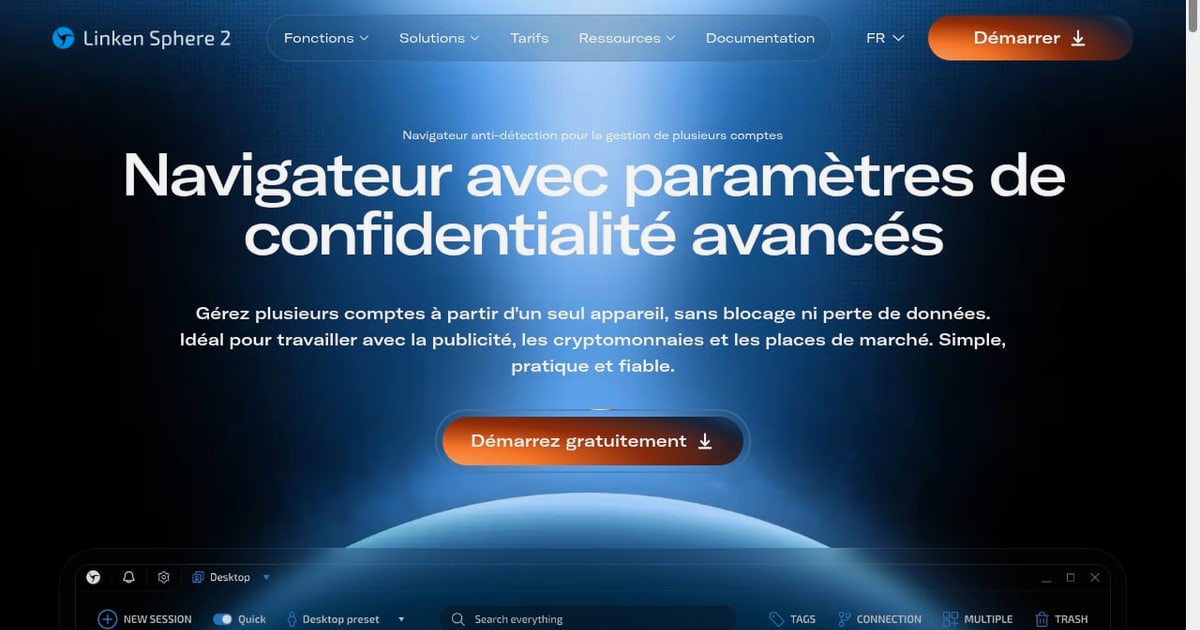
Linken Sphere product interface.
Linken Sphere is a desktop antidetect browser for Windows and macOS. Its core job is to create isolated browser sessions (called "sessions" in the app), each with its own fingerprint and proxy, so that multiple accounts on the same platform do not appear to originate from one device.
Key mechanics as documented in independent testing:
- Session isolation: each session carries its own cookies, storage, canvas/WebGL/Audio/WebGPU signals, hardware and screen parameters, language, timezone, and geolocation.
- Configs (presets): reusable fingerprint templates that let you generate new sessions quickly, including bulk creation.
- Proxy manager: supports HTTP, HTTPS, SOCKS5, SSH, and dynamic change-IP URLs, with automatic exit-IP, country, language, and timezone alignment.
- Mobile emulation: Android, iPhone, and iPad fingerprints emulated on desktop — not a native mobile app.
- Automation: a local REST API, gated to higher tiers.
A note on history: a Recorded Future report documented that the original Linken browser appeared on Russian-speaking underground forums in 2017 and attracted cybercriminal use. That is historical context about the early product and its audience, not evidence about every current user. The operating company today is listed as Legendary Software Limited, a UK private limited company incorporated in October 2024, according to public records cited in independent reviews. Public filings alone do not prove how ownership or personnel changed, so treat the reputation question as unresolved but evolving.
Fingerprint performance: what independent tests show
Marketing claims about "perfect fingerprints" are common in this category. The useful signal is third-party test results. In an October 2026 test published by a competing vendor — which should be read with that conflict of interest in mind — Linken Sphere 2 produced:
| Test | Result |
|---|---|
| Pixelscan | Passed ("Consistent") |
| Iphey MX score | 100/100 (Trustworthy) |
| CreepJS | 0% headless, 0% tampering, 25% like-headless, 0 lies |
| Browser core | Chrome 156 |
Those results are strong and broadly comparable to the leading competitors tested the same way. The caveat is that a single test run on a single machine is not a guarantee. Fingerprint quality also depends on proxy cleanliness, timezone/locale alignment, and whether the target site uses proprietary detection beyond these public tests. The practical takeaway: Linken Sphere 2 is competitive on fingerprint evasion, and you should validate it against your own target platforms during the free plan before scaling.
Setup: what onboarding looks like
Setup is more approachable than the older Evolution 9 workflow, which had a reputation for density.
- Download and register. Install the desktop client from the official site and create an account. You choose a language and a visual theme on first launch (more than 15 themes are available).
- Follow the guided onboarding. An interactive walkthrough covers the basics; deeper video tutorials exist on the site.
- Create a session. Click "New session," add a name, description, and tags. With Quick mode on, fingerprint parameters are configured automatically; turning it off exposes the full editor.
- Attach a proxy. Paste connection data — the format is recognized automatically — then click "Check proxy & GEO" to verify exit IP, country, language, and timezone alignment.
- Choose fingerprint settings. Use automatic defaults, the Hybrid 2.0 mode that adapts parameters to your hardware, or manual configuration. A match indicator shows how realistic the profile looks.
- Import cookies if needed under the Data section, then save and launch.
For teams managing dozens or hundreds of sessions, the "desktops" metaphor plus tags, statuses, and icons (platform logos, for example) is what keeps the workspace navigable. If you are still mapping the category, our ranking of the top anti-detect browsers and cloud automation platforms for 2026 puts these tools side by side on fingerprint quality, automation, and pricing.
Pricing: the real tiers and the hidden gates
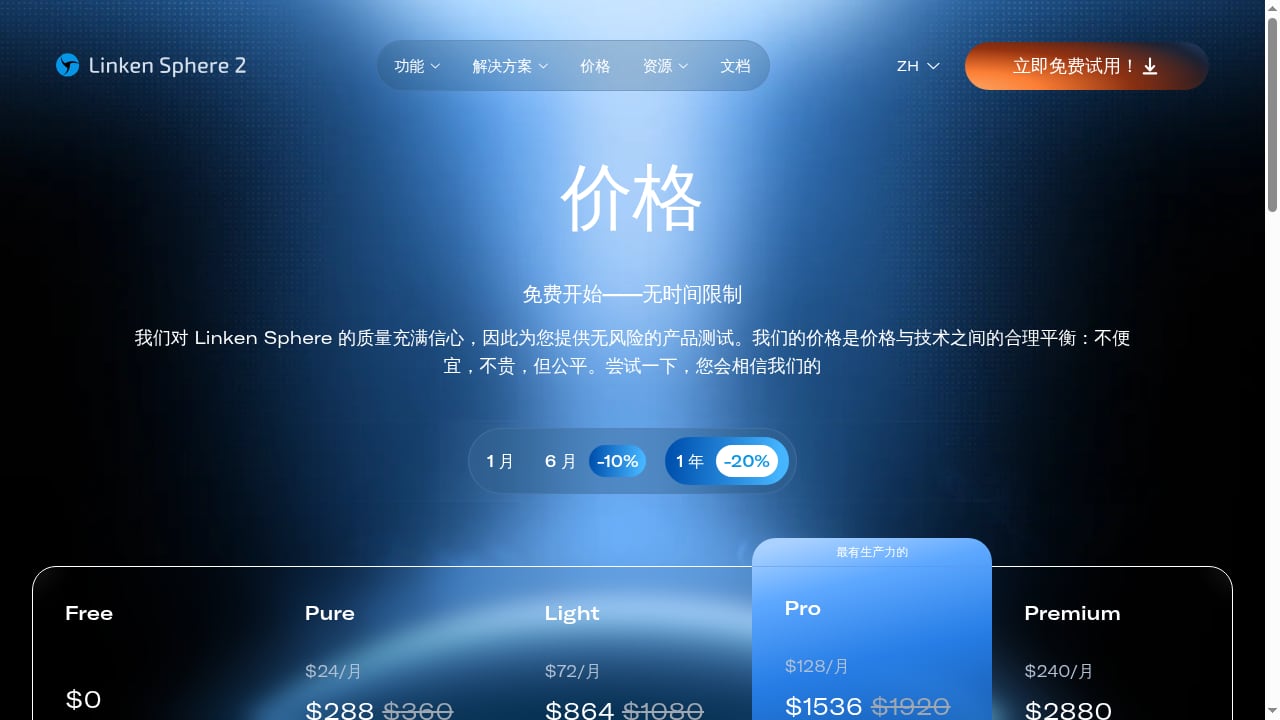
First viewport screenshot of ls.app.
Published in-app monthly prices as of October 2026:
| Plan | Monthly price | Sessions | Team members | Notable inclusions |
|---|---|---|---|---|
| Free | $0 | 5 | 0 | No time limit |
| Pure | $30 | 30 | 0 | Cloud sync, warm-up, simultaneous work |
| Light | $90 | 150 | 0 | Config pool, mobile emulator, proxy analytics, session transfers, 100 free datacenter proxies |
| Pro | $160 | 500 | 10 | Session logs and backups, local API, team management, 300 free proxies |
| Premium | $300 | 1,000 | Unlimited | Personal onboarding, 1,000 free proxies |
Six-month billing carries a 10% discount and annual billing 20%, which brings the entry paid tier to roughly $24/month annually. Note that the product context's "$24–$240" range reflects discounted annual equivalents of the lower tiers rather than the full ladder.
Three pricing signals deserve emphasis:
- Team seats are gated. The website advertises unlimited seats, but that applies only to Premium. Pure and Light have zero team members; Pro allows 10. If collaboration is central to your workflow, budget for Pro or Premium.
- API access is gated. The local REST API starts at Pro ($160/month). Automation-heavy users on lower tiers will hit this wall quickly.
- Mobile emulation is gated. Android and iOS emulation starts at Light ($90/month).
Separately, Sphere Proxy — the company's residential proxy service — is billed independently at about $3/GB. Trustpilot reviewers in early 2026 complained about slow or poor-quality IPs and unrefunded unused traffic, so many users pair Linken Sphere with a third-party proxy provider instead.
Strengths
- Verified fingerprint quality. Independent tests show consistent results across Pixelscan, Iphey, and CreepJS, with a current Chromium core (Chrome 156 at time of testing).
- Mature proxy tooling. Bulk import, naming logic, quality checks, and automatic geo-alignment reduce the most common source of account bans: mismatched IP and fingerprint.
- Genuine free tier. Five sessions with no time limit is enough to evaluate the product on your actual targets.
- Scalable session management. Bulk creation, presets, desktops, tags, and statuses make large workspaces manageable.
- Broad niche coverage. Traffic arbitrage, crypto, e-commerce, marketplaces, SMM, and bonus hunting are all documented use cases.
Limitations
- Cost ladder is steep. Useful features — mobile emulation, API, team seats — sit behind $90–$300/month tiers, which is expensive relative to some competitors.
- Desktop-only. Windows 10/11 and macOS 13+ only. No Linux, no native Android or iOS app, and no cloud profile execution — sessions run locally even though profiles sync to the cloud.
- Mobile emulation is emulation. One April 2026 Trustpilot reviewer reported iOS signal leakage. Test your target sites specifically if iOS fingerprints matter.
- Reputation history. The 2017–2020 association with cybercrime still surfaces in discussions. The UK corporate change is a positive signal but not a clean slate proven by public records.
- Proxy service quality concerns. Negative Trustpilot feedback about Sphere Proxy suggests evaluating third-party proxies before committing.
- Mixed customer sentiment. Trustpilot shows a 3.7/5 average from 28 reviews, with 71% five-star and 21% one-star — polarized rather than uniformly positive.
Who should choose Linken Sphere — and who should not
First viewport screenshot of ls.app.
Good fit:
- Affiliate marketers and media buyers running dozens to hundreds of ad accounts who need strong fingerprint consistency and bulk session creation.
- Cryptocurrency users managing multiple exchange or wallet-adjacent accounts who value session isolation on a local machine.
- Marketplace sellers operating several storefronts who need proxy-to-fingerprint alignment without manual tuning.
- Teams of 10 or fewer willing to pay for Pro, or larger teams on Premium, who want shared session access with role permissions.
Poor fit:
- Anyone who needs cloud-executed profiles accessible from any device — Linken Sphere runs locally.
- Linux users, or teams needing native mobile apps rather than desktop emulation.
- Budget-conscious solo users who only need 10–30 profiles; competitors start lower.
- Automation-first workflows on a tight budget, since the API starts at $160/month.
- Mobile-app multi-accounting (Instagram, TikTok, etc.) where real ARM devices may outperform browser emulation. For that use case, compare approaches in our DuoPlus Cloud Phone vs VMOS Cloud vs Kameleo breakdown, which contrasts real mobile devices with browser-profile tools.
Linken Sphere vs the alternatives, briefly
First viewport screenshot of ls.app.
Against GoLogin, the most direct comparison in independent testing: GoLogin starts at $9/month for 10 profiles with a 7-day paid-feature trial, includes cloud profile launch, and offers API access from $39/month. Linken Sphere wins on Chromium recency in that test and matches on fingerprint results, but costs more at every comparable tier and lacks cloud execution. Against mobile-first platforms, the trade-off is different: browser emulation versus real device hardware. If your accounts live in mobile apps rather than desktop web, a cloud phone platform is the structurally closer fit — see our FoxPhone review for how real ARM cloud devices handle isolation and multi-accounting.
Decision criteria, in priority order:
- Where do your accounts live? Desktop web → antidetect browser. Mobile apps → cloud phone or real-device farm.
- Do you need cloud execution? If yes, Linken Sphere is out.
- How many team members? More than zero means Pro or Premium.
- Do you need the API? Pro or Premium.
- What is your per-profile budget? Compare total cost at your actual session count, not the headline entry price.
Related reading
- How to Use DuoPlus Cloud Phone with Zapier (2026 Guide) - Connect DuoPlus Cloud Phone with Zapier to automate multi-account mobile workflows. Setup steps, real examples, limits, and FAQs for 2026.
- DuoPlus Cloud Phone vs Lalicat Antidetect Browser - Compare DuoPlus Cloud Phone and Lalicat Antidetect Browser: real ARM mobile devices vs Windows-only browser profiles for multi-account work.
Sources and further reading
- Linken Sphere Reviews | Read Customer Service Reviews of ls.app - Apr 25, 2025 ... 28 people have already reviewed Linken Sphere. Read about their experiences and share your own!
- Linken Sphere Browser Review 2026: Pricing, Tests & Best Alternative - We tested Linken Sphere 2 on Pixelscan, Iphey and CreepJS in October 2026. See its plans from $30/mo, team and proxy limits, pros and cons, and how Gologin compares.
- Linken Sphere Review: How the Legendary Anti-Detect Browser Works and What It Can Do - A practical Linken Sphere review: how it operates, setup advice, proxy pairing, metrics to track, and when to utilize or steer clear of anti-detect browsers.
FAQ
Is Linken Sphere free? Yes, there is a free plan with five sessions and no time limit. It excludes team members and higher-tier features like mobile emulation and the API.
Does Linken Sphere have a free trial of paid plans? Independent testing in October 2026 reported no free trial of paid features; the free plan itself serves as the evaluation period.
Does Linken Sphere work on Linux or mobile? No. It is available for Windows 10/11 and macOS 13+ (Intel and Apple Silicon). Mobile fingerprints are emulated on desktop, not delivered through a native app.
Can I run Linken Sphere profiles in the cloud? No. Profiles sync to the cloud, but execution is local — you need the desktop app running on your machine.
How many team members can I add? Zero on Free, Pure, and Light; 10 on Pro; unlimited on Premium.
Is Linken Sphere safe to use? The current operating company is a UK-registered entity, and the product is a legitimate commercial antidetect browser. The historical association with cybercrime in 2017–2020 is documented, and the corporate change is a positive but not fully verifiable signal. Use it for lawful multi-account management consistent with each platform's terms.
How does Linken Sphere compare on price? Entry paid pricing is $30/month ($24/month annually) for 30 sessions, rising to $300/month for 1,000 sessions and unlimited team members. Comparable competitors start lower but may gate different features.
Conclusion
Linken Sphere 2 is a credible, technically strong antidetect browser that has largely shed the usability problems of its predecessor. Independent tests confirm competitive fingerprint quality, the proxy tooling is genuinely useful, and the free tier is a real evaluation opportunity rather than a demo. The case against it is economic and structural: the features most professionals need — mobile emulation, API access, team seats — are locked behind $90–$300/month tiers, execution is local-only, and the platform support is narrow. For desktop-web multi-accounting at scale, with a budget that accommodates the gated tiers, it deserves a shortlist spot. For mobile-app workflows, cloud-execution needs, or lean budgets, the alternatives are stronger fits. Start on the free plan, test against your actual target platforms, and let the fingerprint results — not the marketing — make the decision.