
DuoPlus Cloud Phone vs BitBrowser vs SessionBox One
Compare DuoPlus Cloud Phone, BitBrowser, and SessionBox One for multi-account management. See which fits real Android cloud phones, anti-detect browsing, or tab-based profiles.
DuoPlus Cloud Phone vs BitBrowser vs SessionBox One: Which Multi-Account Tool Fits Your Workflow?
Choosing between a cloud phone platform and an anti-detect browser can feel like comparing two different species of tool. DuoPlus Cloud Phone runs real Android environments in the cloud, BitBrowser isolates desktop browser profiles, and SessionBox One turns browser tabs into separate identities. Each solves a version of the same problem: running multiple accounts without triggering platform bans. But the right choice depends on whether your work lives in mobile apps, desktop browsers, or both.
This comparison breaks down how the three tools differ in architecture, fingerprinting, automation, team features, and pricing, so you can match the tool to your actual workload.
How the Three Tools Approach Multi-Account Management
DuoPlus Cloud Phone vs BitBrowser vs SessionBox One - How the Three Tools Approach Multi-Account Management.
DuoPlus Cloud Phone: Real Android Devices in the Cloud
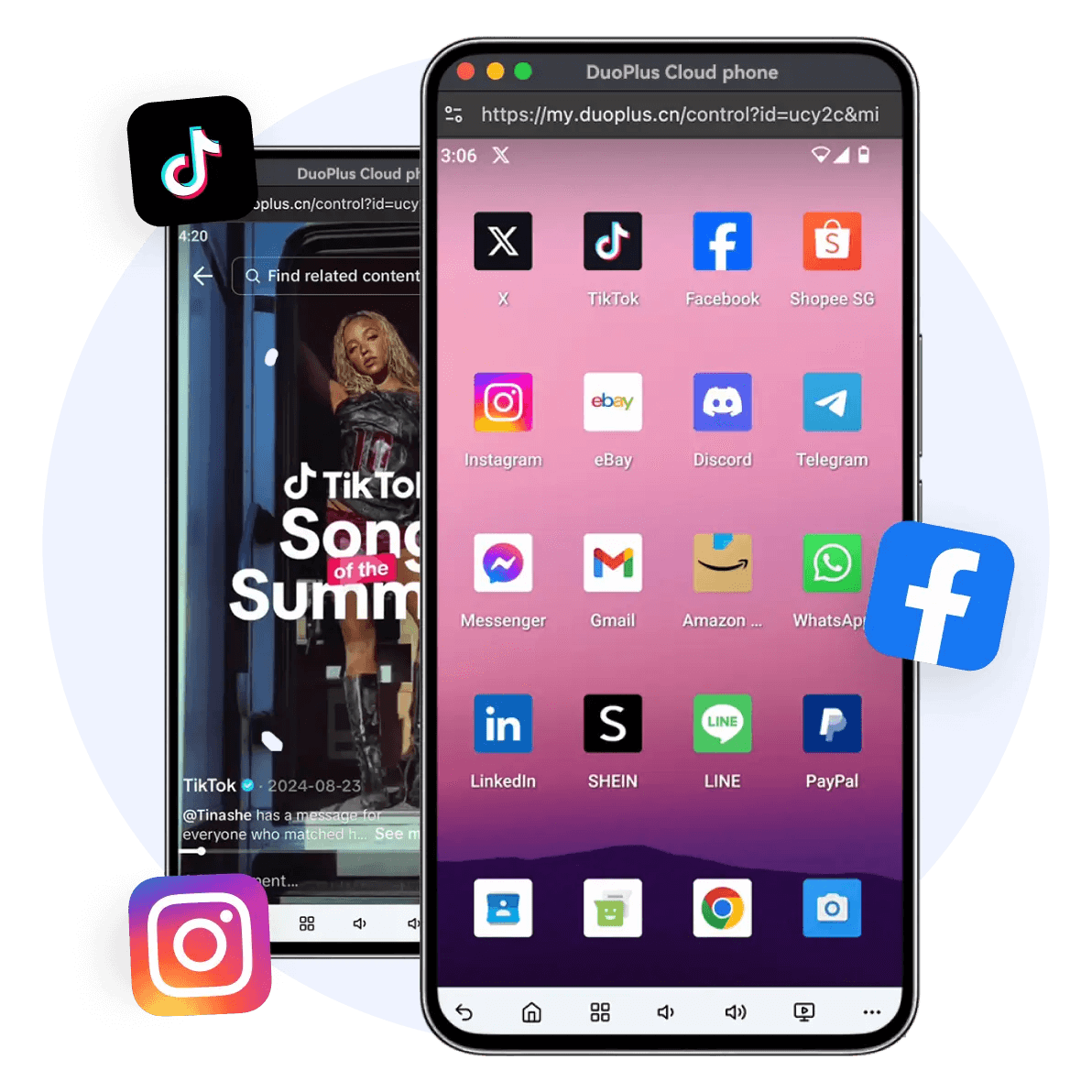
DuoPlus Cloud Phone is an anti-detect cloud phone platform built around real ARM-based virtual Android devices. Instead of simulating a browser environment, it gives each account its own cloud-hosted Android phone with a unique device fingerprint, simulated GPS location, dedicated SIM data, and proxy IP. The platform currently supports Android 15, which matters for marketers who need to run the latest app versions without compatibility issues.
The core idea is simple: each account appears to live on a separate physical phone. That architectural difference is significant for mobile-first platforms like TikTok, Instagram, and Telegram, where app behavior, device parameters, and sensor data all contribute to how platforms evaluate account legitimacy.
Key capabilities include unlimited multi-instance support, one-click reskinning to refresh device parameters, a unified dashboard for team sharing, and the DUO+ AI Agent for no-code automation. Users issue natural-language commands to automate actions like posting, commenting, or following across cloud phones.
BitBrowser: Desktop Anti-Detect Profiles with a Free Tier
BitBrowser takes the desktop browser route. It creates unique browser fingerprints for each profile by simulating more than 20 parameters, including WebGL, Canvas, Audio, Timezone, and proxy settings. Each profile behaves like a separate user on a separate machine, which is the standard anti-detect browser model.
A standout feature is the free tier: 10 permanent browser profiles at no cost. That makes BitBrowser an accessible entry point for solo operators testing multi-account workflows before committing to a paid plan. The platform also supports team collaboration with permission management, all major proxy protocols (HTTP/HTTPS/SOCKS5/SSH), RPA automation, and an extensions and script marketplace.
For mobile needs, BitBrowser offers BitCloudPhone, an Android emulator and iOS cloud phone service. However, this is a secondary offering layered on top of the core browser product, not the primary architecture.
SessionBox One: Tab-Based Profile Isolation in One Window
SessionBox One is a desktop application for Windows and macOS that manages multiple accounts on the same website within a single browser window. Each tab becomes an isolated profile with its own cookies, storage, and fingerprint protection. Users can switch between profiles without logging in and out, which is a lightweight approach compared to full browser profile managers.
The product targets marketing agencies, e-commerce managers, ads managers, digital nomads, resellers, web scrapers, affiliate managers, and Selenium automation users. Core features include profile isolation, proxy support with automatic proxy assignment and geo-location matching, browser fingerprint protection, direct profile sharing without sharing credentials, cloud sync, shared spaces for collaboration, API access, and bulk profile creation.
SessionBox One offers a 7-day free trial with no credit card required, and paid plans start at $12.99 per month for the Hobby plan. The company, Box Labs LLC, is based in the EU and uses Heroku and Google Cloud for infrastructure.
Head-to-Head Comparison

DuoPlus Cloud Phone vs BitBrowser vs SessionBox One - Head-to-Head Comparison.
Architecture: Cloud Phone vs Browser Profile vs Tab Isolation
The most important difference is architectural. DuoPlus Cloud Phone provides a complete Android operating system in the cloud, including device-level parameters that browser-based tools cannot replicate. BitBrowser creates isolated desktop browser environments. SessionBox One isolates profiles at the tab level within a single browser window.
For mobile app workflows, a cloud phone has a structural advantage. Apps like TikTok and Instagram read device identifiers, sensor data, and app installation history that browser profiles simply do not expose. If your multi-account strategy depends on mobile app behavior, a cloud phone platform is the more faithful simulation.
For desktop web workflows, anti-detect browsers like BitBrowser are purpose-built. They handle cookie isolation, fingerprint spoofing, and proxy rotation efficiently across dozens or hundreds of profiles.
SessionBox One occupies a middle ground: lighter than a full anti-detect browser, but more convenient for quick profile switching within a single window. It suits users who need modest isolation for web-based accounts without the overhead of managing separate browser instances.
Fingerprinting Depth and Realism
DuoPlus Cloud Phone generates a unique device fingerprint for each cloud phone, backed by real ARM-based hardware emulation. Because the fingerprint is tied to an actual Android environment rather than a spoofed browser, it includes device-level signals that browser tools cannot fabricate. The one-click reskin feature refreshes all device parameters for fast account rotation.
BitBrowser simulates over 20 fingerprint parameters per profile. This is sufficient for most desktop web platforms, including Amazon, Facebook, Google Ads, and browser-based TikTok access. The depth is competitive within the anti-detect browser category, though it does not extend to mobile device parameters.
SessionBox One provides browser fingerprint protection within its isolated tabs. The focus is on preventing cross-profile tracking rather than deep fingerprint customization, which reflects its positioning as a lightweight profile isolation tool rather than a full anti-detect suite.
Automation Capabilities
DuoPlus Cloud Phone's DUO+ AI Agent is a differentiator. Users can issue natural-language commands to automate app interactions such as posting, commenting, or following. This no-code approach removes the need for scripting while still enabling repetitive task automation across cloud phones.
BitBrowser includes RPA automation for browser-based tasks. Users can record and replay workflows, and the extensions marketplace expands automation possibilities. This works well for web-based repetitive actions but does not cover native mobile app automation.
SessionBox One offers API access and supports Selenium automation. This appeals to developers and technical users who want programmatic control over profile creation and browser actions. The API and Selenium support make it a practical choice for web scraping and automated testing workflows.
Team Collaboration and Sharing
All three tools support team workflows, but the models differ. DuoPlus Cloud Phone centralizes account operations through a unified dashboard that supports team sharing and cross-platform control from any browser or device. Team members can access cloud phones without installing local software.
BitBrowser offers team collaboration with permission management, allowing administrators to control which team members can access which profiles. Data synchronization keeps profiles consistent across devices.
SessionBox One supports direct profile sharing without sharing credentials, cloud sync, and collaboration via shared spaces. This is particularly useful for agencies that need to hand off account access to clients or contractors without exposing passwords.
Proxy and IP Management
DuoPlus Cloud Phone bundles dedicated SIM data and proxy IP with each cloud phone, plus globally simulated GPS location. This integrated approach means users do not need to source proxies separately for mobile workflows.
BitBrowser supports all major proxy protocols, including HTTP/HTTPS/SOCKS5/SSH. Users can bring their own proxies or integrate with partner providers like IPDEEP. This flexibility is standard for anti-detect browsers and gives users control over IP sourcing.
SessionBox One supports proxy assignment with automatic geo-location matching. The automatic matching feature reduces configuration effort, especially for users managing profiles across multiple regions.
Pricing and Accessibility
BitBrowser's 10 free permanent profiles make it the most accessible entry point. Users can test multi-account workflows without upfront cost.
SessionBox One offers a 7-day free trial with no credit card required, and paid plans start at $12.99 per month. The Hobby plan is affordable for solo users with modest profile counts.
DuoPlus Cloud Phone operates on a per-cloud-phone purchase model. Users buy and control as many cloud phones as needed, which scales predictably with account volume. The pricing reflects the cost of running real Android infrastructure rather than browser profiles.
When to Choose Each Tool
DuoPlus Cloud Phone vs BitBrowser vs SessionBox One - When to Choose Each Tool.
Choose DuoPlus Cloud Phone When:
- Your accounts live primarily in mobile apps like TikTok, Instagram, Telegram, or Zalo
- You need device-level fingerprint realism that browser tools cannot provide
- You want no-code AI automation for app interactions
- You are scaling a mobile-first social media matrix or e-commerce operation
- You need globally simulated GPS locations tied to each account
Choose BitBrowser When:
- Your multi-account work happens in desktop web browsers
- You want a free tier to test workflows before paying
- You need support for multiple proxy protocols and custom proxy setups
- Your team requires granular permission management for browser profiles
- You use RPA automation for web-based repetitive tasks
Choose SessionBox One When:
- You need lightweight profile isolation within a single browser window
- You frequently switch between accounts on the same website
- You want to share profiles without sharing credentials
- You use Selenium for automation or web scraping
- You prefer a simple, affordable tool over a full anti-detect suite
Practical Scenario: Scaling a TikTok Marketing Operation
DuoPlus Cloud Phone vs BitBrowser vs SessionBox One - Practical Scenario: Scaling a TikTok Marketing Operation.
Imagine you are running 20 TikTok accounts for a cross-border e-commerce brand. With DuoPlus Cloud Phone, each account gets its own cloud-based Android phone with a unique device fingerprint, dedicated IP, and simulated GPS location. The DUO+ AI Agent can automate posting and commenting across accounts using natural-language commands. Account bans are less likely because each account operates from what appears to be a separate physical device.
With BitBrowser, you would manage TikTok through browser profiles. This works for TikTok's web interface, but mobile app features like effects, filters, and certain engagement behaviors are unavailable. The free tier lets you test the workflow, but browser-based TikTok management has inherent limitations for mobile-first strategies.
With SessionBox One, you could isolate TikTok profiles in separate tabs. However, the tab-based model is designed for quick switching rather than deep mobile app simulation. For a 20-account TikTok matrix, the architectural mismatch would likely become apparent quickly.
For a different scenario, such as managing 50 Amazon seller accounts through web dashboards, the calculus flips. BitBrowser's browser profiles and proxy flexibility would be the natural fit. SessionBox One could work for a smaller operation. DuoPlus Cloud Phone would be overkill unless you also needed mobile app management for the same accounts.
The Hybrid Reality
Many serious multi-account operators use both a cloud phone platform and an anti-detect browser. Mobile apps demand cloud phones for realistic device simulation, while desktop web platforms are efficiently managed through browser profiles. DuoPlus Cloud Phone and BitBrowser are complementary in this sense rather than direct competitors.
SessionBox One serves a different niche: users who want quick, lightweight isolation for web accounts without the complexity of a full anti-detect browser. It is a pragmatic choice for smaller operations and specific workflows like client account handoffs.
For more context on how these tools compare with other options, see our DuoPlus Cloud Phone vs Moimobi vs BitBrowser comparison and the DuoPlus Cloud Phone vs Nstbrowser vs SessionBox One breakdown.
Related reading
- DuoPlus Cloud Phone vs Moimobi vs Hidemium: 2026 Comparison - Compare DuoPlus Cloud Phone, Moimobi, and Hidemium for multi-account management. See which fits real Android cloud phones, AI automation, or anti-detect browsing.
- DuoPlus Cloud Phone vs Moimobi vs RoxyBrowser: 2026 Comparison - Compare DuoPlus Cloud Phone, Moimobi, and RoxyBrowser for multi-account management. See which fits real Android cloud phones, AI automation, or anti-detect browsing.
Sources and further reading
- 10 Best AdsPower Alternatives in 2026 (That Really Work) - Multilogin, GoLogin, Dolphin Anty, Kameleo, and more—these AdsPower alternatives promise better fingerprinting, residential proxies, and...
- The Most Cost-Effective IP Proxy Provider-Void Proxy - Void Proxy has high-quality global residential proxy IP resources, which are more concealed, safer, and faster.
- Top AdsPower Browser Alternatives in 2026 - Find the top alternatives to AdsPower Browser currently available. Compare ratings, reviews, pricing, and features of AdsPower Browser alternatives in 2026.
FAQ
What is the main difference between a cloud phone and an anti-detect browser?
A cloud phone provides a complete virtual Android device hosted in the cloud, including device-level parameters like IMEI, sensor data, and app installation history. An anti-detect browser creates isolated desktop browser profiles with spoofed fingerprint parameters. Cloud phones are better for mobile app workflows, while anti-detect browsers excel at desktop web account management.
Is BitBrowser really free?
BitBrowser offers 10 permanent browser profiles for free. This free tier includes core fingerprinting and profile isolation features. Paid plans unlock additional profiles, team features, and advanced capabilities.
Can SessionBox One handle mobile app accounts?
SessionBox One is a desktop application for Windows and macOS. It isolates browser tabs and profiles but does not simulate mobile device environments. For mobile app account management, a cloud phone platform like DuoPlus Cloud Phone is more appropriate.
Does DuoPlus Cloud Phone support automation?
Yes. The DUO+ AI Agent enables no-code automation through natural-language commands. Users can automate app interactions like posting, commenting, and following without writing scripts.
Which tool is best for team collaboration?
All three tools support team workflows. DuoPlus Cloud Phone offers a unified dashboard with team sharing and cross-platform control. BitBrowser provides permission-based team management. SessionBox One supports profile sharing without credential sharing and shared spaces for collaboration.
Can I use proxies with these tools?
Yes. DuoPlus Cloud Phone includes dedicated SIM data and proxy IPs with each cloud phone. BitBrowser supports HTTP/HTTPS/SOCKS5/SSH proxies. SessionBox One supports proxy assignment with automatic geo-location matching.
Conclusion
DuoPlus Cloud Phone, BitBrowser, and SessionBox One solve related but distinct problems. DuoPlus Cloud Phone is the strongest choice when your multi-account strategy depends on mobile app realism, device-level fingerprinting, and no-code AI automation. BitBrowser is a capable anti-detect browser with an accessible free tier and solid proxy flexibility for desktop web workflows. SessionBox One is a lightweight, affordable option for tab-based profile isolation and credential-free profile sharing.
The right choice depends on where your accounts live. Mobile-first operations benefit most from cloud phone architecture. Desktop web operations are well served by anti-detect browsers. And lightweight multi-account needs may be fully met by tab-based isolation. Many teams will find that combining a cloud phone platform with an anti-detect browser covers the full spectrum of their multi-account management needs.
For a broader view of how DuoPlus Cloud Phone compares with other anti-detect browsers and cloud phone services, check out the DuoPlus Cloud Phone vs Hidemium vs RoxyBrowser comparison.