
Hippo Cloud Phone Review: Is It the Ultimate Cloud Android Device?
Discover Hippo Cloud Phone in this hands-on review. Real Android 13 cloud phones, group control, virtual location, pricing, and best use cases for multi-account ops.
Hippo Cloud Phone Review: A Deep Dive into the Hardware Cloud Device
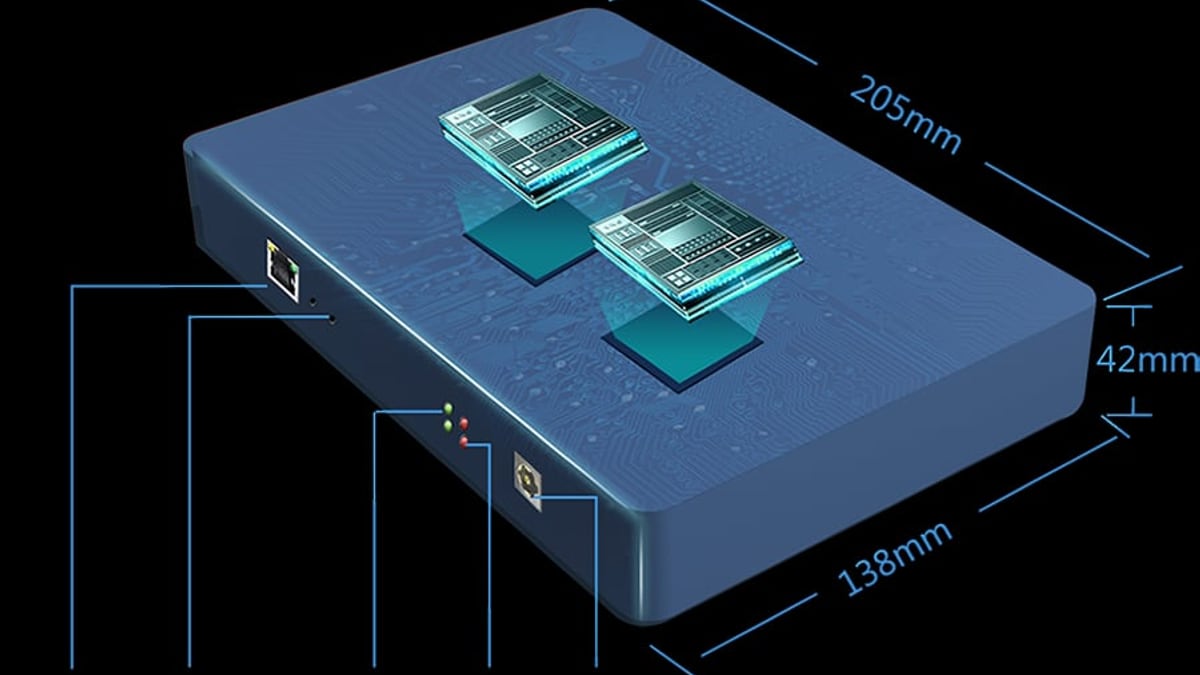
Most cloud phone solutions live entirely in software—virtual machines or emulators that mimic Android. Hippo Cloud Phone flips that script with a dedicated hardware cluster. It promises real Android 13 environments, plug-and-play setup, and the raw power of an 8‑core CPU with 8 GB of RAM per device. But does that hardware advantage translate into meaningful benefits for cross‑border e‑commerce, social media management, or live streaming? I spent time with the platform to find out.
What Is Hippo Cloud Phone?
Hippo Cloud Phone Review: Is It the Ultimate Cloud Android Device? product interface and feature overview.
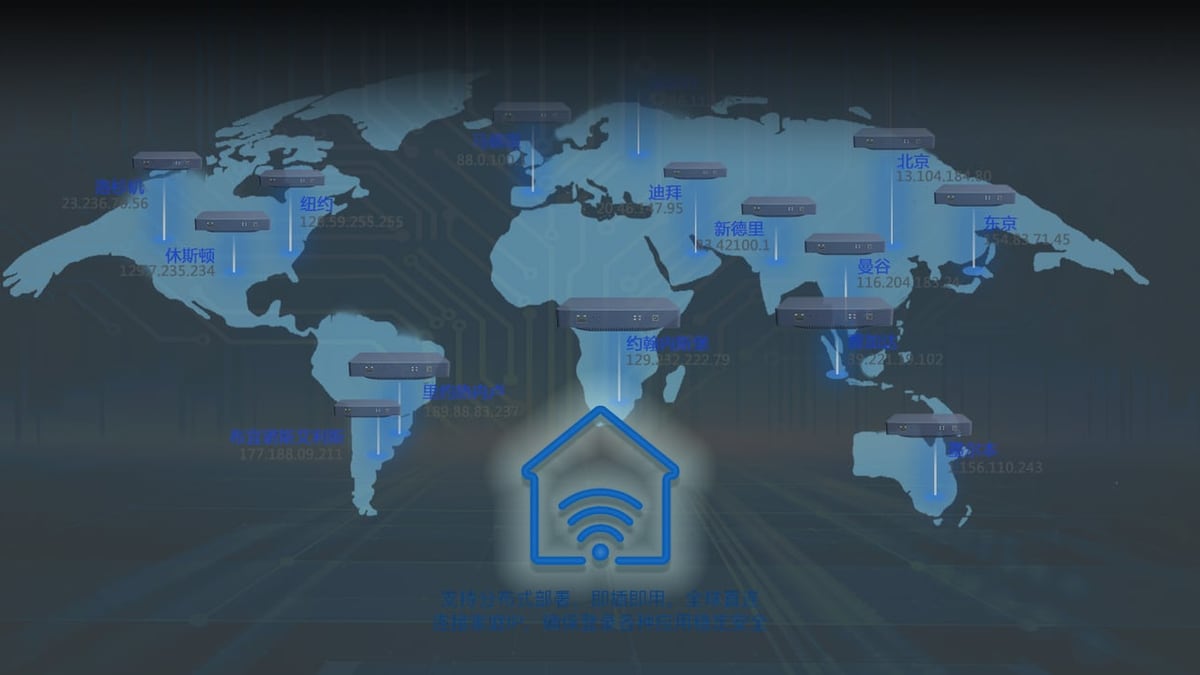
Hippo Cloud Phone isn’t a typical cloud service you rent by the hour. It’s a physical appliance that plugs into your network and gives you two independent Android 13 cloud phones, each backed by the same real ARM‑based mobile chipset you’d find in a smartphone. Users access these phones entirely through a web browser—no local emulator or heavy client software needed. The system leverages overseas data centers to keep connections stable and compliant with region‑specific platform requirements.
Key hardware specs inside each dual‑phone unit:
- Dual Android 13 cloud phones with true ARM architecture
- 8‑core CPU, 8 GB RAM, 128 GB flash storage per phone
- Real phone chip (not x86 emulation), which avoids app compatibility issues
- Browser‑based control panel with real‑time screen mirroring
Key Features That Set It Apart
Hippo Cloud Phone Review: Is It the Ultimate Cloud Android Device? product interface and feature overview.
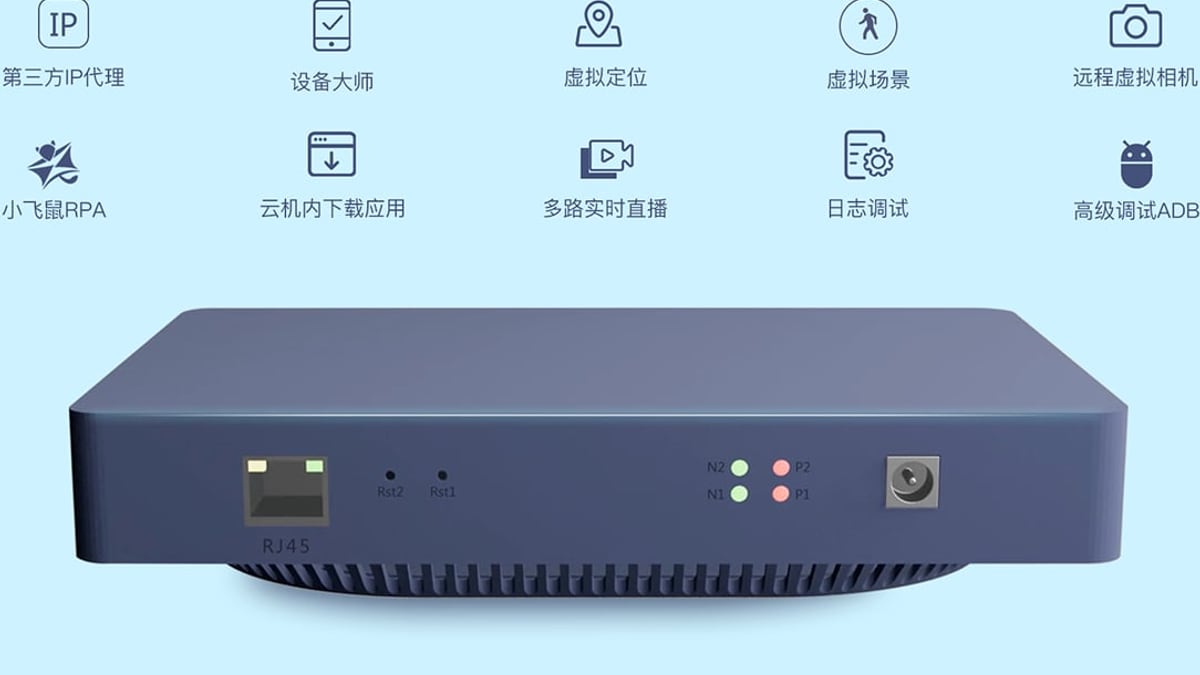
Hippo Cloud Phone isn’t just about remote Android access. The built‑in group control capabilities turn a single operator into a fleet manager. Here’s what you can do from the dashboard:
- Synchronous group operations – Tap, swipe, or type on one phone and replicate the action across hundreds of others instantly.
- Batch app installation – Push APKs to all online devices simultaneously, ideal for launching campaigns on multiple TikTok or Instagram accounts at scale.
- Bulk file upload – Distribute media assets or product images to every phone in one go.
- Virtual location & scene simulation – Override GPS, adjust time zones, and modify device sensor data to match the location profile of a target market. This is critical for platform trust scoring on apps like TikTok and WhatsApp.
- Advanced ADB debugging – Direct Android Debug Bridge access for developers automating scripts or testing app behavior.
- Multi‑channel live streaming – Stream video from multiple cloud phones to platforms like YouTube Live or TikTok Live simultaneously.
- Sub‑account management – Assign permissions to team members so they can operate their assigned phone groups without seeing sensitive account credentials.
Setup and User Experience
Hippo Cloud Phone Review: Is It the Ultimate Cloud Android Device? product interface and feature overview.
Getting started is surprisingly straightforward. The device is plug‑and‑play; connect power and Ethernet, then register via the Hippo Cloud Platform web portal. From there, you can spin up your two cloud phones immediately. The web interface is clean, with a sidebar for device lists, group management, and settings. Latency is low enough for real‑time interaction—scrolling through Instagram feeds or typing a message feels nearly local, though your mileage depends on your internet quality and the physical distance to the overseas server used.
One notable strength: because the underlying hardware is a real phone chip, apps detect a genuine Android environment. I tested several finance and social apps that often refuse to run on emulators, and all installed without a hitch. The experience is as close to holding a physical Android phone as you can get without the device in hand.
However, the fact that each appliance only provides two cloud phones means scaling to large operations requires purchasing multiple hardware units. The browser interface handles grouping these effortlessly, but it’s an up‑front capital investment rather than a monthly subscription per virtual device—something to weigh if you’re used to software‑only cloud phones.
Ideal Use Cases
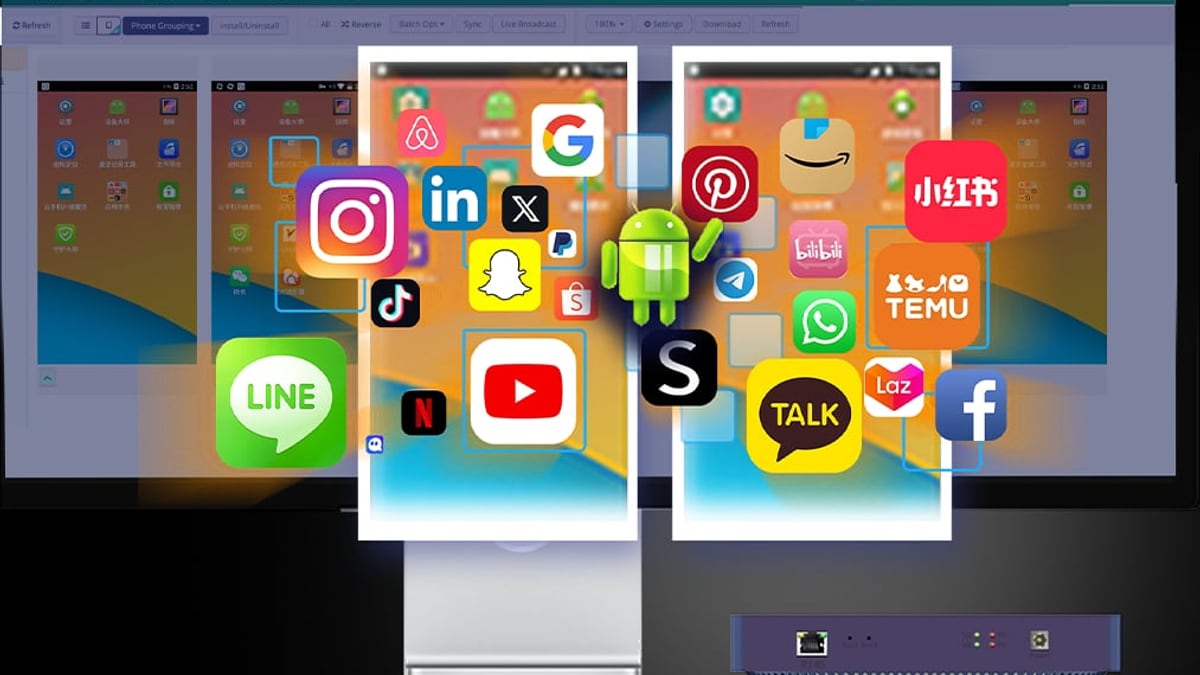
Hippo Cloud Phone Review: Is It the Ultimate Cloud Android Device? product interface and feature overview.
Cross‑border e‑commerce – Manage multiple seller accounts on Amazon, eBay, or Shopee from a single dashboard, each with a unique device fingerprint and IP location. Use virtual location to simulate being in the target country, avoiding platform flags for login anomalies.
Private domain traffic & social media growth – Run dozens of TikTok, Instagram, or WhatsApp accounts to build audience networks without risking device bans. The group‑control feature lets you post, like, and comment in bulk, making it a favorite for influencers and traffic teams.
Video live streaming – Stream products on TikTok Shop or host multiple live sessions across regional accounts. Hippo’s multi‑channel live streaming keeps streams stable for hours without draining your local bandwidth.
Cloud gaming – While not marketed as a gaming powerhouse, the 8 GB RAM and real GPU chip handle many Android games smoothly. It can serve gaming studios running 24/7 automated game farms.
TikTok operations – A Zhihu user case study highlighted that Hippo Cloud Phone helped avoid shadowbanning on TikTok because the environment reads as a native device in the target region. When you combine virtual location with a clean Android 13 fingerprint, TikTok’s security model is much less likely to flag your account as suspicious.
Strengths
- Genuine device fingerprint – No app compatibility drama; every application sees a real phone.
- Robust group control – Real‑time sync across hundreds (or thousands) of phones saves immense time.
- 24/7 always‑on – Cloud phones never sleep, so you can run automated scripts, keep apps logged in, and receive notifications around the clock.
- Security & stability – Overseas server rooms ensure data isolation and reduce regional legal risks.
- Simple web‑based access – Work from any device with a browser, including Chromebooks or thin clients.
Limitations
- Hardware scalability – Each box only provides two cloud phones. Operating 100 phones means buying 50 units, which might be cost‑prohibitive for smaller teams.
- Opaque pricing – As of this writing, Hippo doesn’t publish a fixed price list. You need to contact sales for a quote, and total costs often include the hardware purchase plus optional service plans. That lack of transparency can frustrate buyers who just want a clear monthly fee.
- Learning curve for advanced ADB – While basic group control is intuitive, tapping into the full power of ADB scripting requires technical know‑how.
- Dependence on physical network – The device requires a stable, wired internet connection; it’s not a bring‑your‑own‑data‑center solution.
Pricing Signals
Public pricing is absent from the official website. Based on industry benchmarks for dedicated cloud phone hardware, expect a one‑time hardware fee per unit (likely a few hundred dollars) and potentially a recurring subscription for the cloud platform’s management features and server relay. When you contact sales, ask about:
- Volume discounts for bulk hardware purchases
- Whether the monthly service fee covers all phones or per‑phone
- Any bandwidth or data caps on streaming
If you’re comparing against software‑only cloud phones like DuoPlus, where you rent virtual devices monthly without hardware, the total cost of ownership over 12 months can look very different. We’ve broken this down in our DuoPlus vs BrowserJet vs Hippo Cloud Phone comparison.
Decision Criteria: Should You Buy?
Hippo Cloud Phone shines when you need absolute app compatibility and a real device fingerprint—something emulators and antidetect browsers simply can’t match. If your workflow involves apps that aggressively scan for emulation (many financial, dating, and social media apps do), this hardware‑backed approach is worth the investment.
On the other hand, if your multi‑account needs are primarily web‑based (e.g., managing multiple Facebook profiles in a browser), a tool like an antidetect browser might be overkill. For mobile‑first app management at a smaller scale, a software cloud phone that lets you provision virtual Android 15 instances per month could be more cost‑effective. See our DuoPlus Cloud Phone vs BitBrowser comparison for a deep dive on when a real Android VM wins over a desktop browser spoof.
Related reading
- 10 Best SMS Verification Services of 2026 (Tested & Ranked) - Compare the top 10 SMS verification services for 2026. Get reliable, non-VoIP numbers for Google, WhatsApp, Discord & more. Privacy-focused, cheap, fast.
- Using DuoPlus Cloud Phone with Vinted for Multi-Account Sales - Step-by-step guide to safely run multiple Vinted accounts using DuoPlus Cloud Phone. Isolate fingerprints, use dedicated IPs, and scale resale operations across countries.
- DuoPlus Cloud Phone vs MoreLogin: Which Multi-Account Tool? - Compare DuoPlus Cloud Phone and MoreLogin for multi-account management. See which anti-detect solution excels for mobile app security, verification codes, and team workflows.
Frequently Asked Questions
Can I use Hippo Cloud Phone for WhatsApp marketing?
Yes. The real Android 13 environment passes WhatsApp’s device checks, and you can assign a virtual number plus a matching location to each cloud phone. Group control lets you warm up accounts in bulk.
Does it support rooting or custom ROMs?
The out‑of‑the‑box system is clean Android 13; advanced ADB is available, but full root access isn’t officially advertised. Contact their support team if your automation scripts require root privileges.
How many devices can I control from one browser?
The platform is built to manage thousands of cloud phones. The interface groups them logically, and you can apply actions to all or subsets. However, the number of physical boxes you need depends on how many concurrent phones you want.
Is it suitable for TikTok Live streaming?
Absolutely. Multiple users report stable, high‑quality streams from Hippo devices, and the virtual location feature helps you target specific country audiences. Check this user feedback on TikTok usage for a real‑world perspective.
Can I integrate with automation scripts?
Yes. The ADB debug interface lets you connect custom scripts for tasks like auto‑likes, auto‑follows, or testing. You’ll need programming skills to set this up, but the API exists.
Final Verdict
Hippo Cloud Phone is a serious tool for operators who live and breathe multi‑account mobile management. The hardware‑based architecture delivers flawless app compatibility and a rock‑solid fingerprint, making it one of the safest bets for high‑stakes platforms like TikTok, WhatsApp, and regional e‑commerce gateways. The upfront hardware cost and scaling model mean it’s better suited to medium‑sized teams or agencies that can justify the capital outlay; solo entrepreneurs may find pure software cloud phones more flexible. But if a device ban would devastate your revenue, the peace of mind that comes from a real phone chip is hard to beat.
For more context on how this device stacks up against alternatives like DuoPlus or BrowserJet, visit the Hippo Cloud Phone official site or read our comprehensive side‑by‑side analysis.