
How to Use DuoPlus Cloud Phone with Proxies: Full Guide
Learn how to pair DuoPlus Cloud Phone with high-quality proxies for isolated Android devices, clean IPs, and safer multi-account management in 2026.
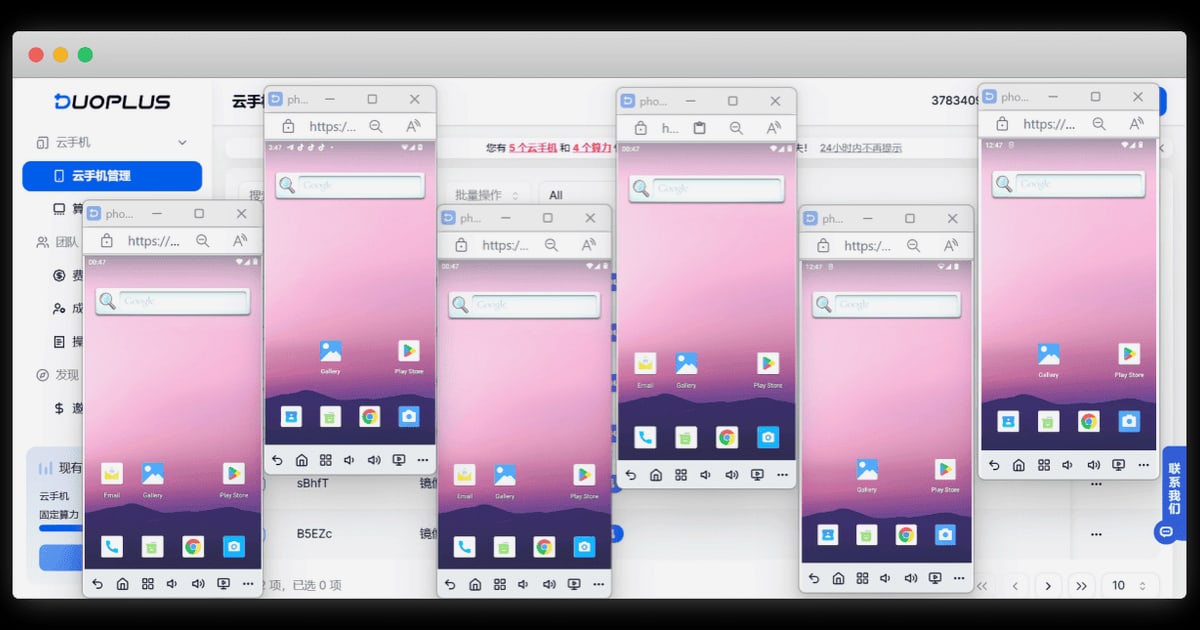
How to Use DuoPlus Cloud Phone with Proxies
DuoPlus Cloud Phone gives you real ARM-based Android devices in the cloud, each with its own device fingerprint, storage, and simulated GPS/SIM data. But a cloud phone alone is not enough: the IP address your device uses is just as important for avoiding account association. That is where high-quality proxies come in. This guide shows you how to combine DuoPlus Cloud Phone with shared, dedicated, or residential proxies to build isolated, believable mobile environments for social media, e-commerce, and app testing.
Why pair DuoPlus Cloud Phone with proxies?
First viewport screenshot of PROXYS.IO Blog.
DuoPlus handles the device layer: it simulates real hardware, location, and carrier data so each cloud phone looks like a distinct physical device. Proxies handle the network layer: they give each cloud phone a different IP address that matches the device's apparent location. When both layers align, platforms see consistent, believable users instead of a cluster of accounts sharing the same datacenter IP.
Without a proxy, all your cloud phones may share the same outbound IP, which is a major association signal. With a proxy, each device can appear to be in a different city or country, matching the GPS and SIM data you configured in DuoPlus.
What you need before you start
First viewport screenshot of PROXYS.IO Blog.
- A DuoPlus Cloud Phone account (free trial available).
- A proxy plan from a provider that offers shared, dedicated, or residential IPs. Choose based on how much isolation and trust you need.
- A list of target regions (e.g., US, UK, Germany) and the platforms you plan to use.
- Basic familiarity with proxy formats: IP:port, username, password, and protocol (HTTP/SOCKS5).
Step-by-step setup
First viewport screenshot of PROXYS.IO Blog.
1. Create your DuoPlus cloud phone
Log in to DuoPlus and create a new cloud phone. Select the Android version (up to Android 15), device brand/model, and the target country for GPS and SIM simulation. Give the device a clear name, such as tiktok-us-01, so you can track which proxy belongs to it.
2. Choose the right proxy type
| Proxy type | Best for | Isolation level | Cost |
|---|---|---|---|
| Shared | Testing, low-risk tasks, app QA | Low (IP shared with others) | Lowest |
| Dedicated | Stable multi-account operations, e-commerce | Medium-high (IP exclusive to you) | Medium |
| Residential | Social media, TikTok, high-trust accounts | High (real ISP IPs) | Highest |
For platforms with strict detection, residential proxies are usually the safest choice. For internal testing or low-risk automation, shared or dedicated proxies can be enough.
3. Add the proxy to your cloud phone
In the DuoPlus dashboard, open the cloud phone settings and find the network or proxy configuration section. Enter the proxy details:
- Protocol: SOCKS5 or HTTP(S), depending on what your provider supports.
- Host and port.
- Username and password if authentication is required.
Save the settings and restart the cloud phone if prompted. DuoPlus will route the device's traffic through the proxy.
4. Verify the IP and location
Open a browser inside the cloud phone and check your IP address. Confirm that:
- The IP location matches the GPS and SIM country you set in DuoPlus.
- The IP is not blacklisted or flagged as a datacenter IP (residential proxies help here).
- The connection is stable and fast enough for your use case.
If the IP does not match, adjust the proxy region or the DuoPlus location settings before logging into any account.
5. Install apps and log in
Use DuoPlus bulk app installation to add TikTok, Instagram, Facebook, Shopee, or any other app. Log in to each account only after the proxy and device settings are verified. Keep one account per cloud phone to maintain clean isolation.
Practical workflow examples
Social media multi-accounting
Create one cloud phone per TikTok or Instagram account. Assign a residential proxy from the same country as the account's target audience. Set the DuoPlus GPS and SIM to that country. Use consistent proxy locations over time so the account's network history looks natural.
E-commerce store management
For Shopee or Lazada sellers, use dedicated proxies for each store region. Pair each proxy with a cloud phone configured for the matching country. This keeps store sessions separate and reduces the risk of cross-store association.
App testing across regions
Testers can spin up multiple cloud phones with different proxies to simulate users in various countries. Shared proxies may be sufficient here because the goal is functional testing, not long-term account trust.
Common problems and how the combination solves them
- Account association: DuoPlus isolates device fingerprints; proxies isolate IPs. Together they remove two major linking signals.
- Location mismatch: If GPS says UK but IP says US, platforms may flag the account. Matching proxy region to DuoPlus location fixes this.
- IP reputation: Shared proxies can be flagged. Residential or dedicated proxies improve trust for high-value accounts.
- Scaling complexity: DuoPlus bulk management plus a proxy provider with volume pricing lets you grow from a few devices to hundreds without rebuilding your workflow.
Choosing a proxy provider for DuoPlus
First viewport screenshot of Proxys.io - Buy Proxy Servers from $0.13/IP.
Look for a provider that offers:
- Shared, dedicated, and residential options in one place.
- Regional targeting (city or country level).
- SOCKS5 support, which works well with mobile apps.
- Clear pricing and volume discounts.
A provider that sells all three types at low prices gives you flexibility: start with shared proxies for testing, move to residential for production accounts.
Related reading
- DuoPlus Cloud Phone vs Multilogin vs Indigo: 2026 Comparison - Compare DuoPlus Cloud Phone, Multilogin, and Indigo on device realism, isolation, automation, and pricing for multi-accounting in 2026.
- DuoPlus Cloud Phone vs AI Cloud Phone (VMOSCloud) - DuoPlus Cloud Phone vs VMOSCloud AI Cloud Phone for social media multi-account automation: compare device realism, isolation, automation, SMS, proxies, and pricing.
- Hidemyacc Review 2026: Antidetect Browser for Multi-Accounts - Evidence-based Hidemyacc review for 2026: fingerprint isolation, automation, pricing signals, setup steps, limitations, and who should use it for multi-accounting.
Sources and further reading
- How to Use DuoPlus Cloud Phone: Best Anti-Detect Solution for Multi-Account Management - Tired of getting your accounts BANNED? DuoPlus Cloud Phone is the world's first Android 15 anti-detect solution that runs directly in your browser - perfect ...
- How to Run Multiple Android Devices in the Cloud | Antidetect DuoPlus Cloud Phone Setup & Review - Enjoy the videos and music you love, upload original content, and share it all with friends, family, and the world on YouTube.
- DuoPlus Cloud Phone - Anti-Detection Cloud Phone | Mobile Multi-Account Management Expert | TikTok Account Operations - DuoPlus Cloud Phone is your expert in managing multiple social media accounts globally. Cloud phone devices operate in independent environments, avoiding account association risks. With one-click skin changing and one-click sharing, you can use it anytime and anywhere, instantly. DuoPlus is dedicated to developing cloud phones for global social media marketing and TikTok, originating from the AdsPower technical team!
FAQ
Can I use DuoPlus Cloud Phone without a proxy?
Yes, but all devices may share the same IP, which increases association risk. Proxies are strongly recommended for any multi-account use.
Which proxy type is best for TikTok accounts?
Residential proxies are generally the safest for TikTok because they use real ISP IPs. Dedicated proxies can work for lower-risk accounts.
How many proxies do I need?
One proxy per cloud phone is the cleanest setup. Avoid sharing a single proxy across multiple accounts on the same platform.
Does DuoPlus support SOCKS5 proxies?
DuoPlus supports common proxy protocols. Check the current dashboard options and your provider's documentation for compatibility.
Can I change the proxy later?
Yes, you can update proxy settings in the cloud phone configuration. Changing IPs frequently can look suspicious, so keep changes minimal for established accounts.
Conclusion
DuoPlus Cloud Phone and quality proxies solve two different but equally important problems: device identity and network identity. By matching each cloud phone's fingerprint, GPS, and SIM data with a proxy from the same region, you create believable, isolated environments that scale. Start with a small test batch, verify IP and location alignment, then expand using dedicated or residential proxies for your most valuable accounts. For a deeper comparison of cloud phone platforms, see our DuoPlus Cloud Phone vs Multilogin vs Indigo analysis, and learn how to pair DuoPlus with PROXIES.SX mobile proxies for clean 4G/5G IPs.