
Top 10 Antidetect Browser Software Products 2026
We ranked the top 10 antidetect browsers of 2026 on fingerprint consistency, automation, pricing, and free plans, with honest notes on where each fits.
Top 10 Antidetect Browser Software Products 2026
If you run more than a couple of accounts on the same platform, you already know the problem: a normal browser leaks a stable fingerprint, and platforms use it to link sessions that should stay separate. Antidetect browsers exist to break that link. Each profile gets its own isolated storage, its own cookies, and its own internally consistent device fingerprint, so a marketplace, ad network, or social platform sees what looks like a different machine each time.
This list covers ten products that genuinely belong to the antidetect browser category in 2026. We ranked them on fingerprint consistency, stability across long sessions, automation support, platform coverage, and value per dollar. Pricing and free tiers move fast in this market, so treat every figure as a starting point and verify it on the vendor page before you commit.
How We Evaluated These Antidetect Browsers
Indigo product interface.
No roundup can promise invisibility, and any that does is overselling. Passing a fingerprint checker means a profile holds together and reads as a real device. It does not mean you will clear every anti-bot check, because TLS handshake details, HTTP/2 frame ordering, and on-page behavior sit outside what a fingerprint test can see. A clean residential proxy and human-like activity decide as much as the browser itself.
With that caveat stated, we weighted five criteria:
- Fingerprint quality (30%) — whether Canvas, WebGL, User-Agent, timezone, fonts, hardware parameters, and WebRTC stay consistent within a profile and look natural to third-party checkers like Pixelscan, Iphey, and CreepJS.
- Stability (20%) — how well profiles survive long sessions, many parallel windows, and repeated launches without drifting or leaking.
- Automation support (20%) — REST APIs, Selenium, Puppeteer, Playwright, and how cleanly the tool fits a scraping or agent stack.
- Platform coverage (15%) — Windows, macOS, Linux, Android, and cloud execution.
- Value (15%) — what you get per dollar, including free tiers and per-profile cost at scale.
We deliberately excluded session managers that organize logins without spoofing a distinct device fingerprint, and we left out tools that have shut down. Mobile-first cloud phone platforms are a separate category and are not ranked here.
The Top 10 Antidetect Browsers of 2026
First viewport screenshot of Indigo антидетект браузер — мультиаккаунтинг и арбитраж.
1. Multilogin — Deepest fingerprinting for high-stakes accounts
Best for: teams and agencies where a single flagged account is expensive.
Multilogin is the depth leader in most 2026 testing. A default macOS profile paired with a clean residential proxy passes Pixelscan, Iphey, and CreepJS without tuning, and CreepJS reads the GPU at high confidence rather than as noise. That matters because real hardware values stay consistent across sessions, while randomized noise tends to drift and eventually contradicts itself.
It ships two engines, Mimic (Chromium) and Stealthfox (Firefox), plus a separate Cloud Phones product for real Android devices. Automation runs through a local and remote API with official Selenium, Puppeteer, and Playwright documentation. The trade-off is price and access: there is no free tier, only a short paid trial, and team seats start on higher plans. If your accounts are high-value, that cost is usually justified. If you are testing the category, it is a hard first purchase.
2. GoLogin — Best all-rounder with a real free tier
Best for: beginners and small teams who want a working setup today.
GoLogin runs on Orbita, its own Chromium fork, and is the only major provider with a genuine native Android app alongside desktop clients. The free tier is real rather than a countdown: a few persistent profiles with no time limit, though API and team features stay behind paid plans. Paid tiers scale to hundreds of profiles and add cloud-launched browsers.
Automation covers a REST API, official Selenium and Puppeteer guides, and a browser MCP for driving profiles from AI agents. Playwright is not officially advertised. Fingerprint quality is widely reported as clean on Pixelscan and Iphey, and it is stable enough for people who do not want to babysit configuration. The ceiling is lower than Multilogin's, but the floor is much easier to reach.
3. AdsPower — Affordable scaling with built-in automation
Best for: teams that need many profiles plus no-code automation.
AdsPower pairs two engines, Sun (Chromium) and Flower (Firefox), with a no-code RPA builder that handles repetitive in-browser tasks without writing scripts. That combination is why it shows up in so many budget-conscious operations. Entry pricing is aggressive, and the free tier gives you a couple of profiles to test with.
One caution worth repeating from independent testing: AdsPower has been flagged by name in at least one fingerprint checker during default-profile runs. That does not make it unusable, but it does mean you should tune profiles carefully and validate them yourself before scaling a network of accounts on it. Treat it as a value pick that rewards configuration effort.
4. Indigo — Two browser cores and a maintained fingerprint database
Best for: affiliate marketers, e-commerce sellers, and data extraction teams.
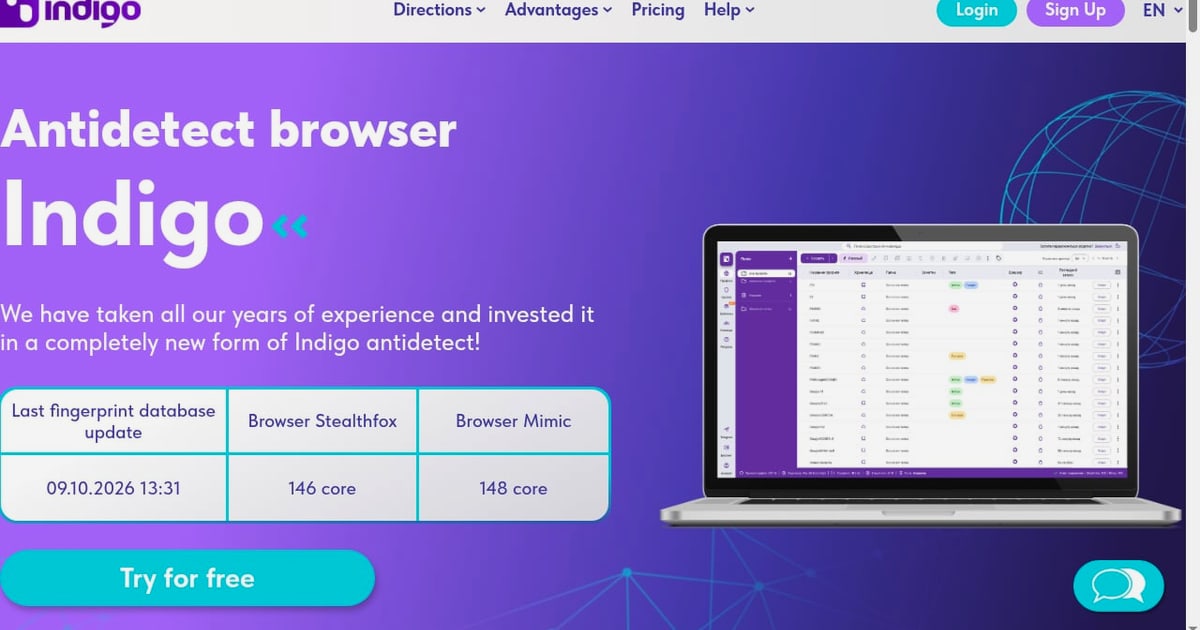
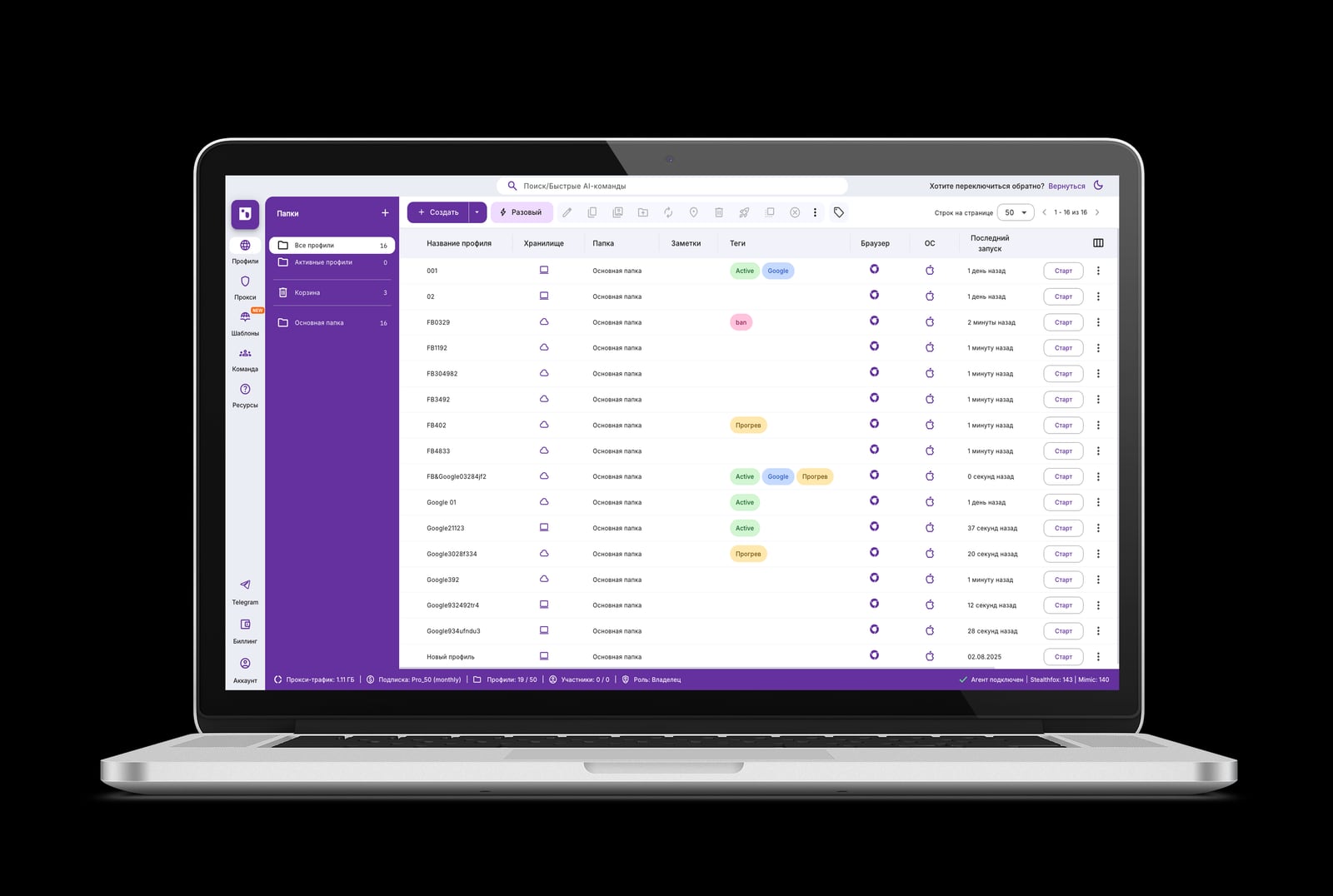
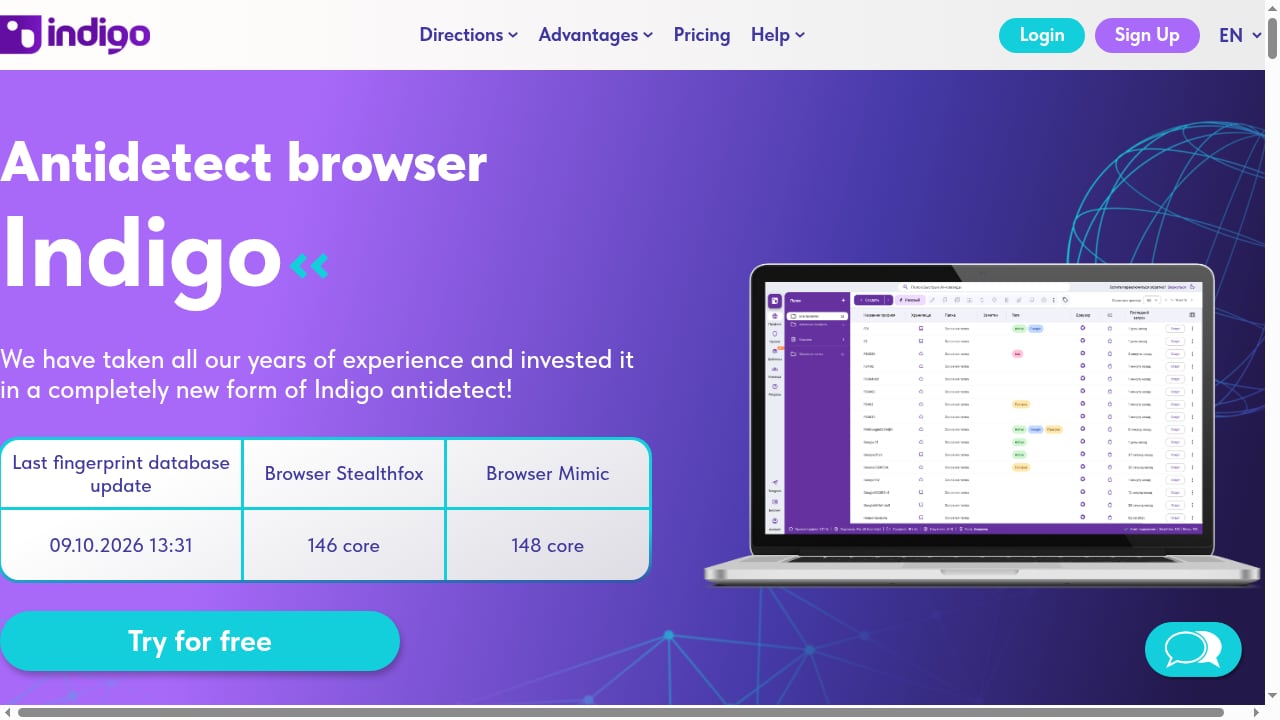
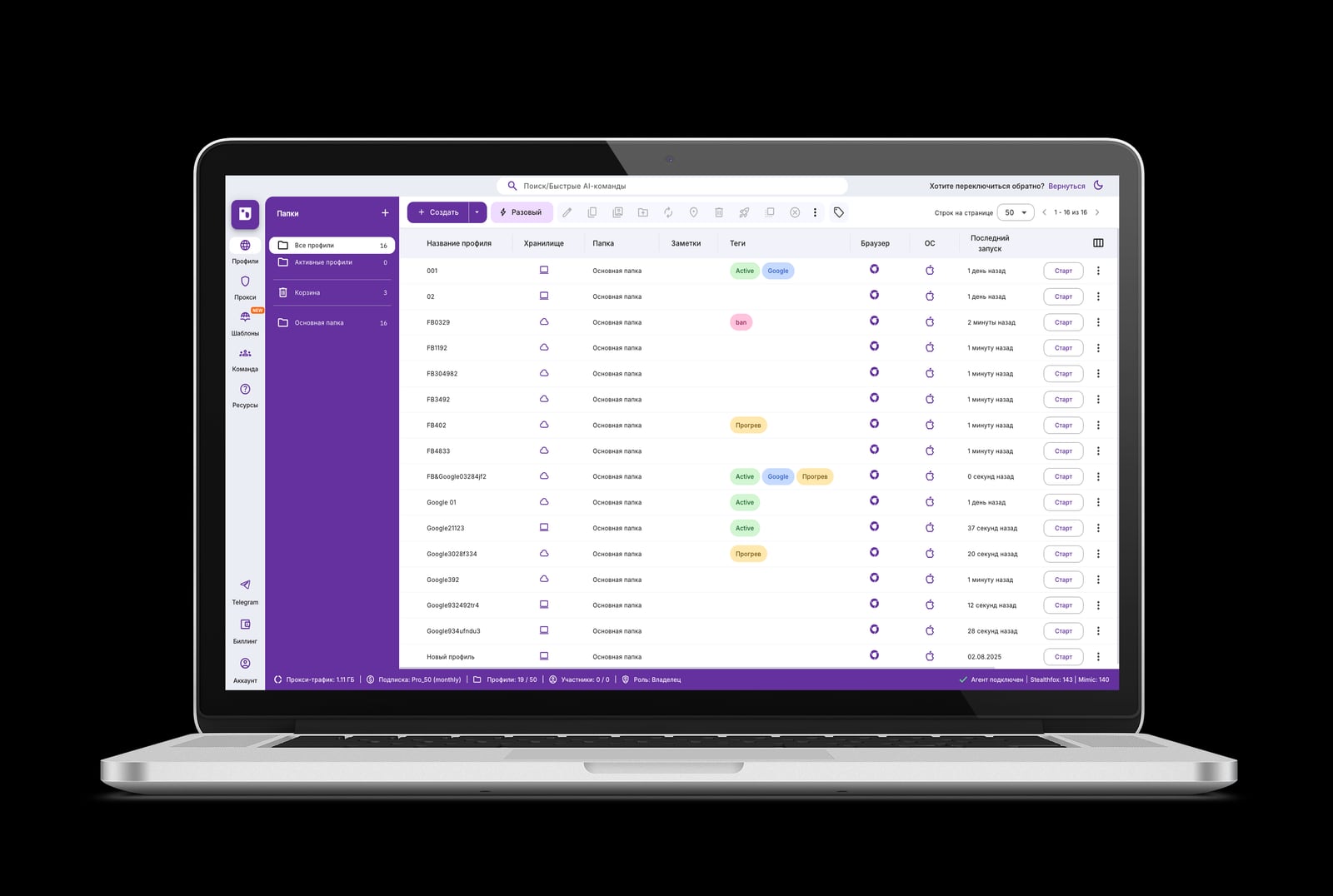
Indigo is built around isolated browser profiles with proxy support, cookie management, and automation, and it ships two browser cores: Stealthfox 146 and Mimic 148. The fingerprint database is updated regularly, which is the part that actually determines whether profiles keep passing checks months after you create them. A static fingerprint set goes stale fast once Chromium and Firefox move on.
The product is positioned for multi-accounting, traffic arbitrage, web scraping, bonus hunting, bounty and airdrop activity, e-commerce, and digital agencies. It offers a free trial and paid licenses, with a knowledge base and technical support behind them. The documentation and community lean toward Russian- and English-speaking professionals, which is worth knowing if you need extensive English-language onboarding material.
5. Octo Browser — Fingerprint quality for scaled operations
Best for: power users and teams running large profile counts.
Octo Browser focuses on real device parameters rather than synthetic values, and it is known for fast profile creation, which matters once you are managing hundreds of identities. It runs Chromium on Windows, macOS, and Linux, with an iOS companion app for monitoring. There is no free tier, and pricing is billed in euros, so budget for conversion if you pay in another currency. It sits in the same quality bracket as the top three without the same brand recognition.
6. Dolphin Anty — Built for media buying and affiliate teams
Best for: ad campaign teams and affiliate marketers.
Dolphin Anty leans into scenario-based automation, which lets you record and replay multi-step flows across profiles without deep scripting. That fits media buyers who need to warm up, post, or check accounts at volume. It runs Chromium on all three desktop platforms, offers a free tier with a handful of profiles, and adds team features that make handing profiles between operators less error-prone. The interface is friendlier than most, which shortens onboarding for non-technical staff.
7. Incogniton — Persistent free profiles with Selenium support
Best for: solo operators and small teams on a tight budget.
Incogniton's free tier is one of the more generous ones, giving persistent profiles rather than a trial window, and it supports Selenium for automation. It runs Chromium on Windows and macOS. A Cookie Robot feature handles cookie warming automatically, which saves manual work when you are preparing profiles for platforms that scrutinize fresh sessions. The paid tiers are mid-range, and profile limits are lower than the automation-first tools, so plan for a migration if you scale past a few hundred identities.
8. Nstbrowser — Automation and scraping at scale
Best for: scraping pipelines and agent-driven workflows.
Nstbrowser is built around automation first, with a generous free tier that makes it easy to prototype without a purchase order. It runs Chromium on Windows, macOS, and in the cloud, and pairs a built-in unblocker with an RPA marketplace so you can assemble workflows instead of writing everything from scratch. If your job is extracting data rather than maintaining logged-in accounts, this is one of the more natural fits on the list.
9. Kameleo — Multi-engine and mobile emulation for developers
Best for: developers who need mobile profiles and multiple engines.
Kameleo offers Chroma and Junglefox engines plus mobile emulation, which is unusual in a desktop-first category. It runs on Windows, macOS, and Linux, and its free tier includes a limited number of browsers and profiles with a time cap. Pricing is billed in euros and sits in the mid-to-high range. The flexibility is the selling point: if you need to test how a site behaves across engines and mobile user agents, Kameleo covers ground that single-engine tools do not.
10. ixBrowser — Budget multi-accounting with an unlimited free tier
Best for: budget users who need many profiles and few features.
ixBrowser is the cheapest credible option here, with a free tier that allows unlimited profiles but caps new profile creation and daily launches. That cap is the real constraint: it works well for a modest number of accounts used regularly, and poorly for burst operations. It runs Chromium on Windows and macOS. Expect fewer automation conveniences and a lighter support footprint than the paid leaders, and treat it as a starting point rather than a platform for a serious operation.
Quick Comparison: Which Antidetect Browser Fits Your Workflow
Indigo product interface.
| Tool | Free tier | Engines | Strongest at |
|---|---|---|---|
| Multilogin | No (paid trial) | Mimic, Stealthfox | Fingerprint depth, high-value accounts |
| GoLogin | Yes, persistent | Orbita | All-round value, native Android app |
| AdsPower | Yes, limited | Sun, Flower | Budget scaling, no-code RPA |
| Indigo | Free trial | Stealthfox 146, Mimic 148 | Updated fingerprint database, arbitrage and scraping |
| Octo Browser | No | Chromium | Fast profile creation at scale |
| Dolphin Anty | Yes, limited | Chromium | Scenario automation for media buying |
| Incogniton | Yes, persistent | Chromium | Free profiles plus Selenium |
| Nstbrowser | Yes, generous | Chromium | Scraping and agent workflows |
| Kameleo | Yes, limited | Chroma, Junglefox | Multi-engine and mobile emulation |
| ixBrowser | Yes, unlimited with caps | Chromium | Lowest cost per profile |
If you are choosing for the first time, start with the free tiers from GoLogin, Incogniton, or Nstbrowser to learn how profiles behave under a real proxy. Once you know your profile count and automation needs, the decision usually narrows to one or two tools.
Where Antidetect Browsers Stop and Cloud Phones Begin
Indigo product interface.
Antidetect browsers isolate desktop browser sessions. They do not give you a real mobile device, and some platforms weight mobile signals heavily. If your work is mobile-first — TikTok, Shopee, Lazada, or mobile app testing — a cloud phone platform is the complementary layer rather than a competitor. DuoPlus Cloud Phone provides real ARM-based Android devices in the cloud with unique device fingerprints, simulated GPS and SIM data, and bulk app management, which covers ground a browser profile cannot.
For teams running both desktop and mobile identities, the practical setup is an antidetect browser for web accounts plus a cloud phone layer for app-based accounts. If you want to see how that pairing works in practice, our guide on using DuoPlus Cloud Phone with private SOCKS5 proxies walks through rotation and geo-targeting. For a direct feature comparison across both categories, see DuoPlus Cloud Phone vs MostLogin, which contrasts real ARM Android devices against browser profiles.
Practical Setup Notes That Decide Pass or Fail
A few habits separate operations that hold up from ones that collapse after a ban wave:
- Match the proxy to the profile. A residential proxy in the same country as the profile's timezone and language settings reads as natural. A datacenter IP on a residential-looking profile does not.
- Keep one proxy per profile. Rotating an IP inside a single logged-in profile is one of the fastest ways to trigger a review.
- Validate before you scale. Run new profiles through a fingerprint checker before you attach anything valuable to them.
- Update on schedule. A browser core that lags behind the current Chromium or Firefox release develops an atypical footprint on its own.
- Separate mobile work. If a platform weights mobile signals, a desktop profile with a mobile user agent is not the same as a real device.
Related reading
- How to Use DuoPlus Cloud Phone with Buy Proxy SOCKS5 - Pair DuoPlus Cloud Phone with Buy Proxy private SOCKS5 and HTTPS servers: setup steps, rotation, geo-targeting, and multi-account workflows.
- DuoPlus Cloud Phone vs Multilogin vs BitBrowser 2026 - DuoPlus Cloud Phone vs Multilogin vs BitBrowser compared for e-commerce, Facebook, Instagram, and TikTok multi-account work in 2026.
- DuoPlus Cloud Phone vs MostLogin: 2026 Comparison - DuoPlus Cloud Phone vs MostLogin compared: real ARM Android 15 devices versus antidetect browser profiles, fingerprinting, team features, and pricing fit.
Sources and further reading
- 10 Best Antidetect Browsers in 2026 (Tested + Free Picks) - Multilogin, GoLogin, and AdsPower lead our tested ranking of the best antidetect browsers in 2026, compared on pricing, free plans, and Android support.
- 12 Best Antidetect Browsers 2026: Complete Comparison & Pricing Guide - Compare 30+ antidetect browsers for multi-accounting in 2026. GoLogin, Multilogin, AdsPower, Dolphin Anty, Octo Browser, Undetectable. Verified pricing & features.
- 15 Best Antidetect Browsers in 2026 - Honest Comparison - TL;DR: Antidetect browsers let you run multiple isolated browser profiles, each with a unique fingerprint, so platforms cannot link your accounts. This guide ranks the 15 best antidetect browsers of 2026 across fingerprint quality, automation support, pricing, and proxy integration. We also cover how these tools actually work, when a scraping API is the smarter choice, and which proxy type to pair with each use case.
Frequently Asked Questions
What is the best antidetect browser in 2026?
For high-value accounts where fingerprint depth matters most, Multilogin leads on independent testing. For most teams balancing cost and capability, GoLogin is the stronger default because of its persistent free tier and native Android app. The right answer depends on your profile count and automation needs more than on the ranking order.
Are antidetect browsers legal?
Antidetect browsers are legitimate software. Legality depends on what you do with them and whether you comply with each platform's terms of service and applicable law. Common legitimate uses include managing your own multiple storefronts, agency client accounts, ad accounts, and privacy-focused browsing.
Do antidetect browsers guarantee I will not get banned?
No. A browser can present a consistent, real-looking fingerprint, but detection also weighs proxy quality, TLS characteristics, and on-page behavior. A profile can pass every fingerprint checker and still be stopped by an anti-bot system. Treat the browser as one layer in a setup that includes clean proxies and natural activity patterns.
What is the difference between an antidetect browser and a cloud phone?
An antidetect browser isolates desktop browser profiles with distinct fingerprints. A cloud phone gives you a real or virtual Android device in the cloud with its own device fingerprint, GPS, and SIM data. Browser tools suit web platforms; cloud phones suit mobile apps and platforms that weight mobile signals.
Which antidetect browser has the best free plan?
GoLogin and Incogniton both offer persistent free profiles without a hard time limit, and ixBrowser offers unlimited profiles with daily creation and launch caps. Nstbrowser's free tier is generous for automation testing. Free tiers are usually enough to evaluate a tool but not to run a production operation.
Can I automate an antidetect browser?
Yes. Most tools on this list expose a REST API, and several document Selenium, Puppeteer, or Playwright integration. AdsPower and Dolphin Anty add no-code or scenario-based automation for people who do not want to write scripts.
Conclusion
The antidetect browser market in 2026 is mature enough that the gap between the top tools is narrower than the gap between a well-configured and a poorly configured setup. Multilogin, GoLogin, and AdsPower cover the widest range of needs, Indigo stands out for its regularly updated fingerprint database and dual cores, and the rest of the list fills specific niches around automation, budget, or mobile emulation.
Pick based on your profile count, your automation requirements, and whether you need mobile coverage. Start on a free tier, validate your profiles with a fingerprint checker, pair them with clean proxies, and only then scale. If your accounts live in mobile apps rather than browsers, add a cloud phone layer alongside your browser tool instead of forcing desktop profiles to do mobile work.