
CapCut Review 2025: Is It the Best AI Video Editor?
Comprehensive CapCut review: explore AI tools, free vs Pro pricing, strengths, limitations, and real-world use cases. Decide if CapCut is right for your video editing workflow.
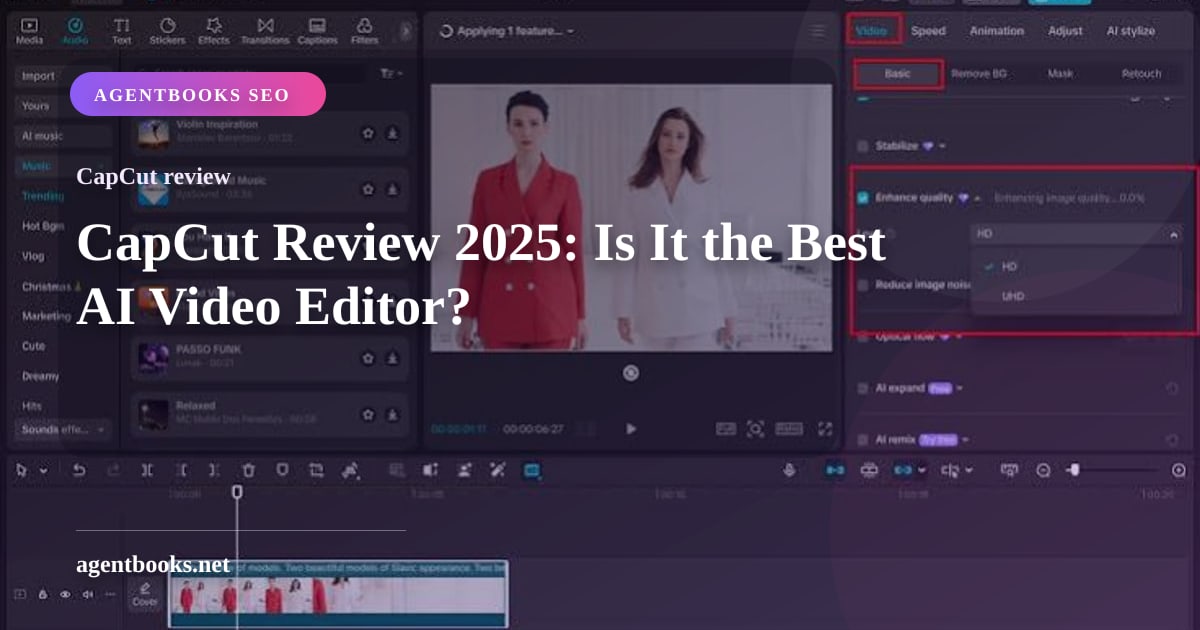
CapCut Review 2025: A Full Breakdown of Features, Pricing, and Performance
CapCut has quickly become one of the most talked-about video editors on the market, especially among social media creators and small businesses. Developed by ByteDance, it packs an impressive set of AI-powered tools into a surprisingly accessible package. But is it the right fit for your workflow? This CapCut review examines what the software actually does, who it helps most, where it stumbles, and how its free and Pro plans compare.
What Is CapCut?
CapCut Review 2025: Is It the Best AI Video Editor? - supporting product research image 1.
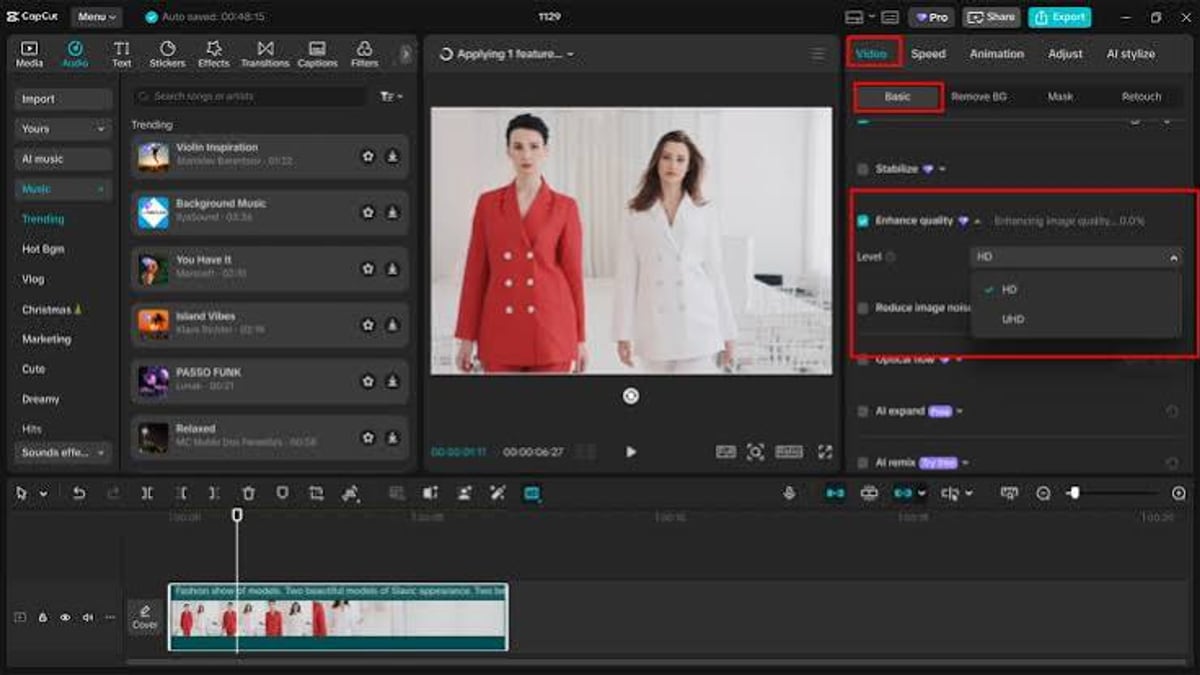
CapCut is an all-in-one creative suite that goes far beyond simple trimming. It combines video editing, photo editing, graphic design, and AI content generation in a single cross-platform app. Whether you work on a phone, desktop, or browser, CapCut is designed to let you produce polished content without a steep learning curve.
At its core, the platform leans heavily on artificial intelligence. The video generator (Seedance 2.5) creates clips from text prompts, the image generator (Seedream 5.0 and Nano Banana Pro) produces custom visuals, and a dedicated AI design studio handles posters, ads, and branded assets. The editor itself includes background removal, auto captions, text-to-speech, image upscaling, and even an AI video translator with lip-synced dubbing. These aren’t gimmicks—they’re tightly integrated into a workflow that prioritizes speed.
Key AI Tools and Capabilities
CapCut Review 2025: Is It the Best AI Video Editor? - supporting product research image 4.
CapCut’s feature list is long, but the tools that grab the most attention fall into a few categories:
- AI Video Generation: Type a prompt or script and Seedance 2.5 builds an entire storyboard with voiceover, music, and scene transitions. The “Director” mode even gives you control over camera angles.
- AI Image Generation: With Seedream 5.0 and Nano Banana Pro, you can generate high-quality images for thumbnails, ads, or backgrounds directly inside the editor.
- AI Avatars and Characters: Choose from over 100 digital avatars or clone your own likeness and voice. The lip-sync engine automatically matches facial expressions to the audio, which is ideal for faceless content channels.
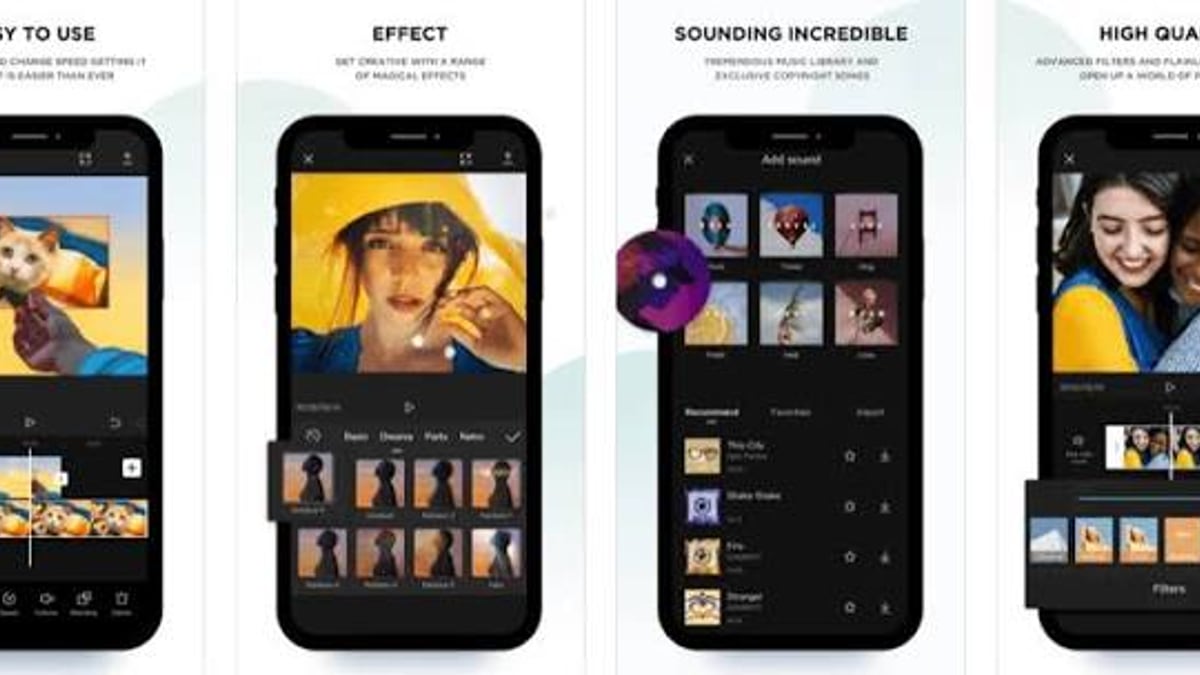
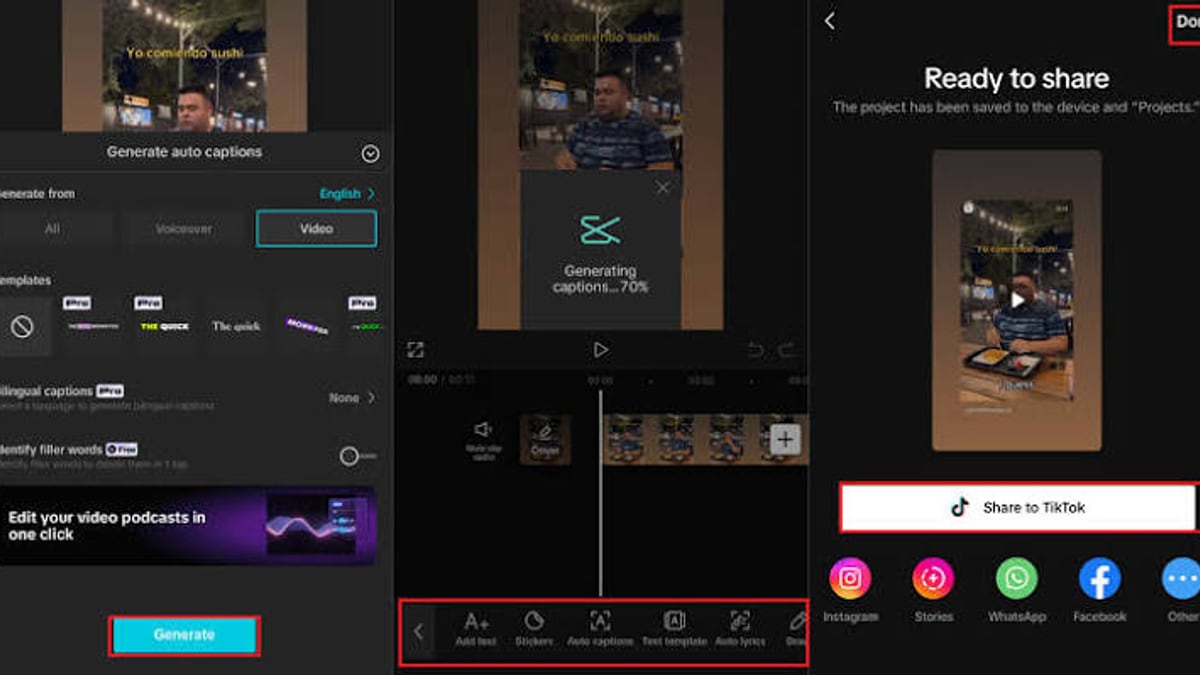
- Smart Editing Utilities: Auto captions work in 130+ languages with nearly 98% accuracy. Background removal works without a green screen, and AI relighting lets you adjust lighting after the fact. The desktop editor adds professional-level features like color wheels, keyframes, and smart media search.
- Video Translator: Transcribe, dub, and add bilingual subtitles in one step. The tool even syncs mouth movements to the translated dialogue.
- E-Commerce Tools: Batch product scene generation allows you to drop a product image into multiple lifestyle backgrounds, saving hours of manual work.
All of these tools are available to varying degrees on the free tier, but full access requires a Pro subscription.
Ideal Users and Use Cases
CapCut isn’t trying to replace Hollywood-grade editing suites. It’s purpose-built for creators and businesses that need impactful videos fast.
Social media creators (especially TikTok and YouTube Shorts) will find the integrated template library and one-click TikTok sharing invaluable. Trending formats are easy to remix, and the auto-caption tool dramatically reduces post-production time.
E-commerce sellers and marketers benefit from the AI design studio and batch scene generator. A single product photo can be turned into a dozen different lifestyle shots, each fit for a product page or an ad.
Beginners and hobbyists appreciate the gentle learning curve. The interface is intuitive enough that you can throw together a 60-second clip without watching a tutorial. At the same time, the desktop version gives more advanced users room to grow.
That said, CapCut is not the best choice for long-form documentary editing or narrative filmmaking. Projects that require dozens of precisely synchronized tracks become difficult to manage, as I’ll discuss later.
Pricing and the Free vs Pro Decision
CapCut offers a free tier that includes basic editing, standard effects, and access to many AI tools—but with a watermark on exports and a 720p resolution cap. The Pro plan removes the watermark, unlocks 4K/16K upscaling, premium assets, advanced AI features, and commercial usage rights. It’s priced at $19.99 per month, which places it between beginner-only apps and full professional suites.
A Business tier adds team collaboration, shared brand assets, and priority support for agencies and marketing teams.
When does Pro become worth it? If you’re publishing regularly, need high-resolution exports, or rely on AI generators day-to-day, the subscription pays for itself quickly. For occasional one-off edits, the free version is enough to test the waters. However, be mindful of CapCut’s subscription renewal process. According to a detailed user review on RozeK Writes, the re-subscription flow can be confusing, and there’s no clear way to get Pro back without fumbling through pop-ups.
Setup and Ease of Use
Getting started takes minutes. You can sign up on the web, download the desktop app for Windows or macOS, or grab the mobile version for iOS and Android. Projects auto-save as you work—which is mostly a blessing, though it means you can’t revert quickly if you accidentally break something. Desktop users can duplicate projects as a safety net; the online editor doesn’t offer that feature.
The timeline is clean, and essential tools are where you’d expect them. However, version parity isn’t perfect. The online editor limits you to eight stacked tracks, which is too few for anything semi-complex. Desktop removes that ceiling, so if you plan to create multi-layered videos, skip the browser version.
Strengths That Set CapCut Apart
CapCut Review 2025: Is It the Best AI Video Editor? - supporting product research image 2.
- AI integration that saves real time: Auto captions, script-to-video, and AI relighting are not just flashy; they replace hours of manual work.
- Beginner-friendly, yet expandable: The mobile app is dead simple, while the desktop editor includes keyframes, color wheels, and advanced audio tools for those who want more control.
- Direct TikTok integration: Native sharing and template compatibility make it the default editor for many short-form creators.
- Cross-platform without losing progress: Your projects sync across devices (though as noted, desktop-to-web syncing has limitaions).
- Generous free tier: Many AI features are available without a credit card, making it easy to evaluate before buying.
Limitations and Problems to Consider
No tool is perfect, and CapCut has several rough edges worth knowing about.
- Timeline management for longer videos: When you trim a clip early in a complex timeline, everything downstream—text, audio, effects—can fall out of sync. The ripple edit behavior is not as robust as in DaVinci Resolve or Premiere Pro. As one experienced user describes, fixing even a three-second trim can mean manually realigning dozens of elements. For videos longer than five minutes with many layers, this becomes unbearable.
- Subscription renewal friction: The Pro re-subscription flow is a known pain point. Users report having to navigate pop-ups and sign-in loops just to get Pro working again.
- Privacy and data rights concerns: CapCut is owned by ByteDance, and its Terms of Service grant a broad, perpetual, sublicensable license to your content. Even after you delete your account, the company may retain the right to use your work in certain ways. A thorough examination by Protect Young Eyes highlights these risks and notes that there are no parental controls or content filters, making explicit material easily accessible through Templates.
- No content moderation for younger users: The Templates section surfaces user-generated content that may include explicit music or inappropriate themes. There is no built-in way to restrict this.
- Not a replacement for professional suites: If you need broadcast-level color grading, multi-cam editing, or deep audio post-production, CapCut runs into its limits quickly. Reddit community discussions repeatedly point out that while CapCut is excellent for quick social content, it’s not a true competitor to Premiere Pro for serious work. (r/VideoEditing)
CapCut vs Other Video Editors: Decision Criteria
CapCut Review 2025: Is It the Best AI Video Editor? - supporting product research image 3.
- Choose CapCut if: You make short-form content for TikTok, YouTube Shorts, or Instagram Reels; you rely on AI to generate assets or captions; you want a tool that works on your phone and desktop with minimal friction; or you’re an e-commerce seller who needs batch visuals.
- Look elsewhere if: You edit long-form, multi-track projects regularly (DaVinci Resolve or Premiere Pro handle timeline complexity better); you need absolute control over audio mastering and color grading; or you’re a parent looking for a safe environment for kids—CapCut’s lack of content controls and licensing terms should give you pause.
For business owners leveraging CapCut inside a larger content strategy, tools like DuoPlus Cloud Phone can help you plan video topics, track performance, and keep your creative pipeline organized.
Sources and further reading
- CapCut App Review - Protect Young Eyes - CapCut App Review - Protect Young EyesProtect Young Eyeshttps://www.protectyoungeyes.com › apps › capcut-app-...Protect Young Eyeshttps://www.protectyoungeyes.com › apps › capcut-app-...
Frequently Asked Questions
Is CapCut really free?
Yes, CapCut offers a free version with no time limit. Exports are watermarked and capped at 720p, but you can access many AI tools and effects without paying.
What does CapCut Pro unlock?
Pro removes the watermark, enables 4K/16K export, gives you full access to all AI generators, premium templates, commercial use rights, and advanced editing tools like intelligent keyframing.
Is CapCut safe to use?
The app itself is technically safe from a malware perspective. Privacy-wise, ByteDance’s data policies and broad content license have raised concerns. If data control is important to you, read the Terms of Service carefully before uploading sensitive material.
Can I use CapCut for professional work?
Yes, with caveats. It’s perfectly capable of producing client-ready social media ads, product videos, and promos. However, for cinematic editing, color-graded films, or collaborative post-production, more established tools will serve you better.
How does CapCut compare to Premiere Pro?
CapCut is far easier to learn and includes built-in AI tools that Premiere Pro doesn’t offer natively. Premiere Pro, however, is a full-fledged industry editor with superior timeline control, collaboration features, and ecosystem integration. The right choice depends on the complexity and context of your projects.
Final Verdict
CapCut delivers an astonishing amount of creative power for a free tool, and its AI-driven workflow genuinely reduces the time between idea and publish. For social media creators, e-commerce sellers, and marketers, it hits a sweet spot that few other editors match. The Pro plan is fairly priced and worth the investment if you publish regularly.
That said, keep your expectations grounded. CapCut isn’t a Swiss Army knife for every editing task—complex long-form projects expose its timeline management weaknesses, and the ByteDance privacy context may be a dealbreaker for some. Still, for the majority of people who need to make short, engaging videos without a steep learning curve, CapCut is one of the best options available today.