
DuoPlus Cloud Phone vs VMOS Cloud vs RoxyBrowser
Compare DuoPlus Cloud Phone, VMOS Cloud, and RoxyBrowser for multi-account management. See which fits real Android cloud phones, AI automation, or anti-detect browsing.
DuoPlus Cloud Phone vs VMOS Cloud vs RoxyBrowser: Which Multi-Account Tool Fits Your Workflow?
Choosing between a cloud phone platform, a virtual Android environment, and an anti-detect browser can feel like comparing three different tools for three different jobs—because in many ways, that is exactly what you are doing. DuoPlus Cloud Phone, VMOS Cloud, and RoxyBrowser all help you run multiple accounts without triggering platform bans, but they approach the problem from different angles.
This comparison breaks down what each tool actually does, where it shines, and which workflows it suits best. Whether you are scaling TikTok matrix accounts, automating app interactions, or managing browser-based storefronts, the right choice depends on the platforms you target and how much automation you need.
Quick Verdict: How the Three Tools Differ
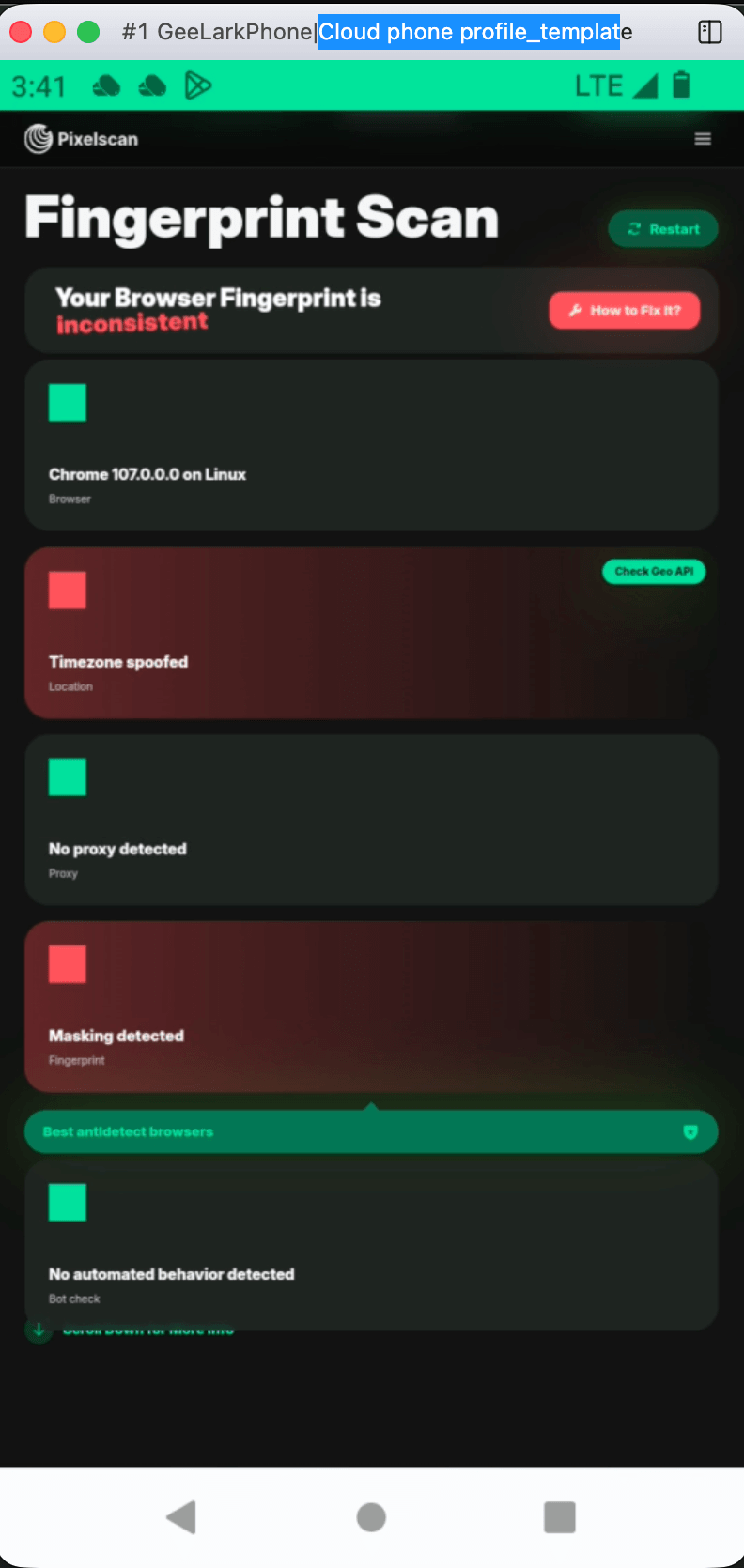
DuoPlus Cloud Phone vs VMOS Cloud vs RoxyBrowser - Quick Verdict: How the Three Tools Differ.
| Criteria | DuoPlus Cloud Phone | VMOS Cloud | RoxyBrowser |
|---|---|---|---|
| Core technology | ARM-based Android 15 cloud phones | Cloud-based Android virtualization | Chromium anti-detect browser |
| Primary use case | Mobile app multi-account management at scale | Virtual Android devices for automation and testing | Browser profile isolation for web accounts |
| Native mobile app support | Yes, full Android environment | Yes, virtualized Android | No, browser-only |
| Built-in proxy IP | Yes, dedicated SIM data and proxy IP per device | Global proxy support | Requires third-party proxies |
| AI automation | DUO+ AI Agent with natural-language commands | AI-driven social media tasks | Selenium, Puppeteer, Playwright support |
| Team collaboration | Unified dashboard with team sharing | Role-based permissions | Workspaces |
| Best for | Cross-border social media and e-commerce marketers | Affiliate marketers, crypto airdrop farmers, app testers | SEO, web scraping, paid ads verification |
What Is DuoPlus Cloud Phone?
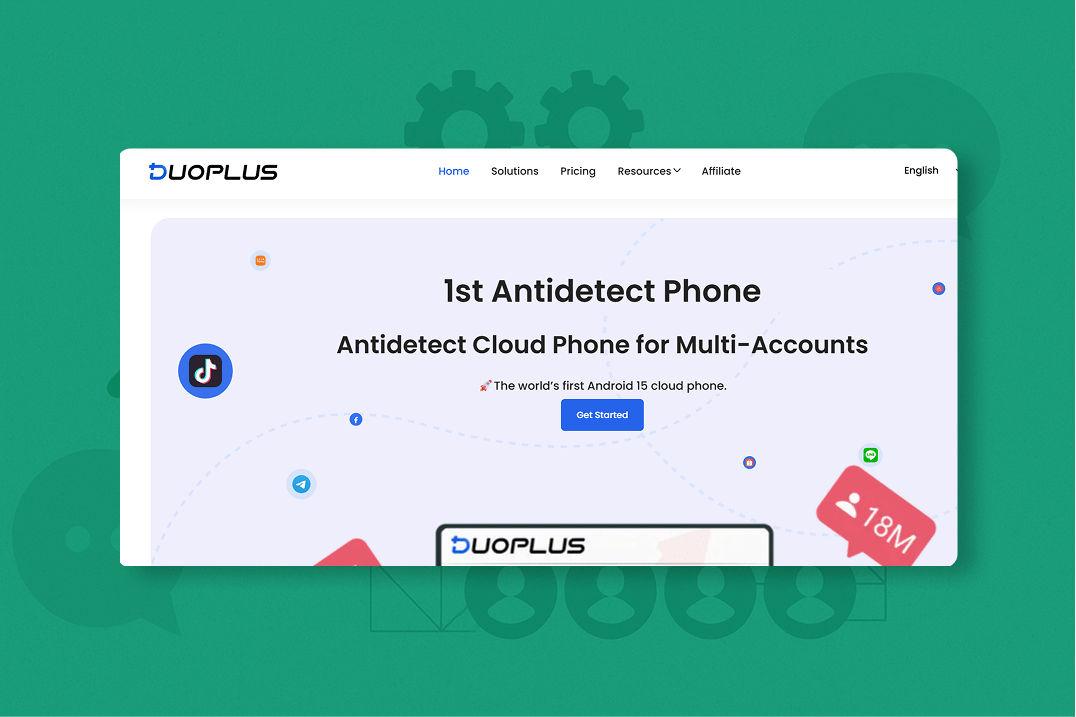
DuoPlus Cloud Phone vs VMOS Cloud vs RoxyBrowser - What Is DuoPlus Cloud Phone?.
DuoPlus Cloud Phone is an anti-detect cloud phone platform built on real ARM-based Android 15 virtual devices. Instead of emulating a browser, it gives each account its own complete Android environment hosted in the cloud. Every instance carries a unique device fingerprint, simulated GPS location, dedicated SIM data, and proxy IP—so each account looks like it is running on a separate physical phone in a different location.
The platform targets cross-border social media marketers, e-commerce operators, content creators, and agencies that need to manage large account matrices without building physical device farms. Its unlimited multi-instance model means you can purchase and control as many cloud phones as your operation requires, and the one-click reskin feature refreshes all device parameters for fast account rotation.
Where DuoPlus Cloud Phone Has a Clear Edge
True mobile app environments. Because DuoPlus runs actual Android instances rather than browser profiles, it supports native mobile apps like TikTok, Instagram, Facebook, Telegram, and Zalo exactly as they would run on a local device. This matters for platforms that heavily weight mobile signals when evaluating account authenticity.
Built-in proxy and SIM infrastructure. Each cloud phone includes dedicated SIM data and a proxy IP, removing the need to source and configure third-party proxies separately. This reduces setup friction and lowers the risk of IP misconfiguration exposing your real location.
Natural-language AI automation. The integrated DUO+ AI Agent lets you issue commands like "follow 50 accounts in the fitness niche" or "comment on posts with the hashtag #skincare" without writing code. This lowers the barrier for teams that want automation but lack scripting resources.
Centralized team operations. The unified dashboard supports team sharing and cross-platform control from any browser or device, which is useful for agencies managing client accounts across regions.
For a deeper look at how DuoPlus compares with other cloud phone and browser tools, see the DuoPlus Cloud Phone vs VMOS Cloud vs MoreLogin comparison.
What Is VMOS Cloud?
DuoPlus Cloud Phone vs VMOS Cloud vs RoxyBrowser - What Is VMOS Cloud?.
VMOS Cloud is a cloud-based Android virtualization platform that creates and manages multiple virtual Android devices from a single dashboard. It positions itself as a cost-effective solution for social media marketers, affiliate marketers, crypto airdrop farmers, app testers, e-commerce sellers, and traffic arbitrage professionals.
Where VMOS Cloud Stands Out
Pay-per-minute billing flexibility. VMOS Cloud offers usage-based pricing, which can be attractive for short-term campaigns, testing sprints, or teams that do not want to commit to monthly subscriptions. The permanent cloud phone option—VMOS Magic Box—provides an alternative for users who need always-on devices.
Google CTS certification. VMOS Cloud emphasizes account protection through Google CTS certification and anti-detection technology. CTS certification signals that the virtual device passes Google's compatibility tests, which can improve trust scores on Google-dependent services.
Batch control with SyncMaster. The SyncMaster feature enables synchronized actions across multiple virtual devices, reducing repetitive manual work when you need to perform the same task across dozens of accounts.
AI-driven social media automation. VMOS Cloud includes AI-powered tasks like scrolling, liking, and commenting, which can help warm up accounts or maintain activity levels without manual intervention.
Broader use-case coverage. Beyond social media marketing, VMOS Cloud explicitly targets crypto airdrop farming, survey monetization, cloud gaming, and app testing. This makes it a flexible general-purpose Android virtualization tool rather than a narrowly focused social media platform.
If you are evaluating VMOS against other virtualization and anti-detect options, the DuoPlus Cloud Phone vs Nstbrowser vs VMOS comparison offers additional context.
What Is RoxyBrowser?
RoxyBrowser is a Chromium-based anti-detect browser designed to protect digital identities and simplify multi-account management for web-based workflows. It serves corporate and individual users across social media marketing, e-commerce, SEO, paid advertising, affiliate marketing, web scraping, and crypto trading.
Where RoxyBrowser Stands Out
Advanced fingerprint isolation. RoxyBrowser creates unique browser environments for each profile, with customizable parameters including browser version, screen resolution, language, timezone, WebRTC, Canvas, WebGL, and AudioContext fingerprints. This granular control appeals to users who want to fine-tune each profile's digital identity.
Seamless RoxyIP proxy integration. The browser integrates directly with RoxyIP proxy infrastructure, simplifying proxy assignment for users already in the Roxy ecosystem. For those who prefer other providers, RoxyBrowser also supports HTTP, HTTPS, SOCKS4, and SOCKS5 proxies.
Automation tooling for developers. RoxyBrowser supports Puppeteer, Selenium, and Playwright, making it a practical choice for teams that already have scripting workflows in place for web scraping, ad verification, or SERP analysis.
Lightweight and cross-platform. Available on Windows and macOS, RoxyBrowser is designed to be lightweight compared to full virtual device platforms. It offers a 7-day free trial and scalable pricing from free to enterprise plans, lowering the entry barrier for small teams and solo operators.
Team collaboration via Workspaces. The Workspaces feature allows teams to organize profiles, share access, and coordinate multi-account operations without a physical device farm.
For a comparison that includes RoxyBrowser alongside other cloud phone and browser alternatives, see the DuoPlus Cloud Phone vs GeeLark vs RoxyBrowser comparison.
Head-to-Head Comparison: Key Decision Factors
Mobile App Support
This is the most fundamental difference between the three tools.
- DuoPlus Cloud Phone runs full Android 15 environments, so native mobile apps work exactly as they would on a physical device. This is essential for TikTok, Instagram Reels, and other mobile-first platforms where browser access is limited or heavily restricted.
- VMOS Cloud also provides virtualized Android environments, so mobile apps are supported. However, the experience depends on the virtualization layer and the specific Android version available on your plan.
- RoxyBrowser is browser-only. It cannot run native mobile apps, which limits its usefulness for mobile-first social platforms. It is better suited for web-based accounts, storefronts, and scraping tasks.
Bottom line: If your workflow centers on mobile apps, a cloud phone or virtualization platform is the right category. If your accounts live primarily in web browsers, an anti-detect browser may be sufficient.
Proxy and IP Management
- DuoPlus Cloud Phone includes dedicated SIM data and proxy IP with every device, eliminating separate proxy sourcing. The IP is tied to the simulated GPS location, creating a coherent geo-identity for each account.
- VMOS Cloud supports global proxy integration, giving you flexibility to assign proxies from your preferred provider. This is useful if you already have proxy contracts or need specific geo-targeting.
- RoxyBrowser requires you to bring your own proxies. While RoxyIP integration streamlines this for Roxy users, teams using other providers must configure and maintain proxies manually. A misconfigured proxy can expose your real IP and jeopardize accounts.
Bottom line: DuoPlus removes proxy setup friction entirely. VMOS and RoxyBrowser offer more proxy flexibility but require more configuration responsibility.
Automation Capabilities
- DuoPlus Cloud Phone offers the DUO+ AI Agent, which translates natural-language commands into automated app interactions. This is ideal for teams without dedicated developers who still want to automate posting, commenting, and following.
- VMOS Cloud provides AI-driven social media tasks like scrolling, liking, and commenting, plus batch control through SyncMaster. The automation is task-oriented and works well for account warming and routine engagement.
- RoxyBrowser supports Puppeteer, Selenium, and Playwright, which is powerful for teams with scripting expertise. However, there is no natural-language automation layer, so non-technical users may struggle to build custom workflows.
Bottom line: DuoPlus and VMOS Cloud lower the technical barrier with AI-assisted automation. RoxyBrowser rewards teams that already have development resources.
Team Collaboration
All three tools offer team features, but the depth varies.
- DuoPlus Cloud Phone centralizes account operations in a unified dashboard with team sharing and cross-platform control from any browser or device.
- VMOS Cloud provides role-based permissions, which is useful for agencies that need to restrict access levels across team members.
- RoxyBrowser offers Workspaces for organizing and sharing profiles, though profiles are stored locally by default, which can complicate real-time collaboration across devices.
Bottom line: DuoPlus and VMOS Cloud are better suited for distributed teams managing shared account portfolios. RoxyBrowser works for smaller teams that primarily operate from fixed workstations.
Scalability and Cost Model
- DuoPlus Cloud Phone uses an instance-based model where you purchase cloud phones as needed. The unlimited multi-instance support means you can scale without hardware constraints, but costs scale linearly with the number of devices.
- VMOS Cloud offers pay-per-minute billing, which can be more economical for intermittent use. The permanent Magic Box option provides predictable costs for always-on devices.
- RoxyBrowser has a free tier and scalable paid plans. Since profiles run locally, the main cost drivers are proxy subscriptions and hardware capacity rather than per-profile fees.
Bottom line: VMOS Cloud's usage-based pricing suits variable workloads. DuoPlus suits steady-state operations that need always-on mobile environments. RoxyBrowser is the most affordable entry point for browser-only workflows.
Practical Scenarios: Which Tool Fits Which Job
Scenario 1: Scaling a TikTok Matrix Operation
You manage 50 TikTok accounts across different regions and need each account to appear as a separate local device with unique fingerprints, GPS locations, and IPs. You also want to automate posting and engagement without writing code.
Best fit: DuoPlus Cloud Phone. Its Android 15 cloud phones with built-in SIM data and proxy IPs create the mobile-native environment TikTok expects. The DUO+ AI Agent handles posting and engagement automation through natural-language commands, and one-click reskin simplifies account rotation.
Scenario 2: Running Crypto Airdrop Campaigns and App Testing
You need short-lived virtual Android devices for airdrop farming, survey monetization, and app testing. Usage is bursty—sometimes you need 20 devices for a week, then none for a month.
Best fit: VMOS Cloud. Pay-per-minute billing aligns costs with actual usage, and the platform's explicit support for crypto airdrop farming and app testing means the environment is tuned for these workflows. Google CTS certification adds a layer of account protection for Google-dependent tasks.
Scenario 3: Managing Web-Based E-commerce Storefronts and SEO Tasks
You run multiple Amazon seller accounts, Shopify stores, and Google Ads campaigns. All your work happens in a browser, and you have a developer who can write Selenium or Playwright scripts for scraping and ad verification.
Best fit: RoxyBrowser. Its fingerprint isolation and automation tooling cover browser-based multi-account needs without the overhead of virtual devices. The free tier lets you test the workflow before committing, and RoxyIP integration simplifies proxy management if you use Roxy's proxy network.
Scenario 4: Agency Managing Client Social Media Across Mobile and Web
Your agency handles TikTok, Instagram, Facebook, and YouTube accounts for multiple clients. Some workflows require mobile apps; others are browser-based. Your team is distributed across time zones.
Best fit: A hybrid approach. DuoPlus Cloud Phone handles the mobile app accounts with its unified dashboard and team sharing. For browser-based client work, a tool like RoxyBrowser can supplement the stack. VMOS Cloud's role-based permissions also make it a viable alternative if your mobile workflows are less demanding.
Limitations to Consider
No tool is perfect for every use case, and being honest about trade-offs helps you avoid costly mistakes.
DuoPlus Cloud Phone is purpose-built for mobile app multi-account management. If your work is primarily browser-based—SEO analysis, web scraping, or managing web-only platforms—a cloud phone platform may be more infrastructure than you need. The per-instance cost model also means large operations should budget carefully.
VMOS Cloud provides virtualized Android environments, but the virtualization layer can introduce compatibility issues with apps that detect emulation or require specific hardware features. Users managing high-risk accounts should verify that the anti-detection measures meet their platform's current detection thresholds.
RoxyBrowser cannot run native mobile apps, which is a hard limitation for TikTok, Instagram, and other mobile-first platforms. Profiles are stored locally by default, which complicates team collaboration and device switching. You also need to source and configure proxies yourself, adding operational overhead and potential security risks if misconfigured.
Sources and further reading
- 9 Best RoxyBrowser Alternatives in 2026 - Multilogin - Looking for RoxyBrowser alternatives? Explore the 9 best RoxyBrowser alternatives in 2026 for multi-accounting
- RoxyBrowser Antidetect Browser Review 2026: Pros and Cons - Discover RoxyBrowser's features, performance, and a detailed comparison with Multilogin in 2026. Get a 50% discount inside!
- Global Partnerships - IPWeb Ecosystem Network - IPWeb partners with e-commerce, browsers & payment platforms. Together we build a secure proxy ecosystem to empower your global business growth.
Frequently Asked Questions
Is DuoPlus Cloud Phone better than VMOS Cloud for TikTok?
For TikTok matrix operations, DuoPlus Cloud Phone offers a stronger fit because it provides real ARM-based Android 15 environments with built-in SIM data and proxy IPs. TikTok's detection systems heavily weight mobile signals, and a full Android environment more closely mimics a genuine local device than a virtualized layer. VMOS Cloud can also run TikTok, but its broader focus on airdrop farming and app testing means the anti-detection tuning may not be as specialized for social media platforms.
Can RoxyBrowser replace a cloud phone for Instagram?
No. RoxyBrowser is a browser-based tool and cannot run the native Instagram mobile app. While you can access Instagram through a browser profile, the platform restricts many features—such as Reels creation, certain DM functions, and some story tools—to the mobile app. For full Instagram functionality across multiple accounts, a cloud phone or virtualization platform is required.
Which tool is most cost-effective for a small team?
RoxyBrowser has the lowest entry cost with its free tier and scalable paid plans, but you must budget separately for proxies. VMOS Cloud's pay-per-minute model can be economical for intermittent use. DuoPlus Cloud Phone's per-instance pricing is predictable but scales with the number of devices, making it more suitable for teams that need always-on mobile environments rather than occasional access.
Do I need technical skills to use these tools?
DuoPlus Cloud Phone and VMOS Cloud are designed to be accessible to non-technical users, with AI-assisted automation and visual dashboards. RoxyBrowser's basic profile management is user-friendly, but advanced automation with Selenium, Puppeteer, or Playwright requires programming knowledge.
Can I use these tools together?
Yes. Many teams combine a cloud phone platform for mobile app accounts with an anti-detect browser for web-based workflows. For example, you might use DuoPlus Cloud Phone for TikTok and Instagram while using RoxyBrowser for Amazon seller accounts and Google Ads. The tools address different layers of the multi-account stack and are not mutually exclusive.
Conclusion: Matching the Tool to Your Platform Mix
The choice between DuoPlus Cloud Phone, VMOS Cloud, and RoxyBrowser ultimately comes down to one question: where do your accounts live?
If your operation runs on mobile apps—TikTok, Instagram, Facebook, Telegram, Zalo—then a cloud phone platform like DuoPlus Cloud Phone provides the most authentic environment, with built-in proxy infrastructure and natural-language AI automation to reduce operational overhead.
If you need flexible, usage-based virtual Android devices for a mix of social media, airdrop farming, and app testing, VMOS Cloud offers a cost-effective middle ground with batch control and Google CTS certification.
If your work is entirely browser-based—SEO, web scraping, ad verification, web storefronts—then RoxyBrowser's fingerprint isolation and developer-friendly automation tooling make it a lightweight, affordable choice.
Many serious multi-account operations will find that a combination of tools serves them best. Start by mapping your platform mix, then choose the tool that covers the largest share of your daily workflow—and supplement as needed.
For more comparisons across cloud phone and anti-detect browser options, explore the DuoPlus Cloud Phone vs Moimobi vs VMOS comparison or the DuoPlus Cloud Phone vs MoreLogin vs Nstbrowser comparison.