
How to Use DuoPlus Cloud Phone with a Free VPN for Open Internet
Learn how to pair DuoPlus Cloud Phone with a free VPN to bypass geo-blocks, protect your traffic, and manage multiple mobile accounts safely.

How to Use DuoPlus Cloud Phone with a Free VPN for an Open Internet
DuoPlus Cloud Phone gives you a real Android 15 device in the cloud with a unique device fingerprint, while a free VPN encrypts your traffic and changes your IP. Together, they let you run multiple mobile accounts in isolated environments and reach content that would otherwise be blocked by region. This guide shows you exactly how to combine them, step by step.
Why Combine DuoPlus Cloud Phone and a Free VPN?
First viewport screenshot of The best VPN service online for free, open internet.
DuoPlus Cloud Phone solves device-level detection. Each cloud phone runs on real ARM hardware with its own GPS, SIM card data, and storage, so platforms see a genuine phone rather than an emulator. A free VPN solves network-level restrictions. It hides your real IP, encrypts your connection, and lets you appear to browse from another country.
When you use them together, you get two layers of separation:
- Device isolation from DuoPlus, so accounts never share fingerprints.
- Network isolation from the VPN, so accounts never share an IP address.
This combination is especially useful for social media marketers, e-commerce sellers, affiliate marketers, and app testers who need to operate across regions without triggering platform risk controls.
What You Need Before You Start

The best VPN service online for free, open internet product interface.
- A DuoPlus Cloud Phone account (a free trial is available).
- A free VPN service installed on the device or network you use to access DuoPlus.
- A stable internet connection.
- Optional but recommended: a residential proxy for each cloud phone if you plan to scale beyond a few accounts.
If you are still choosing your anti-detect tool, our comparison of DuoPlus Cloud Phone vs GoLogin vs Hidemium explains when a real Android cloud phone beats a browser-based profile.
Step-by-Step: Setting Up DuoPlus Cloud Phone with a Free VPN
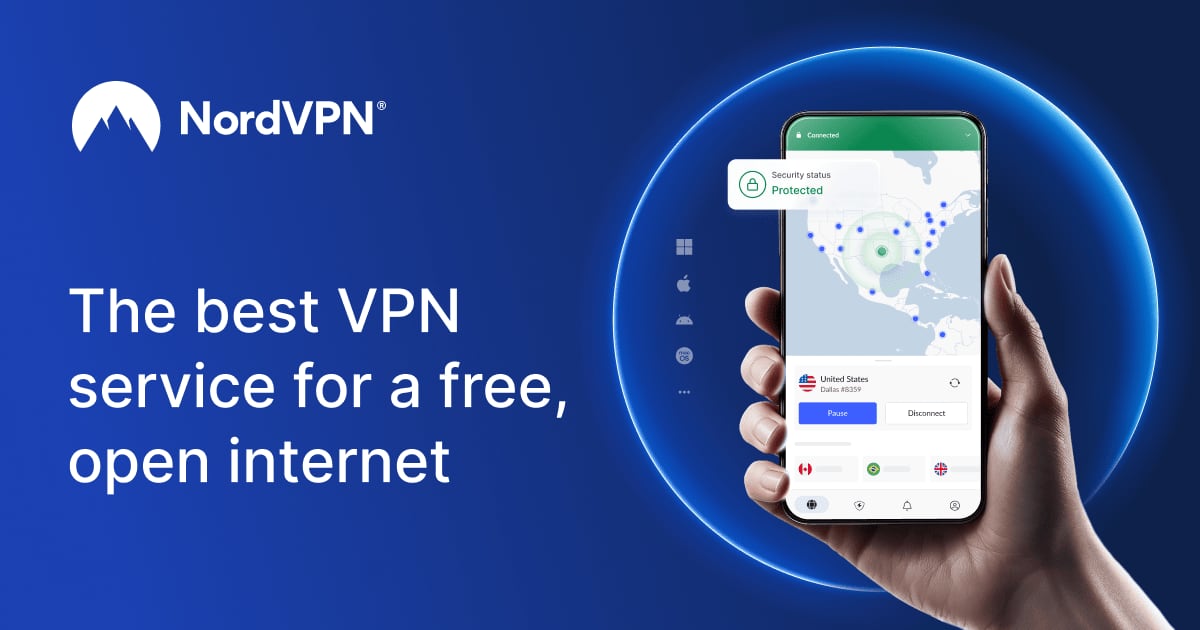
The best VPN service online for free, open internet product interface.
Step 1: Create Your DuoPlus Cloud Phone
Log in to DuoPlus and create a new cloud phone. Choose the Android version (Android 15 is available) and select a device model that matches your target market. DuoPlus assigns a unique fingerprint, GPS location, and SIM profile automatically.
Step 2: Install and Connect the Free VPN
Install the free VPN on the device you use to access DuoPlus, or on the cloud phone itself if the VPN provider offers an Android app. Connect to a server in the country where you want your accounts to appear. Wait for the connection to confirm before you open any apps.
Step 3: Verify Your IP and Location
Open a browser inside the cloud phone and check your public IP address. It should match the VPN server location, not your real location. Also confirm that the cloud phone's GPS setting matches the same country. Mismatched IP and GPS signals are a common cause of account flags.
Step 4: Install Your Apps
Use DuoPlus bulk installation to add TikTok, Facebook, Shopee, Lazada, or any other app you need. Because each cloud phone is isolated, you can install the same app on multiple devices without them sharing data.
Step 5: Log In and Warm Up Accounts
Log in to each account slowly. Spend a few minutes browsing, scrolling, and interacting before you post or transact. This mimics natural user behavior and reduces the chance of an immediate review.
Step 6: Repeat for Each Account
Create a new cloud phone for every account. Connect each one to a VPN server in the same region as its target audience. Keep the VPN location consistent for each account over time.
Practical Examples
Example 1: TikTok Creator Managing Multiple Niches
A creator runs three TikTok accounts: one for fitness, one for cooking, and one for travel. Each account lives on its own DuoPlus cloud phone with a different device fingerprint. The free VPN connects each cloud phone to a server in the audience's country, so TikTok sees a local user on a real Android device.
Example 2: E-commerce Seller on Shopee and Lazada
A seller operates stores in Singapore and Malaysia. DuoPlus gives each store a separate cloud phone with local GPS and SIM data. The free VPN routes traffic through the matching country, keeping the store's network identity consistent with its device identity.
Example 3: App Tester Checking Regional Behavior
A QA tester needs to see how an app behaves in different countries. DuoPlus provides real ARM devices, and the free VPN switches the network location. The tester can compare app performance, ads, and content across regions without buying physical phones.
Common Problems This Combination Solves
- Account association bans: Separate cloud phones prevent platforms from linking accounts through shared device data.
- Geo-blocked content: The VPN opens access to region-locked apps, videos, and stores.
- IP-based rate limits: Changing your IP through the VPN reduces throttling and blocks.
- Privacy exposure: VPN encryption protects your traffic from local network monitoring.
- Device fingerprint detection: DuoPlus simulates real hardware, so platforms do not see an emulator.
Free VPN vs Paid Proxy: Which Should You Use?
First viewport screenshot of Are VPNs legal? Laws, bans, and penalties by country.
A free VPN is a good starting point for testing and light use. It encrypts traffic and changes your IP, but free servers are often shared, slower, and sometimes blocked by platforms.
A paid residential proxy gives you a dedicated IP that looks like a real home connection. For serious multi-account operations, many DuoPlus users pair each cloud phone with its own proxy. Our guide on how to use DuoPlus Cloud Phone with Oxylabs proxies walks through that setup.
Use this rule of thumb:
- Testing or small scale: free VPN is enough.
- Scaling beyond a few accounts: use a residential proxy per cloud phone.
- Maximum safety: combine a VPN for encryption with a proxy for IP identity.
Tips for Better Results
- Keep the VPN location consistent for each account. Frequent country changes look suspicious.
- Match the VPN country to the cloud phone's GPS and SIM country.
- Do not run dozens of accounts through one free VPN server. Spread them out.
- Use DuoPlus one-click reskin to refresh a device environment when needed.
- Organize cloud phones into groups so your team can manage them together.
Related reading
- DuoPlus Cloud Phone vs GoLogin vs Hidemium: 2026 Guide - DuoPlus Cloud Phone vs GoLogin vs Hidemium compared for multi-account management: real Android devices vs anti-detect browser profiles in 2026.
- DuoPlus Cloud Phone vs BlueGenie Cloud Phone: 2026 In-Depth Comparison - DuoPlus Cloud Phone vs BlueGenie Cloud Phone: Android version, real-device chips, fingerprint isolation, group control efficiency, pricing, and use cases to help you choose the right cloud phone.
- BrowserJet Review: Secure, Fast Proxy Browser Tested - Hands-on BrowserJet review: multi-session browsing, proxy rotation, fingerprint isolation, speed, pricing signals, and who should choose a different tool.
Sources and further reading
- How to Use DuoPlus Cloud Phone: Best Anti-Detect Solution for Multi-Account Management - Tired of getting your accounts BANNED? DuoPlus Cloud Phone is the world's first Android 15 anti-detect solution that runs directly in your browser - perfect ...
- DuoPlus Cloud Phone - Anti-Detection Cloud Phone | Mobile Multi-Account Management Expert | TikTok Account Operations - DuoPlus Cloud Phone is your expert in managing multiple social media accounts globally. Cloud phone devices operate in independent environments, avoiding account association risks. With one-click skin changing and one-click sharing, you can use it anytime and anywhere, instantly. DuoPlus is dedicated to developing cloud phones for global social media marketing and TikTok, originating from the AdsPower technical team!
- CLOUD PHONE - How To get Cloud Phone For Free ? Duoplus Cloud Pone Review | VPS Emulator - Just claim one month free cloud phone :- https://duoplus.saaslink.net/freetrialIn this informative video, we delve into the world of Cloud Phones with a com...
FAQ
Can I use a free VPN with DuoPlus Cloud Phone?
Yes. You can connect the device you use to access DuoPlus, or install a VPN app inside the cloud phone if the provider supports Android. The VPN changes your IP, while DuoPlus handles device fingerprint isolation.
Does a VPN replace the need for DuoPlus?
No. A VPN only changes your network identity. It does not create separate device fingerprints, storage, or GPS data. DuoPlus provides that layer, which is what prevents account association.
Will a free VPN slow down my cloud phone?
Free VPN servers are often shared and can be slower than paid options. For light browsing and account warm-up, the speed is usually acceptable. For heavy uploading or live streaming, consider a paid VPN or proxy.
Is it safe to run multiple accounts through one VPN?
It is risky. If many accounts share one IP, platforms may link them. Use a separate VPN server or proxy for each cloud phone when possible.
What if my account still gets flagged?
Check that your IP country, GPS country, and SIM country all match. Also review your behavior patterns. Inconsistent signals are a common cause of flags. For a deeper look at tool differences, see our DuoPlus Cloud Phone vs MoreLogin vs MostLogin comparison.
Conclusion
DuoPlus Cloud Phone and a free VPN solve two different problems: device identity and network identity. DuoPlus gives each account a real Android device with a unique fingerprint, while the VPN opens the internet and hides your real IP. Start with the free trial, connect a VPN server that matches your target region, and scale to residential proxies when you need more accounts. Used together, they give you a cleaner, more private, and more flexible way to manage mobile accounts across the world.