
Top 10 Multi-Account Browsers & Antidetect Software 2026
We ranked the top 10 multi-account browsers and antidetect software for 2026 on fingerprint control, proxy handling, automation, and real pricing.
Top 10 Multi-Account Browsers & Antidetect Software 2026
Running several accounts on one platform is no longer a matter of opening extra tabs. Ad platforms, marketplaces, social networks, and affiliate systems now compare dozens of signals — cookies, canvas and WebGL output, time zone, language, hardware hints, and the IP behind the session — before they decide whether two logins belong to the same person. A normal browser mixes all of that together, which is exactly why multi-account browsers and antidetect software exist.
This 2026 ranking covers ten products that genuinely belong to the multi-account browser and antidetect software category. Each entry is tied to evidence: documented features, published plans, automation support, and the workflows the tool is actually built for.
How We Evaluated These Tools

Top 10 Multi-Account Browsers & Antidetect Software 2026 - Browser Profiles vs Mobile Device Isolation.
No single product wins every category, so the ranking weighs six practical factors:
- Profile isolation and fingerprint control (30%) — how consistently a profile presents itself as one believable device across canvas, WebGL, audio, fonts, time zone, and hardware values.
- Proxy handling (20%) — per-profile assignment, HTTP/HTTPS/SOCKS5 support, and whether time zone and geolocation follow the proxy automatically.
- Automation and API access (20%) — Selenium, Puppeteer, Playwright, local or remote APIs, and no-code flow builders.
- Team and scaling features (15%) — seats, permissions, profile sharing, bulk creation, and profile limits per plan.
- Real pricing at scale (10%) — what the free tier actually includes and the cost at 10, 100, and 1,000 profiles.
- Platform and mobile coverage (5%) — Windows, macOS, Linux, and whether mobile environments are supported.
A recurring theme across every credible source: the browser controls the fingerprint, the proxy controls the IP, and both must agree. A clean fingerprint check on Pixelscan or CreepJS is a starting point, not a guarantee — anti-bot systems also inspect TLS handshakes and session behaviour over time.
The Top 10 Multi-Account Browsers and Antidetect Software for 2026
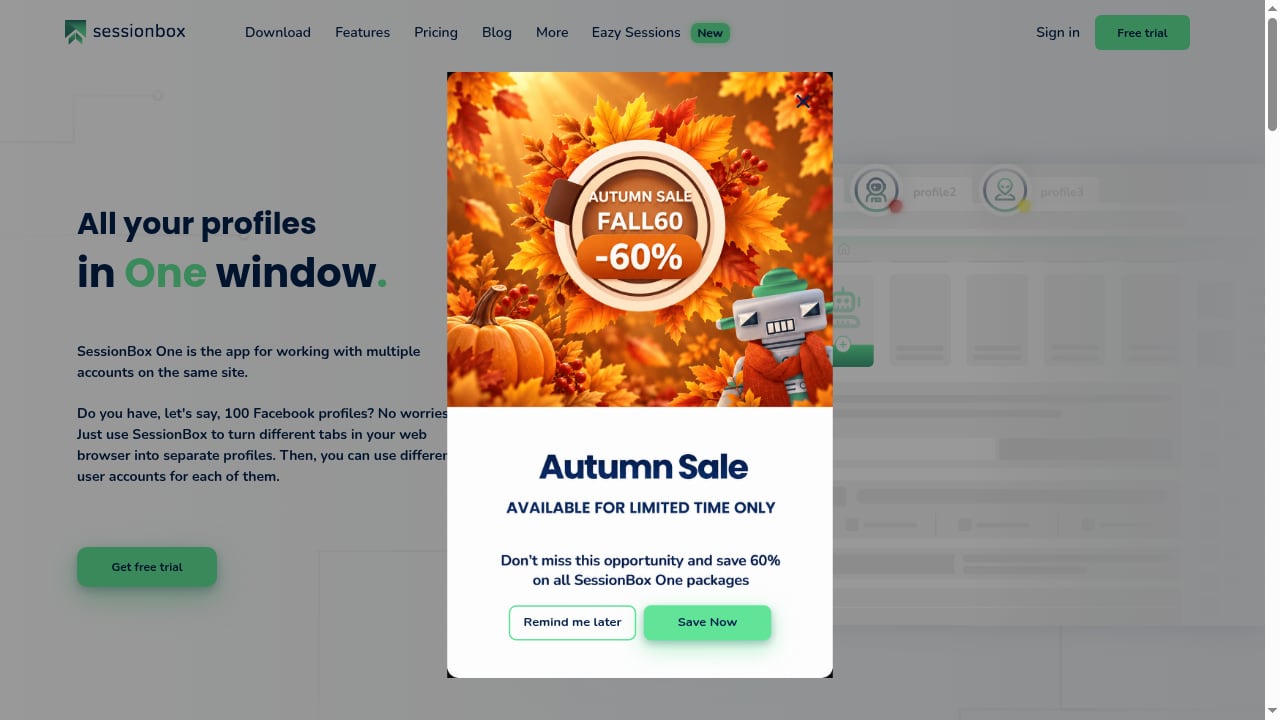
First viewport screenshot of SessionBox One: Manage multiple accounts securely on all platforms.
1. SessionBox One — Best Multi-Login Inside Your Existing Browser
SessionBox One takes a different architectural route from most of this list. Instead of launching separate browser instances, it turns individual tabs into isolated profiles inside the browser you already use, each with its own cookies, storage, and fingerprint. The product has evolved from a Chrome extension with more than 300,000 users since 2015 into a modern multi-login solution built to survive Google's Manifest V3 changes.
Evidence and fit: Per-profile proxy settings, automatic proxy assignment, proxy location and time-zone matching, browser fingerprint protection, automation and API access, and team collaboration through shared spaces are all documented features. Pricing is transparent: Hobby at $12.99/month (or $4.99/month annually), Professional at $59.99/month (or $21.99/month annually), and Teams at $99.99/month (or $44.99/month annually), with a free trial. It is developed by Box Labs LLC in the European Union.
Best for: Marketing agencies, e-commerce managers, ads managers, online resellers, affiliate managers, web scrapers, digital nomads, and Selenium automation users who want multi-account separation without leaving their favourite browser.
Watch out for: Because it works inside a single window, very large profile fleets may prefer a dedicated browser manager with heavier bulk tooling.
2. Multilogin — Best Paid Platform for Professional Teams
Multilogin is the longest-running commercial antidetect browser and ships two engines: Mimic (Chromium) and Stealthfox (Firefox). Profiles are built from real device parameters rather than random noise, which is why they tend to stay consistent across restarts — a detail that matters for long, login-protected sessions.
Evidence and fit: The free plan includes 5 cloud profiles and 1 seat with no API. Paid plans start around $11/month for 10 profiles, with Business 100 at roughly $40/month on monthly billing. Android cloud phones and bundled proxy traffic are available in the same contract. Automation covers Selenium, Puppeteer, and Playwright, with API access from the Pro tier.
Best for: Agencies and professional teams that want browser profiles, cloud phones, and proxies under one vendor.
Watch out for: No API on the free plan, and no open-source option.
3. GoLogin — Best Platform Coverage
GoLogin runs on Windows, macOS, Linux, and Android, and also offers a cloud browser you can open from any device. Its engine, Orbita, is a Chromium fork with kernel-level fingerprint spoofing.
Evidence and fit: The free plan provides 3 profiles without API access. Professional starts at $9/month for 10 profiles, and Enterprise is listed at $179/month for 1,000 profiles on monthly billing. Selenium, Puppeteer, Playwright, and a REST API on paid plans are supported, and proxy handling covers HTTP, HTTPS, and SOCKS5 with per-profile assignment.
Best for: Users who switch between desktop systems and Android, and teams that want a cloud browser.
Watch out for: Free users hit the 3-profile ceiling quickly, and there is no Firefox-based engine.
4. AdsPower — Best No-Code Automation
AdsPower is widely used by affiliate and e-commerce teams. It offers both Chromium and Firefox engines, a no-code RPA builder, and a well-documented Local API that other tools in this category have copied.
Evidence and fit: The free plan includes 2 profiles. Paid bundles start at about $9/month for 10 profiles and about $36/month for 100. Documented automation covers Local API, RPA, Selenium, Puppeteer, and MCP. Profile creation can scale past 10,000 profiles on higher tiers.
Best for: Teams that build repeatable no-code flows inside the browser manager and depend on a complete API.
Watch out for: The 2-profile free plan is the smallest in this ranking, and fingerprint depth is slightly behind the top tier.
5. Dolphin Anty — Best for Media Buyers
Dolphin Anty targets ad arbitrage and media buying teams, with a scenario builder for automation and solid proxy integration.
Evidence and fit: The free plan has 5 profiles for 1 user with no API. Starter costs $10/month for up to 60 profiles; Base costs $89/month for 100 profiles, with extra users billed at $10–$25/month each. Playwright and Selenium are supported, and API access requires a paid plan.
Best for: Media buying teams already using Dolphin's advertising tools, and small setups that fit inside the 60-profile Starter tier.
Watch out for: Per-seat billing makes growing teams expensive, and some users report occasional sync or session issues.
6. Octo Browser — Best for Very Large Fleets
Octo Browser uses its own Chromium fork, Octium, and prices for volume rather than per-seat.
Evidence and fit: There is no free plan. Lite costs €10/month for 3 profiles, Base costs €79/month for 200 profiles, and Advanced costs €329/month with a very high profile limit. API access starts at the Base plan, and CDP support is included. Fingerprints are managed at the browser-code level, which helps with high-protection sites.
Best for: Operations running thousands of profiles on one subscription, with seats included in the tier price.
Watch out for: No trial tier, so you cannot test before paying, and RAM usage is on the higher side.
7. Kameleo — Best for Scraping Engineers
Kameleo sells by concurrent running browsers instead of stored profiles, which suits workloads with many saved profiles but few open at once. It ships two engines, Chroma and Junglefox.
Evidence and fit: The Local API is available on every plan, including the free one. The free plan allows 2 running browsers with a 300-minute allowance; Startup costs €59/month for 10 running browsers. Selenium, Puppeteer, and Playwright are supported, along with Python, JS, and C# SDKs.
Best for: Developers automating data collection who want profiles created and launched from their own scraper.
Watch out for: Non-technical teams that open many profiles by hand will find the pricing model awkward, and the first paid tier is €59/month.
8. Undetectable.io — Best for Local Profile Storage
Undetectable.io separates cloud profiles from local profiles, which matters if you prefer sessions to stay on one machine.
Evidence and fit: The free plan includes 5 cloud profiles for 1 user with no API. Yearly plans advertise monthly equivalents of $34 for Base with 50 cloud profiles and $69 for Professional with 100. Unlimited local storage is a paid feature. Automation covers Local API, Selenium, Puppeteer, and Playwright.
Best for: Solo users comfortable with profiles stored locally, and buyers who want a large cloud profile pool on a custom plan.
Watch out for: Extra seats cost $15–$20/month each, and Linux desktops are not supported.
9. MoreLogin — Best API on a Free Plan
MoreLogin combines machine-learning-generated fingerprints with a lightweight Chromium base and strong automation tooling.
Evidence and fit: The free plan includes 2 profiles and 2 users, and it ships with the Local API — unusual at this price point. Pro lists at $9/month for 10 profiles with unlimited team members. Large profile counts require a custom quote. Automation covers Local API, RPA, Selenium, Puppeteer, and Playwright. A separate cloud phone product is sold alongside the browser.
Best for: Developers who want to test an API before paying, and small teams on the Pro plan.
Watch out for: No public price for 100 or 1,000 profiles, and fingerprint depth trails the top tier against aggressive anti-bot systems.
10. Incogniton — Best Simple Starter Tool
Incogniton is a straightforward Chromium-based profile manager for Windows and macOS, aimed at users who want a clean interface rather than deep configuration.
Evidence and fit: New users get 10 profiles for 2 months, after which the account drops to 3 free profiles. Starter Plus costs $19.99/month for 10 profiles, and Professional costs $79.99/month for 150 profiles and 3 seats, or $55.99/month billed every six months. Selenium, Puppeteer, and Playwright are supported, with REST API access from the Entrepreneur plan.
Best for: Beginners managing fewer than 10 profiles who want an uncomplicated setup.
Watch out for: No Linux support, and API access sits behind a higher tier.
Quick Comparison: Which Tool Fits Which Job
First viewport screenshot of Privacy Policy | SessionBox.
| Need | Strongest fit | Why |
|---|---|---|
| Multi-login inside your current browser | SessionBox One | Tab-level profiles with per-profile proxies and team spaces |
| Browser profiles plus cloud phones in one contract | Multilogin | Two engines, Android cloud phones, bundled proxies |
| Widest OS and cloud-browser coverage | GoLogin | Windows, macOS, Linux, Android, plus cloud browser |
| No-code automation | AdsPower | RPA builder and a widely copied Local API |
| Media buying and arbitrage | Dolphin Anty | Scenario builder and ad-tool integration |
| Thousands of profiles on one subscription | Octo Browser | Volume pricing with seats included |
| Developer-driven scraping | Kameleo | Local API on every plan, Python/JS/C# SDKs |
| Local profile storage | Undetectable.io | Unlimited local storage on paid plans |
| Free API access | MoreLogin | Local API included on the free tier |
| Simple starter setup | Incogniton | Clean interface, low learning curve |
Browser Profiles vs Mobile Device Isolation
First viewport screenshot of Terms of Service | SessionBox.
Every tool above isolates browser sessions. That is the right layer for desktop platforms: ad dashboards, marketplace seller centres, affiliate networks, and web apps. But some workflows live inside mobile apps — TikTok, Shopee, Lazada, and mobile-first social platforms — where a desktop browser profile with a spoofed mobile user agent is still a desktop browser underneath.
That is where an adjacent category becomes relevant. DuoPlus Cloud Phone provides real ARM-based Android devices in the cloud, each with its own device fingerprint, independent storage, and simulated GPS, SIM, and base station data. It is not a multi-account browser and does not belong in this ranking, but for teams whose accounts live in mobile apps, pairing a browser tool for desktop work with a cloud phone layer for app work is a common 2026 setup. If you are deciding between the two layers, DuoPlus Cloud Phone vs Antidetect Cloud: Browser or Phone? breaks down the trade-offs, and DuoPlus Cloud Phone vs Undetectable.io for Mac and Windows compares real ARM Android isolation against browser profiles directly.
How to Choose Without Overpaying
- Count profiles, not accounts. Most pricing is per profile. If you run 40 accounts but only 10 are active at once, a concurrent-browser model like Kameleo may cost less than a per-profile plan.
- Check what the free tier really includes. Free plans range from 2 profiles (AdsPower, MoreLogin) to 10 profiles for two months (Incogniton) to no cap at all in open-source alternatives. Free tiers are for testing, not production.
- Match proxy type to platform. Residential and ISP proxies suit e-commerce, social media, and agency work; mobile proxies fit mobile-first platforms. Sticky sessions of up to 24 hours keep a logged-in profile on the same IP during long sessions.
- Verify automation before you commit. If your stack uses Selenium, Puppeteer, or Playwright, confirm the API tier. Some vendors gate API access behind mid-level plans.
- Test fingerprints, then test behaviour. Run a profile through a fingerprint checker, then log in and browse normally for a few days. Consistency over time matters more than a single clean check.
Related reading
- How to Use DuoPlus Cloud Phone with Proxy-Seller - Step-by-step guide to pairing DuoPlus Cloud Phone with Proxy-Seller: proxy types, setup, batch assignment, testing, and multi-account workflows.
- DuoPlus Cloud Phone vs VPN Browser and iRemotech: 2026 Guide - Compare DuoPlus Cloud Phone with VPN Browser and iRemotech across isolation, mobile app support, and scale to pick the right setup for 2026.
- Antidetect Cloud Review 2026: Cloud Profiles & Android - Evidence-based Antidetect Cloud review: cloud profiles, deep fingerprint spoofing, Android support, pricing signals, setup, and who it fits in 2026.
Sources and further reading
- 10 Best Anti-Detect Browsers for Multi-Account Management in 2026 | Live Proxies - Compare the 10 best anti-detect browsers for multi-account management in 2026, including features, pricing, proxies, automation, and mobile support.
- 10 Best Antidetect Browsers in 2026 (Free, Paid, Open Source) - The 10 best antidetect browsers in 2026, compared on real free-plan limits, price at 100 profiles, open source, automation, and team features. AliasMode is #1.
- 10 Best Antidetect Browsers for Web Scraping in 2026 - We compared 10 antidetect browsers for scraping in 2026: fingerprint quality, Selenium and Playwright support, proxy setup, pricing and free plans.
Frequently Asked Questions
What is the difference between a multi-account browser and antidetect software?
The terms overlap heavily. A multi-account browser focuses on running separate logins side by side with isolated cookies and storage. Antidetect software adds deliberate fingerprint spoofing — canvas, WebGL, fonts, time zone, hardware signals — so each profile looks like a distinct real device. Most products in this ranking do both.
Do I still need proxies if the browser spoofs my fingerprint?
Yes. The browser controls the fingerprint; the proxy controls the IP, location, and network identity. If a profile shows a US time zone but connects through an unrelated IP, the mismatch is itself a signal. Assign one proxy per profile and let time zone and language follow it.
Which antidetect browser is cheapest at 100 profiles?
Based on published pricing, AdsPower is around $36/month for 100 profiles, Multilogin is about $40/month, and Octo Browser's Base tier covers 200 profiles for €79/month. Dolphin Anty's Base tier is $89/month for 100 profiles, and GoLogin's Enterprise tier is $179/month for 1,000 profiles.
Can I use these tools for web scraping?
Yes, and several are built with scraping in mind. Kameleo, Multilogin, AdsPower, and Octo Browser all document Selenium, Puppeteer, or Playwright support, and Kameleo ships SDKs for Python, JS, and C#. Remember that a clean fingerprint check does not guarantee access — anti-bot systems also inspect TLS handshakes and session behaviour.
Is a cloud phone a replacement for an antidetect browser?
No. They solve different layers. An antidetect browser isolates desktop web sessions; a cloud phone such as DuoPlus Cloud Phone provides real ARM Android devices for mobile app accounts. Teams running both desktop dashboards and mobile apps often use both.
How many profiles should I start with?
Start with the number of accounts you actively operate, plus a small buffer for testing. Scaling profile counts is easy on most platforms, but rebuilding a flagged account is not.
Conclusion
The best multi-account browser for 2026 depends on where your accounts live and how you work. SessionBox One leads for teams that want multi-login inside their existing browser with transparent pricing and per-profile proxy control. Multilogin and GoLogin suit professional teams that need depth and platform coverage. AdsPower and Dolphin Anty fit affiliate and media buying workflows, Octo Browser handles very large fleets, Kameleo serves scraping engineers, Undetectable.io and MoreLogin cover local storage and free API access, and Incogniton keeps things simple for beginners.
Whichever you pick, treat fingerprint consistency and proxy quality as a single system, test before you scale, and add a mobile device layer only when your accounts genuinely require one.