
Undetectable.io Review: Anti-Detect Browser for Mac & Windows
Evidence-based Undetectable.io review covering fingerprinting, pricing, setup, Mac and Windows support, team features, and who should use it.
Undetectable.io Review: Anti-Detect Browser for Mac and Windows
Undetectable.io is an anti-detect browser built for multi-accounting. It creates isolated browser profiles, each with its own fingerprint, cookies, extensions, and proxy, so platforms see separate devices instead of one operator. It runs on Windows 10/11 and macOS (both Apple Silicon and Intel), and it has been on the market since 2020. This review covers how it works, what it does well, where it falls short, and how to decide whether it fits your workflow.
What Undetectable.io actually does
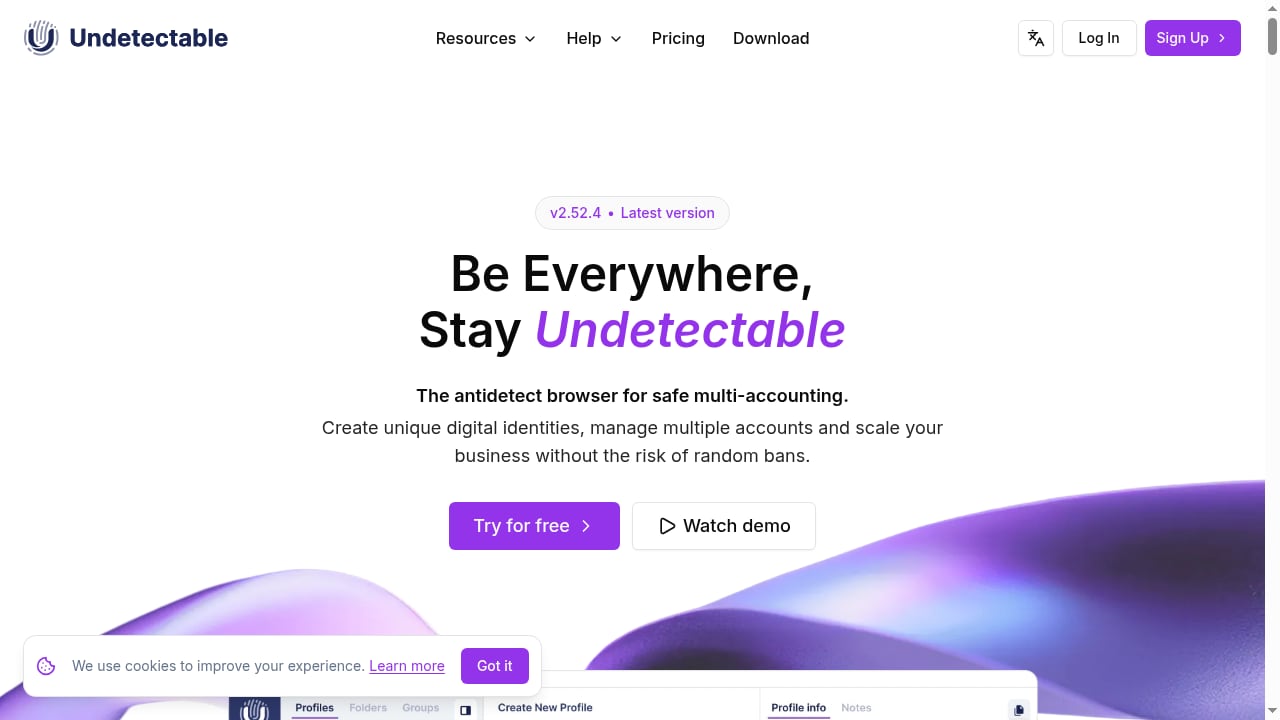
First viewport screenshot of Anti-detect browser for Mac and Windows - undetectable.io.
At its core, Undetectable.io is a Chromium-based browser with a profile manager layered on top. Each profile can be configured with a distinct user-agent, operating system, screen resolution, CPU cores, memory, languages, WebGL, WebRTC, WebGPU, geolocation, and fonts. The browser generates fingerprints based on real devices, which reduces the chance of duplicate patterns that could link profiles.
It is not a VPN and it is not designed for full anonymity. Its purpose is profile isolation for multi-account operations: social media management, e-commerce, ad verification, ticket reselling, affiliate work, and similar tasks where accounts must not be linked.
Platform support: Mac and Windows
First viewport screenshot of Undetectable Browser Release Notes.
Undetectable.io ships three desktop builds:
- Windows 10 and 11
- macOS with Apple Silicon (M-series chips)
- macOS with Intel processors
There is also a cloud web panel for managing cloud profiles, roles, groups, and sessions from a browser. Local profiles run on your machine; cloud profiles are accessible from any device you log into. The team reports loading over 5,000 profiles in seconds, which matters if you operate at scale.
Key features
Multiple browser profiles
You can create unlimited local profiles on paid plans, and the free tier includes 5 cloud profiles. Each profile keeps its own cookies, cache, extensions, bookmarks, and proxy settings. Profiles can be organized with groups, tags, folders, and notes.
Fingerprint switching
Fingerprints are generated per profile and cover the parameters listed above. The goal is to make each profile look like a distinct real device rather than a synthetic one. This is the foundation of any anti-detect browser, and Undetectable.io's implementation is competitive with mainstream alternatives.
Chromium core updates
The team updates the Chromium core regularly. This matters because an outdated browser version stands out against the majority of real users who update automatically. Regular updates also preserve compatibility with current web standards and security features.
Proxy management
Undetectable.io supports HTTP and SOCKS5 proxies with per-profile assignment. It does not sell proxies, so you need your own provider. For real multi-accounting, fingerprint isolation alone is not enough: each profile also needs a unique IP. Pairing the browser with residential or mobile proxies is the standard approach. If you want a broader comparison of how different tools handle this, see our top 10 multi-account browsers and antidetect software for 2026.
Automation and API
Undetectable.io exposes the Chrome DevTools Protocol, which means Puppeteer, Playwright, and Selenium work without a proprietary client. This is a significant advantage for teams that already have automation code. You can drive profiles programmatically for login flows, data collection, and repetitive tasks.
Team collaboration
The browser includes more than 33 permission settings for team work. Administrators can create roles, assign access to specific profile groups, and track cloud profile status in real time. This makes it usable for agencies and larger operations, not just solo users.
Mass actions and warm-up tools
Mass profile creation works from user-agent lists, cookie lists, or a universal format. The synchronizer replicates your actions across multiple profiles at once. A cookies bot combined with a popular website generator simulates browsing history to make new profiles look more natural. There is also a "paste like a human" feature that varies typing speed and pauses.
Setup and onboarding
First viewport screenshot of Undetectable Browser Versionshinweise.
Setup follows a predictable path:
- Register on the Undetectable.io website. Registration includes a Telegram contact step, which some users find intrusive.
- Download the client for Windows or macOS.
- Complete the initial security checks and configuration steps.
- Create your first profile and set OS, user-agent, screen, and hardware parameters.
- Add a proxy to the profile.
- Optionally install extensions, import cookies, and configure bookmarks.
The interface is clean and modern, but the density of options creates a learning curve for beginners. Users coming from other anti-detect browsers adapt quickly. The initial download and setup are not instant, and captchas during onboarding have been reported.
Pricing signals
Undetectable.io uses a free tier plus paid subscriptions:
- Free forever: 5 cloud profiles, 10 configurations, limited mass actions, full fingerprint suite.
- Paid plans from $49 per month: unlimited local profiles, cloud profiles with tier-based limits, full mass actions, API and Chrome DevTools Protocol access, and team roles.
- Configuration store: additional browser fingerprints from about $1 per profile, with free updates a few times per month.
Annual billing reduces the monthly cost. Cloud storage add-ons and higher tiers can push total cost up, especially for teams that need many cloud profiles. Compared with some competitors, the premium end is not cheap, but the entry price is low and the free tier is genuinely usable for testing.
Strengths
- Effective fingerprint switching with a broad parameter set.
- Regular Chromium core updates.
- Chrome DevTools Protocol support for Puppeteer, Playwright, and Selenium.
- Strong team features with 33+ permission settings.
- Free tier with 5 cloud profiles and 10 configurations.
- Local, cloud, and self-hosted storage options for profiles.
- Reported 99.99% uptime over five years.
- Handles large profile counts efficiently.
Limitations
- No built-in proxy network; you must bring your own proxies.
- Steep learning curve for complete beginners due to dense configuration options.
- Onboarding friction: Telegram contact requirement, captchas, and a non-instant installer.
- Cloud storage and premium tiers can become expensive at scale.
- Fingerprint spoofing alone does not guarantee undetectability against advanced behavioral analysis.
- Automation, if poorly managed, can create detectable patterns.
Who should use Undetectable.io
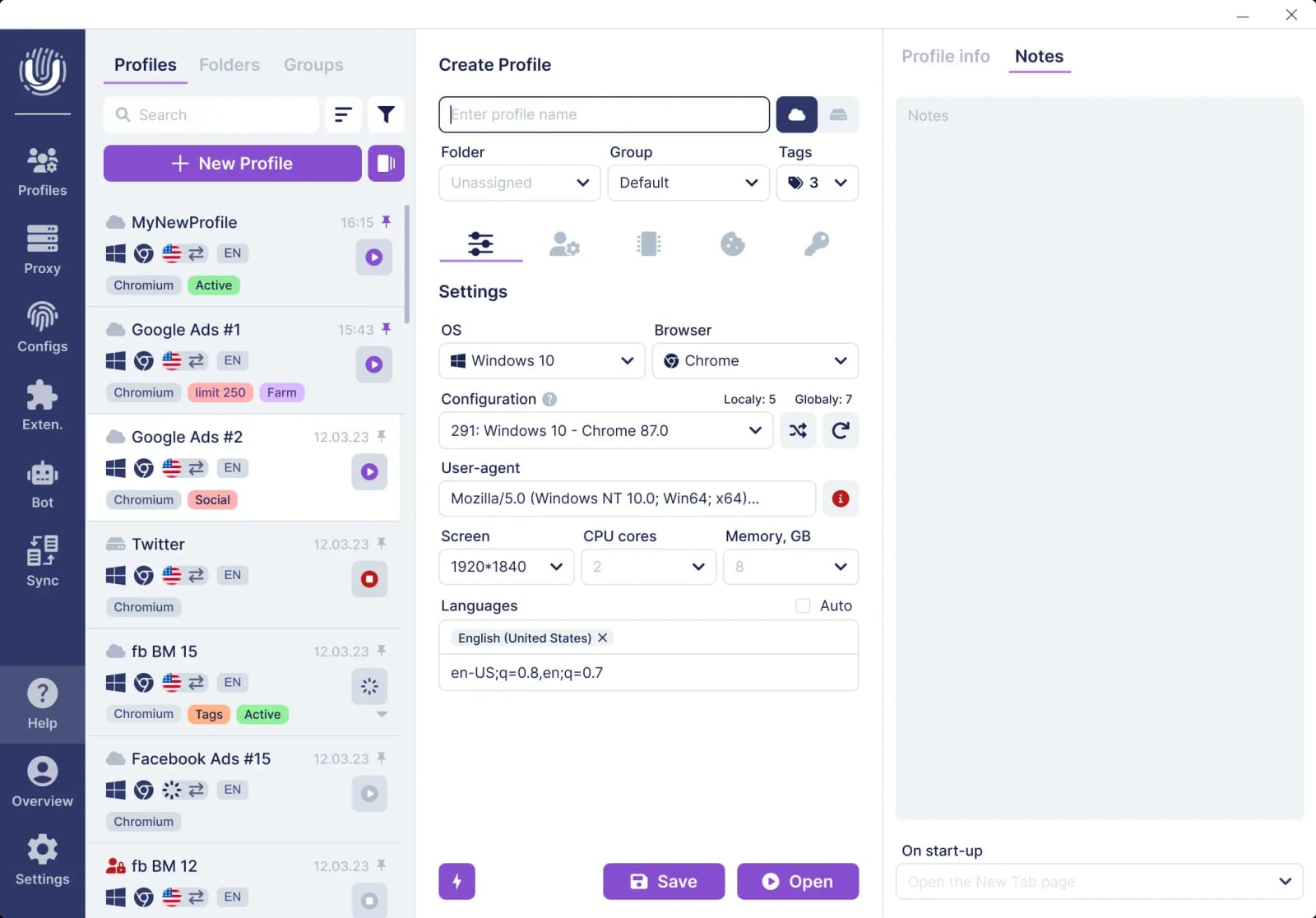
Anti-detect browser for Mac and Windows - undetectable.io product interface.
It fits best with:
- Social media managers running multiple client accounts.
- E-commerce and dropshipping operators managing several storefronts.
- Affiliate marketers and traffic arbitrage teams.
- Ad verification and competitive intelligence analysts.
- Agencies needing role-based team access.
- Developers who want CDP-based automation without a proprietary client.
It is less suitable for:
- Users who want a simple, one-click anonymity tool.
- Anyone expecting built-in proxies.
- Beginners unwilling to invest time in learning fingerprint configuration.
- Operations that need mobile app isolation rather than desktop browser profiles. For that, a cloud phone platform is a different layer entirely; see our comparison of DuoPlus Cloud Phone vs Antidetect Cloud for how browser-profile spoofing differs from real ARM Android device isolation.
How it compares and how to decide
Undetectable.io competes on three axes: fingerprint quality, automation compatibility, and team controls. Its CDP support is a real differentiator for technical teams. Its free tier lowers the barrier to testing. Its lack of built-in proxies is a common trade-off in this category, but it means you must budget for a proxy provider separately.
When evaluating alternatives, compare:
- Fingerprint parameter coverage and update frequency.
- Proxy handling and whether the vendor sells proxies.
- Automation API and language support.
- Team roles and permission granularity.
- Pricing at your actual profile count, including cloud storage.
- Platform support for your OS, especially macOS builds.
If your work is desktop-browser-based and you need automation plus team access, Undetectable.io is a strong candidate. If your work requires mobile app environments, a cloud phone platform may be the better layer. For a broader view of browser and phone options, see our DuoPlus Cloud Phone vs ixBrowser vs BlueGenie Cloud Phone comparison.
Related reading
- How to Use DuoPlus Cloud Phone with Proxy-Seller - Step-by-step guide to pairing DuoPlus Cloud Phone with Proxy-Seller: proxy types, setup, batch assignment, testing, and multi-account workflows.
- DuoPlus Cloud Phone vs VPN Browser and iRemotech: 2026 Guide - Compare DuoPlus Cloud Phone with VPN Browser and iRemotech across isolation, mobile app support, and scale to pick the right setup for 2026.
Sources and further reading
- Undetectable.io Antidetect Browser Review 2025: Pros and Cons - Discover the pros, cons, and key features of Undetectable.io in our review. Learn about its multi-account management and pricing
- Undetectable.io: Anti-detect Browser Redefined - While it's fairly new, the Undetectable.io anti-detect browser brings a lot to the table. Here's an in-depth overview of its key features.
- Undetectable Browser Review 2026: Anti-Detection for Multi-Accounting - Comprehensive review of Undetectable.io - anti-detection browser used by 120,000+ multi-account operators across Google, Facebook, TikTok and Amazon.
FAQ
Is Undetectable.io available for Mac?
Yes. There are builds for macOS with Apple Silicon (M-series) and macOS with Intel processors, alongside Windows 10/11 versions.
Does Undetectable.io include proxies?
No. It supports HTTP and SOCKS5 proxies per profile, but you must supply your own proxy provider.
Can I use Undetectable.io for free?
Yes. The free tier includes 5 cloud profiles, 10 configurations, and the full fingerprint suite, with limited mass actions.
Does Undetectable.io work with Puppeteer and Playwright?
Yes. It exposes the Chrome DevTools Protocol, so Puppeteer, Playwright, and Selenium work without a proprietary client.
Is Undetectable.io safe to use?
It is designed for profile isolation and multi-account management, not full anonymity. Safety depends on how you configure proxies, fingerprints, and behavior. Poorly managed automation can create detectable patterns regardless of the tool.
How much does Undetectable.io cost?
Paid plans start at $49 per month, with annual billing reducing the effective monthly rate. Browser configurations are sold separately from about $1 per profile.
Conclusion
Undetectable.io is a mature anti-detect browser with strong fingerprint controls, real automation support via the Chrome DevTools Protocol, and solid team features. Its free tier makes it easy to test, and its Mac and Windows builds cover the main desktop platforms. The main trade-offs are the lack of built-in proxies, a learning curve for beginners, and rising costs at higher tiers. If you need desktop browser profile isolation with automation and team access, it belongs on your shortlist. If you need mobile app environments, look at cloud phone platforms instead.