
VMOS Review: Android Virtualization & Cloud Platform Tested
In-depth VMOS review covering Android cloud devices, multi-account management, safety, pricing, and how it stacks up against anti-detect browsers and cloud phones for e-commerce, social, and automation.
VMOS Review: Android Virtualization & Cloud Platform Tested
Choosing the right solution for managing multiple Android accounts at scale can make or break a cross-border e-commerce operation, a social media agency, or a mobile game farming setup. VMOS positions itself as an all-in-one Android virtualization platform—combining on-device virtual machines with cloud device management, global proxies, and AI-powered customer service. This evidence-based review digs into real-world feedback, safety concerns, version differences, and decision criteria so you can determine if VMOS fits your workflow.
What Is VMOS?
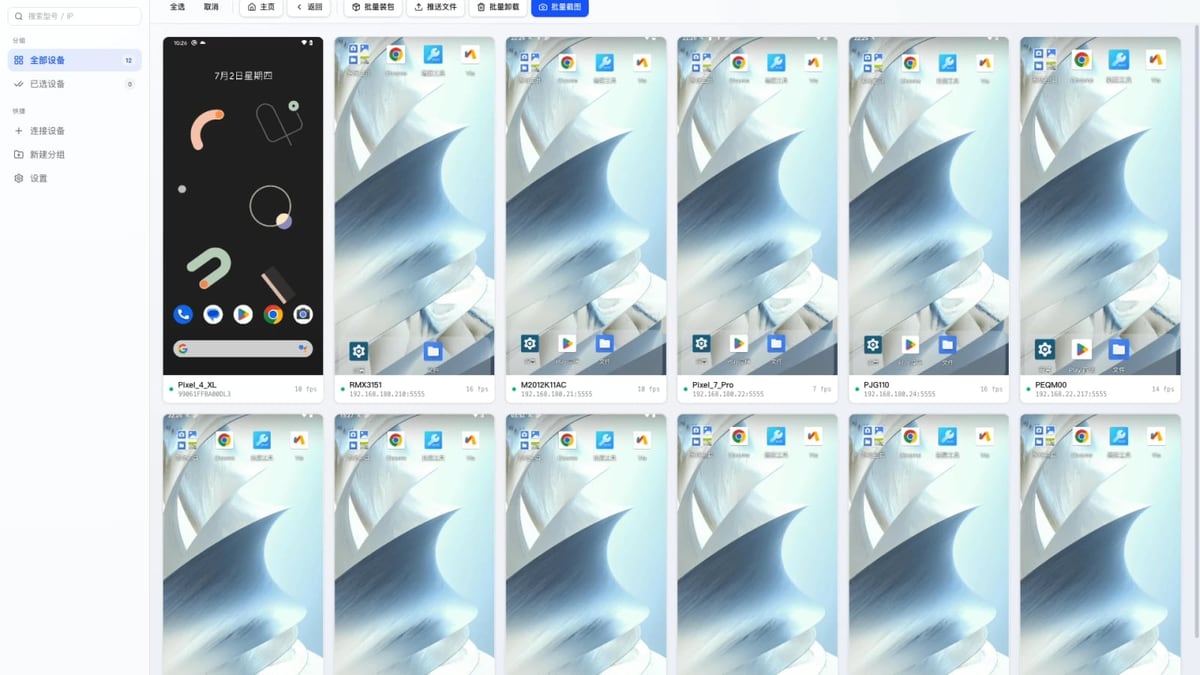
VMOS Review: Android Virtualization & Cloud Platform Tested product interface and feature overview.
VMOS is not a single app but a product matrix that spans two core layers:
- Local virtualization (VMOS Pro): An Android virtual machine that runs inside your physical phone or tablet, giving you a second isolated Android environment with root access, Xposed framework support, and the ability to flash custom ROMs.
- Cloud device management (VMOS Cloud): A fleet of real Android devices hosted on cloud servers, accessible from a web dashboard. This layer adds global proxy networks, multi-account orchestration, and AI assistance for customer interactions.
Unlike traditional emulators that simulate Android on a PC, VMOS runs on real Android kernels, which can help avoid detection by apps that flag emulator signatures. For businesses that need to manage dozens or hundreds of accounts across different regions, the cloud component turns complex virtual device logistics into a centralized operation.
Who Should Use VMOS?
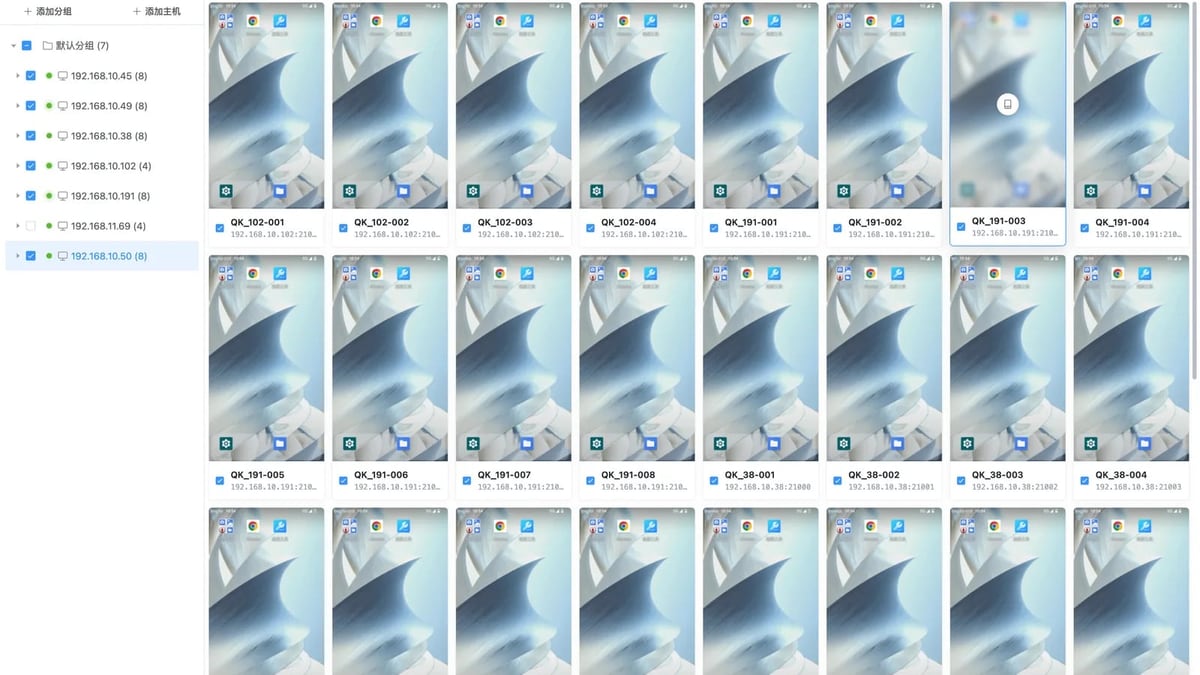
VMOS Review: Android Virtualization & Cloud Platform Tested product interface and feature overview.
VMOS caters to users who need more than a simple app cloner. The ideal profiles include:
- Cross-border e-commerce sellers: Running store manager apps, marketplace seller accounts, and local payment apps from multiple regions without device fragmentation.
- Social media managers: Operating multiple TikTok, Instagram, or WhatsApp accounts for different brands while keeping each environment clean and geo-aligned.
- Mobile game studios and farmers: Farming resources or levelling game accounts 24/7 on cloud instances that stay online even when your local network is down.
- Developers and security researchers: Testing apps in isolated Android ROMs with full root and Xposed support, or checking behaviour under different device fingerprints.
If your primary need is just running one extra messaging app on your personal phone, a lightweight app cloner might be enough. VMOS shines when operations scale beyond 5–10 accounts and you require persistent, always-on Android instances.
Core Features and Capabilities
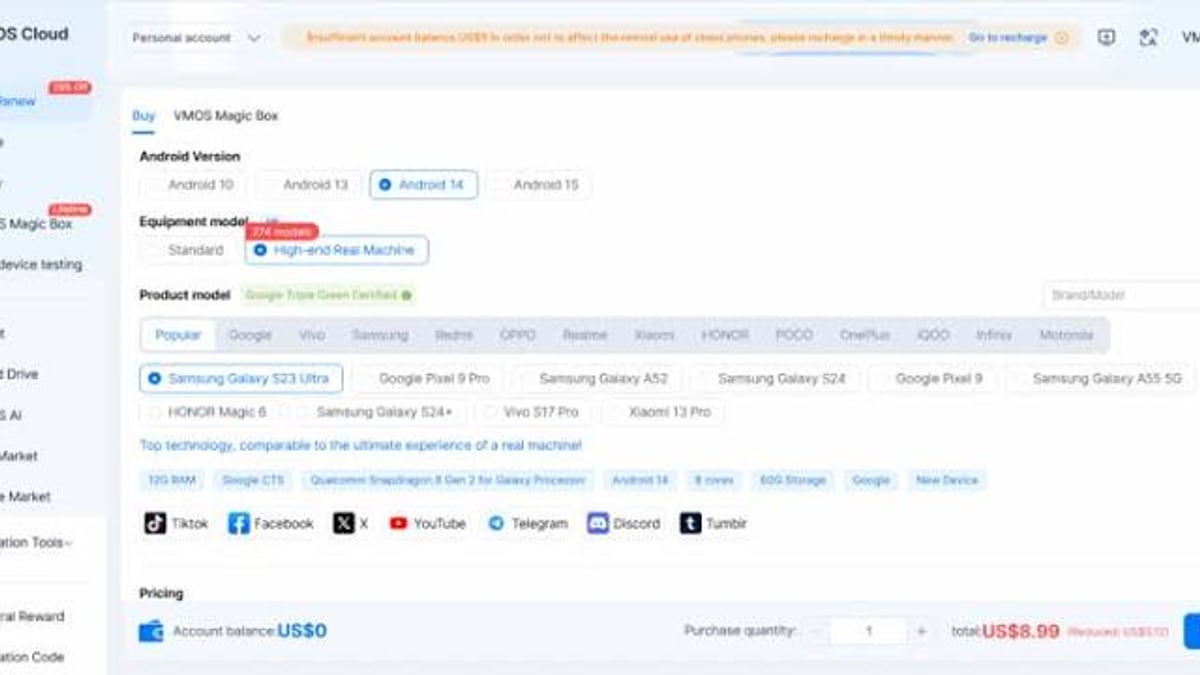
VMOS Review: Android Virtualization & Cloud Platform Tested - supporting product research image 4.
Based on the platform documentation and user community discussions, these are the features that define the VMOS offering:
- Multiple ROM support (VMOS Pro): Members can add several virtual machines, each with its own Android version and ROM. Non-members are limited to a single ROM. This allows testing across Android 7, 9, 11, and 15 environments simultaneously.
- Root and Xposed out of the box: The virtual machine comes pre-rooted with Xposed framework installed. You can run Magisk modules without touching your physical device’s bootloader.
- Global proxy integration: The cloud platform lets you route each virtual device through residential or mobile proxies from a curated network, simplifying geo-targeted operations.
- AI customer service assistant: Built into the cloud dashboard, this tool can handle routine customer queries across accounts, reducing manual response time for e-commerce support teams.
- Cloud device management panel: Spin up, pause, or destroy Android instances on demand. Monitor device health, install APKs in bulk, and automate repetitive tasks.
- Privacy policy alignment: VMOS states it does not collect personally identifiable information—only non-personal technical data for service improvement.
Real-World User Feedback
A look at user reviews on Trustpilot reveals a generally positive but small sample. One user calls VMOS Cloud “by far one of the best 24/7 farming app with a lot of features and smooth experience” and highlights the affordability of the 30-day trial. The low cost of entry makes it accessible for solopreneurs testing the waters.
Community Q&A on platforms like Zhihu adds colour to the local experience: members appreciate the ability to install Google Mobile Services on any ROM, and the Pro version’s built-in root and Xposed unlock gaming mods and automation scripts. However, the same discussions underline that performance heavily depends on your phone’s processor—older or mid-range chips may struggle with multiple virtual instances simultaneously.
Safety, Privacy, and DRM Limitations
Safety concerns surface when we look beyond marketing claims. A JustAnswer expert query warns that VMOS “may cause app instability” and “does not support DRM, causing playback issues.” This is critical for users who plan to run streaming apps, banking applications that use DRM protection, or any software relying on Widevine security levels. Apps that detect a virtual environment can crash or simply refuse to play protected content.
The privacy policy is a mixed bag: while it promises no collection of personal identifiers, the platform still gathers technical metadata such as device model, Android version, and network information for diagnostics. For most marketing use cases, this is acceptable, but high-stakes financial accounts may require additional vetting.
Pricing Signals
VMOS employs a freemium model with clear segmentation between free and member tiers:
- Free tier: One virtual machine with limited ROM choice. Good for occasional testing.
- Pro membership: Unlocks multiple virtual machines, additional ROMs, and advanced features like custom ROM flashing and Magisk support. Pricing is not publicly fixed in all regions, but promotional trials are commonly offered at less than $10 per month.
- Cloud plans: Operate on a pay-as-you-go or subscription basis depending on the number of cloud devices and proxy bandwidth needed. Trials often include a 30-day access window with a capped device count.
Compared to maintaining physical phone farms with separate SIM cards, VMOS Cloud can drastically reduce hardware overhead. However, long-term costs scale with device count and proxy consumption, so high-volume users should model expenses carefully.
Setup and Getting Started
Getting a basic VMOS environment running is straightforward:
- Install VMOS Pro from the official website or a certified app store.
- Choose a ROM – the app offers several prebuilt Android versions.
- Activate root and Xposed from the settings toggle inside the virtual machine.
- Install Google Play Services if your ROM doesn’t include them (available in the settings).
- For cloud operations, log into the VMOS Cloud dashboard, link your proxy provider, and deploy virtual devices in target regions.
Advanced users can add Magisk modules, flash custom ROMs following community guides, and connect the cloud devices to automation frameworks like UiPath for multi-account workflows.
VMOS vs Alternatives: Decision Criteria
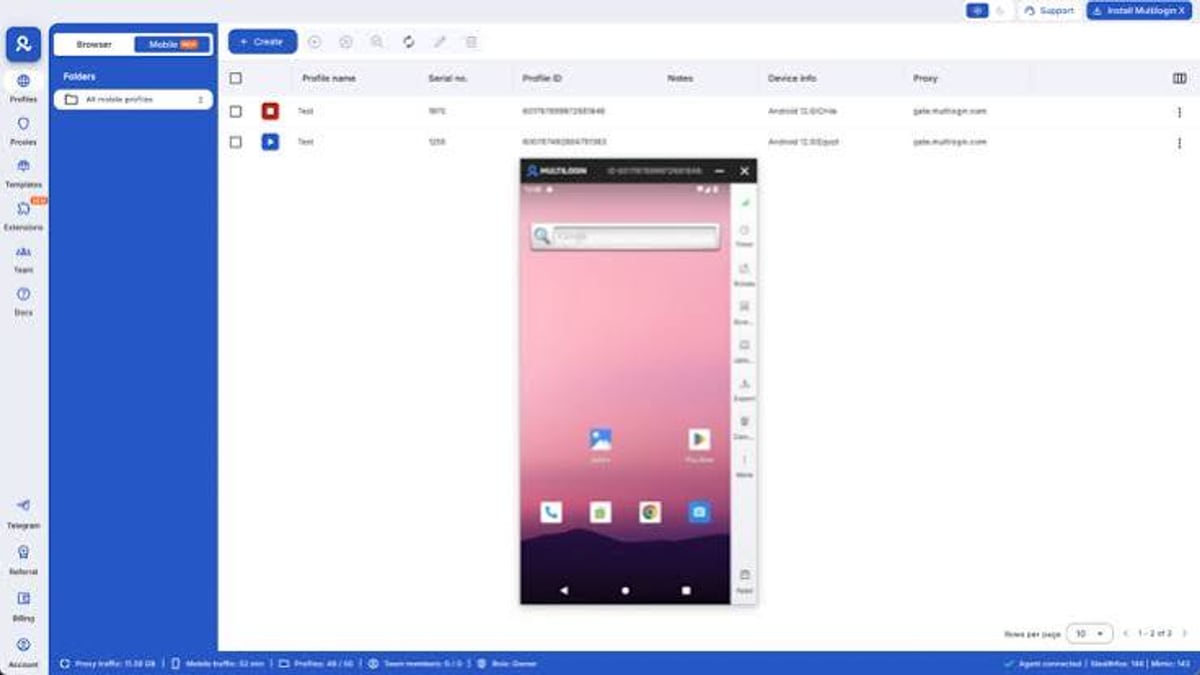
VMOS Review: Android Virtualization & Cloud Platform Tested - supporting product research image 3.
When evaluating VMOS, it’s essential to position it against the broader landscape of multi-account and Android virtualization tools:
- VMOS vs anti-detect browsers (RoxyBrowser, SessionBox One): Anti-detect browsers excel at managing browser-based accounts on desktop—social media web interfaces, ad accounts, and marketplace dashboards. However, they can’t run mobile apps that demand genuine Android environments (e.g., TikTok, WhatsApp, mobile-only banking apps). VMOS offers a true Android instance, which avoids the “browser only” limitation. For a deeper side-by-side look at where real cloud phones outperform anti-detect browsers, see our DuoPlus Cloud Phone vs Antidetect Cloud comparison.
- VMOS vs cloud phone services (DuoPlus, Antidetect Cloud): Dedicated cloud phone platforms provide physical or virtualized Android 15 devices with full hardware device fingerprints and integrated automation. VMOS Cloud competes here with its proxy network and AI assistant. The choice often comes down to whether you need device-level fingerprint spoofing and dedicated automation integrations (like UiPath) that cloud phone providers prioritize. We’ve compared the leading cloud phone and anti-detect combos in DuoPlus Cloud Phone vs MoreLogin vs Antidetect Cloud.
- VMOS vs general emulators (BlueStacks, Nox): Desktop emulators are powerful for a single user on a PC but lack native proxy rotation, cloud management, and clean device fingerprints at scale. They are also more easily detected by games and apps with anti-emulator checks.
For teams already invested in web scraping and automation, VMOS can serve as the Android leg of a broader stack. Explore how automation platforms integrate with virtual devices in our top web scraping and automation platforms guide.
Related reading
- How to Use DuoPlus Cloud Phone with UiPath Platform - Integrate DuoPlus Cloud Phone with UiPath to automate multi-account workflows. Step-by-step guide for connecting ADB, building automations, and scaling operations.
- DuoPlus Cloud Phone vs SessionBox One: Which Multi-Account Tool Wins? - Compare DuoPlus Cloud Phone with SessionBox One for multi-account management. See where a real Android cloud phone excels over an anti-detect browser for mobile apps, social media, and crypto.
FAQ
Is VMOS safe to use? For most users, yes—VMOS operates in a sandbox and doesn’t root your physical phone. However, apps with strong DRM (like Netflix or some banking apps) may malfunction because the virtual environment lacks DRM support, as noted by Android experts.
Can I run multiple accounts on VMOS? Absolutely. With a Pro membership, you can create several virtual machines, each with a distinct environment and Google account. For cloud operations, spinning up dozens of isolated Android instances is the platform’s core value.
What’s the difference between VMOS Pro and VMOS Cloud? VMOS Pro runs locally on your device and is best for a handful of accounts on a powerful phone. VMOS Cloud hosts devices on remote servers, enabling always-on 24/7 farming, global proxy rotation, and team collaboration from a web dashboard.
Does VMOS require root access on my phone? No. The root environment exists inside the virtual machine only, so your physical device remains untouched.
What are the main drawbacks? Performance is heavily dependent on your phone’s processor when using the Pro version. Cloud plans can become costly at scale. DRM-related app instability is a known limitation, and some apps actively detect virtual environments and refuse to run.
Is VMOS Pro worth paying for? If you need multiple ROMs, root, Xposed, and the ability to run several virtual machines simultaneously, the membership unlocks significant value beyond the free single-ROM version. Community feedback confirms that members gain the flexibility needed for serious multi-account operations.
Final Verdict
VMOS is a versatile, maturing platform that bridges the gap between local Android virtualization and enterprise-grade cloud device management. Its greatest strengths—real Android instances, seamless proxy integration, and an accessible freemium entry point—make it a compelling choice for e-commerce sellers, social media managers, and game farmers who have outgrown simple app cloners.
However, it is not a silver bullet. DRM conflicts, potential app compatibility issues, and the cost of cloud instances at scale demand a clear-eyed evaluation of your specific use case. If your operations demand device-level hardware fingerprints and deep automation integration, a dedicated cloud phone service may be a better fit. For users mapping out their multi-account tool stack, DuoPlus Cloud Phone publishes hands-on comparisons that help identify the right combination of virtualization, anti-detection, and automation platforms.
Sources: user reviews from Trustpilot, expert safety insights from JustAnswer, and community feature breakdown from Zhihu.