
DuoPlus Cloud Phone + CyberGhost VPN: Secure Setup Guide
Learn how to pair DuoPlus Cloud Phone with CyberGhost VPN for isolated, private multi-account workflows. Step-by-step setup, examples, and FAQs.
DuoPlus Cloud Phone + CyberGhost VPN: A Practical Privacy Setup
Managing multiple mobile accounts safely is a balancing act: you need realistic device environments, but you also need to protect your real network identity. DuoPlus Cloud Phone provides isolated Android instances with unique device fingerprints, while CyberGhost VPN adds an encrypted, private tunnel for your connection. Together, they solve a common problem — how to operate many accounts without exposing your home IP or linking activity back to you.
This guide explains how the two tools complement each other, walks through a practical setup, and covers when a VPN is the right choice versus a proxy.
Why Combine DuoPlus Cloud Phone with CyberGhost VPN?
First viewport screenshot of www.cyberghostvpn.com.
DuoPlus Cloud Phone is a cloud-based Android service that deploys real ARM mobile devices with unique fingerprints, GPS, SIM, and base station data. It is built for people who need many isolated mobile environments — social media marketers, e-commerce sellers, affiliate marketers, ad account managers, and app testers.
CyberGhost VPN is a fast, privacy-focused VPN service available on Windows, iOS, Mac, Android, and Linux. It encrypts your traffic and masks your IP address.
When you use them together, you get two layers of separation:
- Device isolation from DuoPlus: each cloud phone looks like a distinct physical device to apps and platforms.
- Network privacy from CyberGhost: your real IP and location are hidden behind an encrypted tunnel.
This combination is useful when you want to keep your personal network out of your multi-account work, or when you need an extra privacy layer while testing apps and campaigns.
How the Two Tools Work Together
First viewport screenshot of www.cyberghostvpn.com.
Think of DuoPlus as the device layer and CyberGhost as the network layer.
| Layer | Tool | What it does |
|---|---|---|
| Device | DuoPlus Cloud Phone | Provides isolated Android instances with unique fingerprints, GPS, SIM, and base station data |
| Network | CyberGhost VPN | Encrypts traffic and hides your real IP address |
The workflow is straightforward: you connect to CyberGhost on your local device or network, then access your DuoPlus cloud phones through a browser. Your traffic to the cloud phone platform travels through the VPN tunnel, while each cloud phone keeps its own device identity.
Important distinction: CyberGhost protects the connection between you and the internet. DuoPlus manages the device identity that apps see. For per-account IP control inside each cloud phone, you typically use a proxy configured in DuoPlus. The VPN and proxy serve different purposes and can be used together or separately depending on your goal.
Step-by-Step Setup
Step 1: Prepare Your CyberGhost VPN Connection
- Install CyberGhost VPN on your computer or router, depending on how you access DuoPlus.
- Sign in and choose a server location. Pick a location that matches your target market or the region you want your traffic to appear from.
- Connect and confirm your public IP has changed.
If you access DuoPlus from a browser, running CyberGhost on the same machine is the simplest approach. If you manage cloud phones from multiple devices, a router-level VPN can cover all of them.
Step 2: Set Up Your DuoPlus Cloud Phone
- Log in to DuoPlus and create or purchase a cloud phone instance.
- Choose the Android version and region that fit your use case.
- Configure the device settings — language, location, and other environment details — to match your target market.
- If you need per-account IP control, add a proxy in DuoPlus. You can use a free proxy format converter to reformat proxy lists before pasting them in.
Step 3: Connect and Verify
- With CyberGhost connected, open your DuoPlus cloud phone in the browser.
- Check the IP address visible inside the cloud phone. If you configured a proxy in DuoPlus, that proxy IP should appear. If you did not, the connection may reflect the VPN or the cloud phone's default network.
- Verify the device fingerprint and location settings look consistent with your intended region.
Step 4: Install Apps and Start Working
Use DuoPlus bulk installation to add the apps you need. Then log in to each account from its assigned cloud phone. Keep a simple mapping sheet: account, cloud phone ID, proxy or network setting, and purpose. This prevents accidental cross-logins.
Practical Examples
Example 1: Social Media Marketer Testing Ads
A marketer runs campaigns for clients in different countries. They use CyberGhost to connect from a server location near the target market, then open separate DuoPlus cloud phones for each client account. Each cloud phone has its own fingerprint and, where needed, its own proxy. The VPN adds privacy to the marketer's own connection without mixing client accounts.
Example 2: E-commerce Seller Managing Multiple Storefronts
A seller operates several TikTok Shop or Shopee accounts. Each store gets a dedicated DuoPlus cloud phone with matching locale and SIM data. CyberGhost hides the seller's home IP while they manage listings and respond to messages. For account-level IP separation, they also assign a proxy per cloud phone.
Example 3: App Tester Checking Regional Behavior
A QA tester needs to see how an app behaves in different regions. They connect CyberGhost to a target country, then use a DuoPlus cloud phone configured for that region. This gives them both a regional network view and a realistic mobile device environment.
VPN vs Proxy: Which Do You Need?
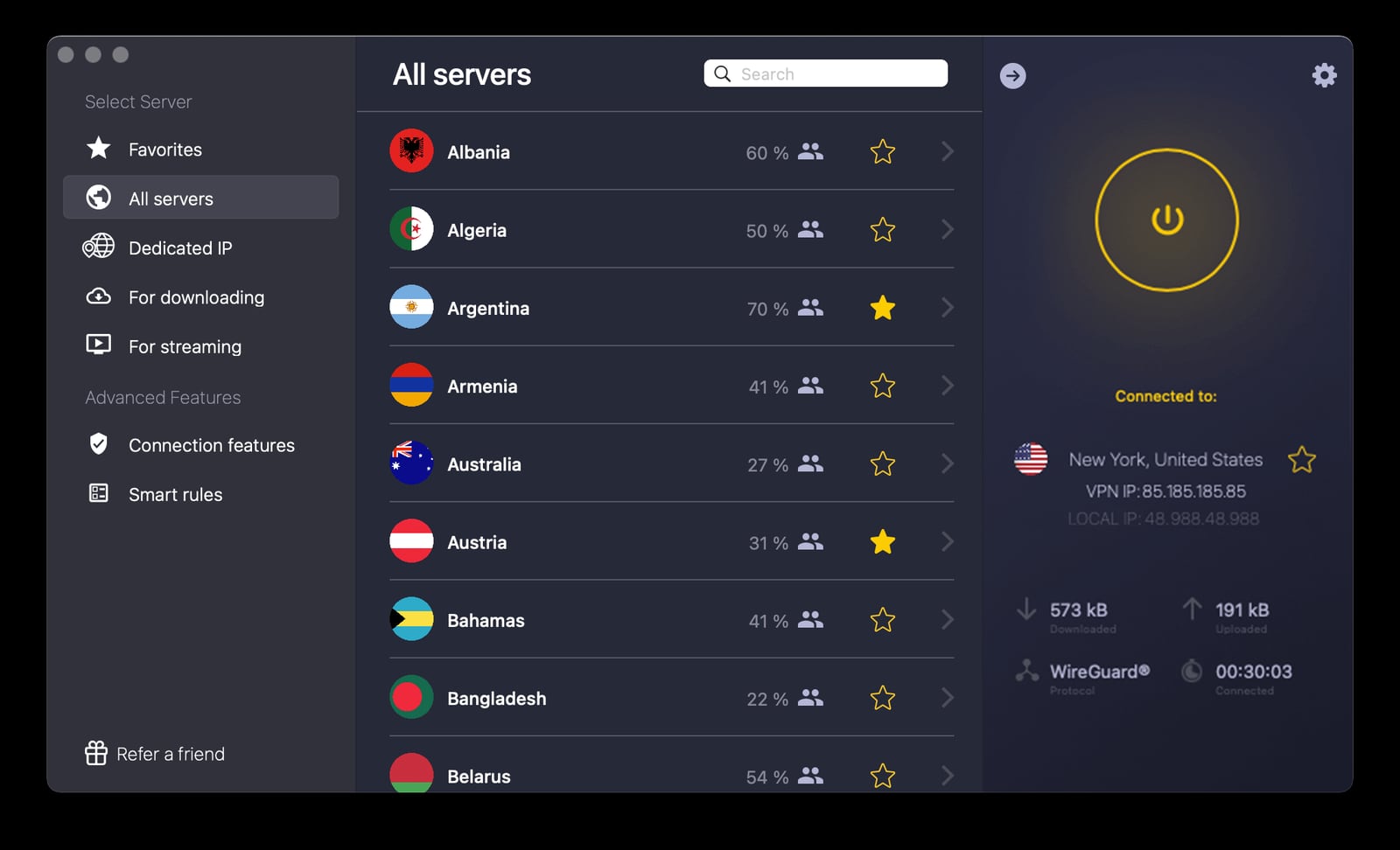
Fast, Secure, & Private VPN Service | CyberGhost VPN product interface.
This is the most common question when combining these tools.
- Use CyberGhost VPN when your priority is encrypting your own connection and hiding your real IP from the sites and services you access. It is a single tunnel for your device or network.
- Use a proxy in DuoPlus when you need each cloud phone to have its own distinct IP address. This is essential for strict account separation on platforms that associate accounts by IP.
- Use both when you want privacy for your own connection and per-account IP isolation inside DuoPlus.
For a deeper comparison of proxy and VPN browser tools, see our top 10 proxy and VPN browser software ranking.
Common Problems the Combination Solves
First viewport screenshot of www.cyberghostvpn.com.
- Home IP exposure: Without a VPN, your real IP may be visible to the services you use to access cloud phones. CyberGhost masks it.
- Account association risk: DuoPlus isolates device fingerprints; per-account proxies isolate IPs. Together they reduce the signals platforms use to link accounts.
- Regional testing gaps: A VPN lets you appear in a target region, while DuoPlus provides a matching mobile environment.
- Team collaboration friction: DuoPlus supports one-click sharing for teams. A VPN adds a consistent privacy layer for team members accessing cloud phones remotely.
When This Combination Is Not the Right Fit
If your main goal is strict per-account IP separation for platforms with aggressive anti-fraud systems, a VPN alone is not enough. You need proxies assigned per cloud phone. CyberGhost is a privacy tool, not a multi-account IP management system.
If you only need to manage a handful of accounts casually, a full cloud phone setup may be more than you need. But for anyone running many accounts across regions, the device isolation of DuoPlus plus the network privacy of CyberGhost is a practical baseline.
Related reading
- DuoPlus Cloud Phone vs MoreLogin & BitBrowser: Which Wins? - Compare DuoPlus Cloud Phone, MoreLogin, and BitBrowser for multi-account management. See which tool fits your mobile or web account needs.
- DuoPlus Cloud Phone vs Gologin Browser: Multi-Account Guide - Compare DuoPlus Cloud Phone and Gologin anti-detect browser for managing multiple accounts. See where real Android devices beat browser profiles.
- Multilogin Homepage Review: Anti-Detect Browser & Cloud Phone - Evidence-based Multilogin Homepage review: anti-detect browser plus Android cloud phones, ideal users, setup, pricing signals, limits, and decision criteria.
Sources and further reading
- Antidetect Browser - An antidetect browser is a specialized browsing tool that shields user identity identifiers, preventing platforms from recognizing multiple accounts operated by the same user. Learn about its core functions, anti-association principles, and how to achieve efficient and secure cross-border operations through DuoPlus Cloud Phone.
- How to Configure ProxyWing on a DuoPlus Cloud Phone? - How to set up Proxywing proxy servers in the DuoPlus anti-detect browser. Detailed guide. Follow the instructions below to ensure smooth and secure integration
FAQ
Can I use CyberGhost VPN inside a DuoPlus cloud phone?
CyberGhost is an Android app, and DuoPlus supports Android apps. However, the more common and reliable setup is to run CyberGhost on the device or network you use to access DuoPlus. Check DuoPlus documentation for current support of VPN apps inside cloud phones.
Does CyberGhost replace a proxy in DuoPlus?
No. CyberGhost hides your connection's IP, but it does not give each cloud phone a unique IP. For per-account IP separation, configure a proxy in DuoPlus.
Will using a VPN get my accounts flagged?
A reputable VPN is not inherently a flag. Platforms look at many signals — device fingerprint, behavior, IP reputation, and consistency. DuoPlus helps with device consistency; choose a VPN server with a good reputation and keep your setup stable.
Can I use CyberGhost with DuoPlus on a mobile browser?
Yes, if your mobile device is connected to CyberGhost. DuoPlus supports control via PC and mobile browsers.
Is there a free trial for DuoPlus?
Yes, DuoPlus offers a free trial. CyberGhost also offers trial options depending on your region and plan.
Conclusion
DuoPlus Cloud Phone and CyberGhost VPN solve different but complementary problems. DuoPlus gives you isolated, realistic Android environments for multi-account work. CyberGhost adds an encrypted, private tunnel for your connection. Use them together when you want both device isolation and network privacy — and add per-account proxies in DuoPlus when you need strict IP separation. Start with a small setup, verify your IP and fingerprint consistency, and scale from there.