
GeeLark Review 2026: Cloud Phones, Pricing & Honest Test
Honest GeeLark review covering cloud phones, anti-detect profiles, automation, real pricing, and whether it’s worth the cost for multi-account mobile marketing.
GeeLark Review: An Evidence-Based Look at the Cloud Phone Platform
GeeLark occupies a unique position in the anti-detection landscape: instead of merely spoofing browser fingerprints, it gives you remote control of real ARM‑based Android cloud phones. These virtual devices come with genuine hardware identifiers – IMEI, Android ID, MAC address – making them far harder for platforms like TikTok, Instagram, and Google to flag as emulators or bots. In 2026, GeeLark has evolved into a full mobile‑account management suite that bundles cloud phones, desktop anti‑detect browser profiles, no‑code RPA automation, and even AI content tools into one dashboard. On Trustpilot, it holds a “Great” 4.0 rating, with users frequently praising its reliability for competitive research and multi‑account safety.
This review is based on independent testing, verified user feedback, and a deep dive into GeeLark’s 2026 feature set. We’ll examine who benefits most, how the platform performs in practice, what the pricing truly adds up to, and where it still falls short – so you can decide whether it’s the right investment for your mobile farming or social media operations.
Who Should Consider GeeLark?
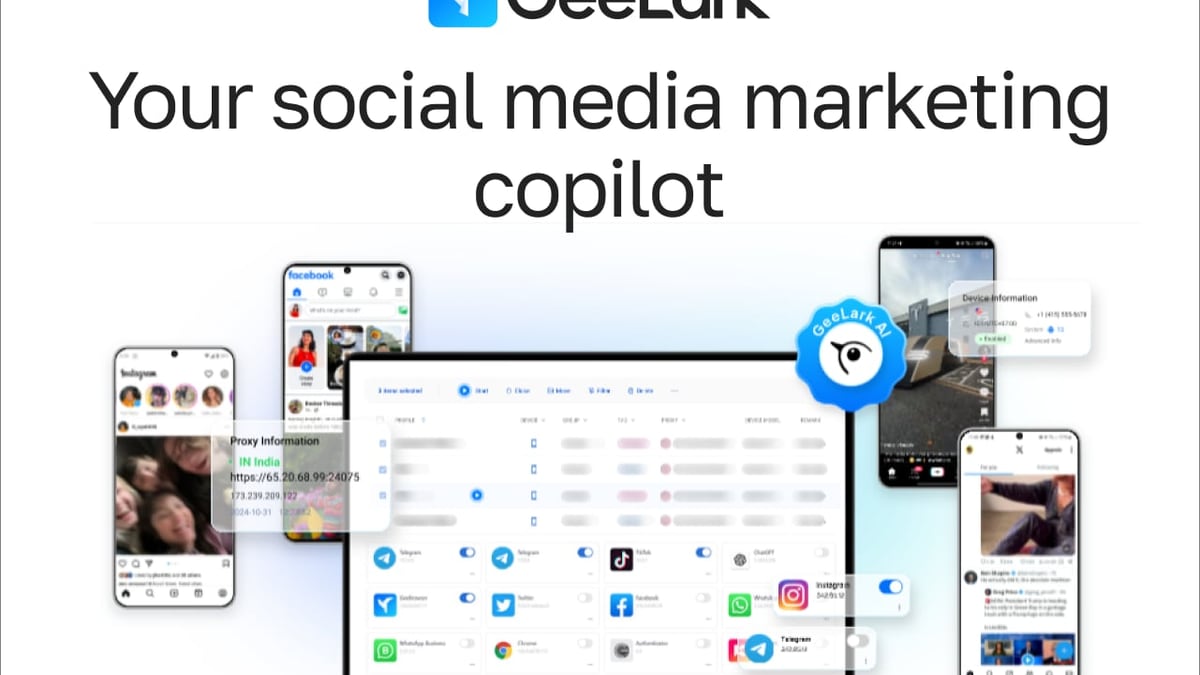
GeeLark Review 2026: Cloud Phones, Pricing & Honest Test product interface and feature overview.
GeeLark isn’t a one‑size‑fits‑all solution. It’s built for professionals who need mobile‑native environments that behave like physical handsets. Ideal users include:
- Social media marketers and growth hackers running dozens of TikTok, Instagram, or YouTube Shorts accounts.
- Affiliate marketers who test and scale campaigns inside apps.
- Airdrop farmers and crypto enthusiasts claiming rewards across multiple wallets without triggering fraud checks.
- E‑commerce entrepreneurs and dropshippers managing supplier and customer accounts on mobile marketplaces.
- Ad verifiers and SEO analysts performing geo‑specific mobile SERP checks or advertisement placement monitoring.
- App developers and QA testers who need clean Android instances with genuine fingerprints.
One case study shared by the platform illustrates the potential: a dropshipper who moved his multi‑account workflow to GeeLark reclaimed 31 hours per week, grew monthly revenue from $15K to $45K, and slashed account bans from 37 down to zero. Such numbers make a strong argument for the right user, but they depend on correct configuration – something we’ll cover shortly.
Key Use Cases (With Real‑World Examples)
GeeLark’s cloud phones are purpose‑built for mobile‑first tasks. Here’s where they excel:
- Multi‑account social media marketing: Run separate TikTok or Instagram accounts for clients, each with its own device fingerprint and IP, eliminating cross‑account contamination.
- Affiliate marketing on mobile apps: Test tracking links, app installs, and in‑app events from distinct devices without leaving a paper trail.
- Airdrop and faucet farming: Automate claim routines on crypto platforms that tie rewards to a unique device identity.
- Ad verification and competitive research: View mobile ads and landing pages exactly as a local user would, using geo‑matched residential proxies.
- E‑commerce and dropshipping: Manage multiple seller profiles, check pricing on local mobile apps, and circumvent platform limits on devices per seller.
- Cloud gaming and app testing: Spin up clean Android environments for game playing or QA cycles without cluttering your physical hardware.
GeeLark’s Core Capabilities
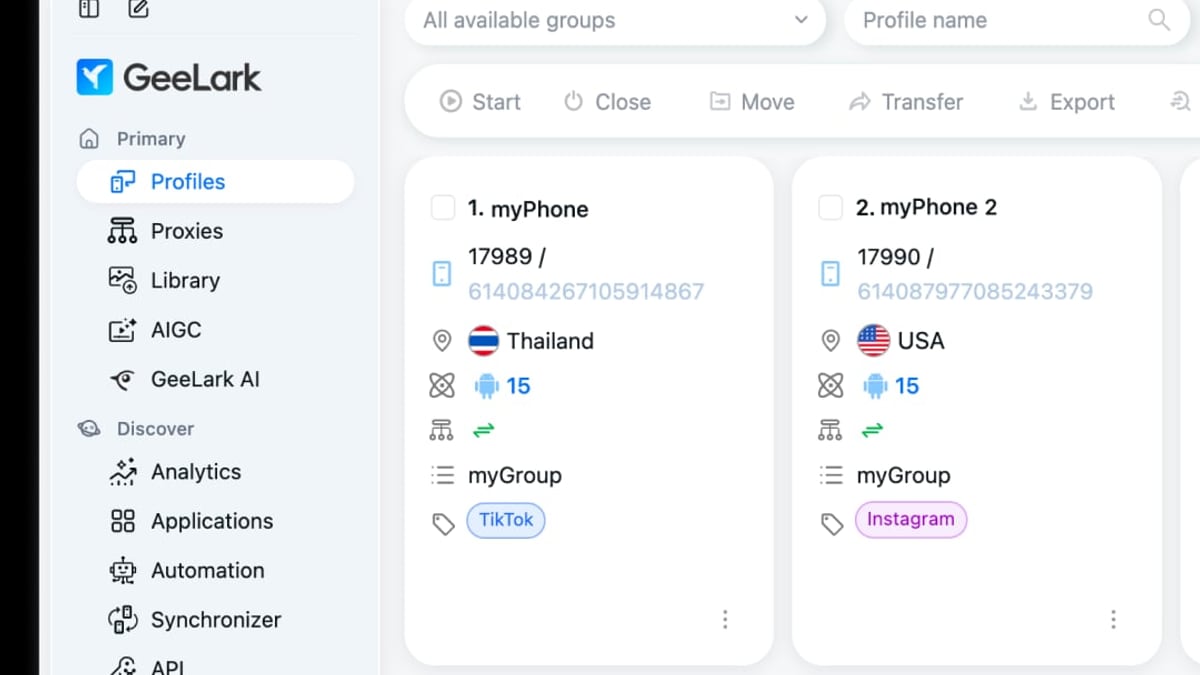
GeeLark Review 2026: Cloud Phones, Pricing & Honest Test product interface and feature overview.
Real ARM Cloud Phones, Not Emulators
The headline feature is a fleet of genuine Android cloud phones hosted on remote servers. Unlike traditional emulators that run on your PC and often leak virtual‑machine fingerprints, each GeeLark cloud phone environment runs on ARM architecture and presents a unique, un‑spoofed set of identifiers. This makes them remarkably effective at passing deep fingerprint checks; tests with tools like IPhey and PixelScan confirm that a correctly proxied GeeLark phone is seen as a legitimate mobile device, not a desktop browser pretending to be one.
Desktop Anti‑Detect Browser Profiles
If your work doesn’t require a full Android OS, GeeLark also includes standard anti‑detect browser profiles – similar to what you’d get from Multilogin or GoLogin. These profiles run on your desktop’s engine but are masked with spoofed mobile‑looking fingerprints. They’re lighter, cost less, and are fine for managing web‑based accounts that don’t need native app access. However, for mobile‑native social apps and games, the cloud phones are the only way to stay truly undetected.
Synchronizer & Bulk Operation Tools
GeeLark’s Synchronizer allows you to replicate actions across multiple cloud phones simultaneously. If you’re, say, subscribing to a channel or collecting a daily reward on 20 accounts, you perform the action once and the system mirrors it across all selected devices. The platform also supports batch profile creation, template‑based quick setups, and group management – letting you install apps, apply proxy configurations, or delete entire profile sets in one go.
No‑Code RPA Automation Templates
A built‑in marketplace offers ready‑made robotic process automation (RPA) flows for popular mobile apps. You can automate tasks such as creating TikTok accounts, posting videos, or liking content without writing a single line of code. Automation runs on a pay‑per‑success model, so you’re only billed for completed tasks. For more custom workflows, the platform integrates with large language models like DeepSeek to let you build smarter automations that mimic human behavior – scrolling, waiting, and reacting naturally.
AI Copilot & Content Tools
GeeLark calls itself “Your AI Copilot for Social Media Marketing,” and the claim is backed by integrated AI video tools. The system can generate short‑form video content from text prompts, and it includes GhostCut for AI‑powered color grading, sharpening, and video de‑duplication. These features are designed to help you produce unique, platform‑ready content at scale, directly within the GeeLark dashboard.
Proxy Management
Because every cloud phone needs its own IP, GeeLark provides a dedicated proxy panel where you can store, label, and test your IPs. It supports HTTP(S) and SOCKS5 protocols and lets you switch between IP databases (IP2Location or ip‑api). You can even set up a rotation URL for quick IP changes – though this doesn’t work with mobile proxies. Note: GeeLark does not supply proxies; you must bring your own from a reliable provider. Incorrectly configured proxies remain a top cause of DNS and timezone mismatches, which can expose your device as non‑local.
Setting Up GeeLark: First Impressions
GeeLark Review 2026: Cloud Phones, Pricing & Honest Test product interface and feature overview.
Installing the Windows or macOS client is straightforward. After signing up, you’re guided through a brief 3‑step tour, but the real learning starts when you create your first cloud phone profile. You choose an Android version (9 through 15), assign a proxy, and optionally group and tag the profile. First‑time initialization takes a few minutes; subsequent launches are faster but can occasionally hang, and a few users on Trustpilot have noted the need for patience here.
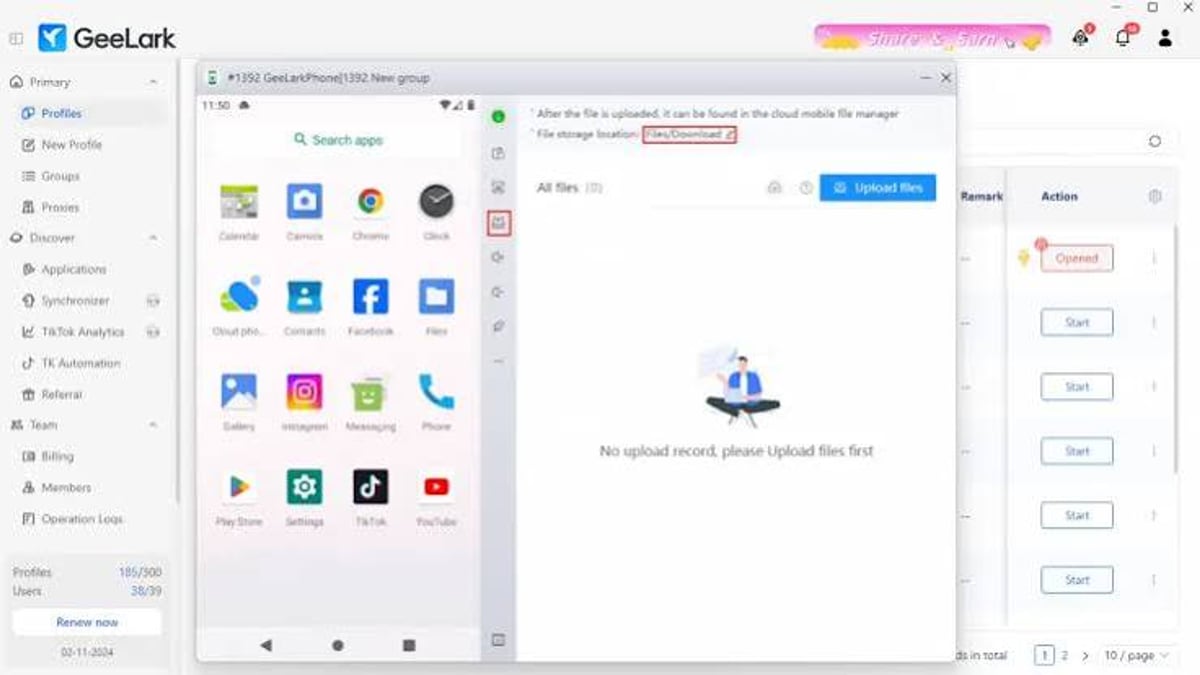
Once running, the cloud phone window looks and behaves exactly like a real handset. You interact via mouse and keyboard, with a control panel for screenshots, rotation, file uploads, and paste operations. A built‑in app market lets you install apps without signing into Google Play, which is a time‑saver. Automation templates, the Synchronizer, and team management tabs are all accessible from the same dashboard. For teams, the administrator can set granular permissions, such as who can create profiles or access specific groups.
GeeLark Pricing: A Detailed Breakdown
GeeLark Review 2026: Cloud Phones, Pricing & Honest Test - supporting product research image 4.
One of the most discussed aspects of GeeLark is its pricing model, which combines recurring subscription fees with usage‑based charges. Here’s how it works in 2026:
Free Trial
Yes, GeeLark is “free” to try, but the trial is extremely limited: 2 cloud phone profiles, 1 team seat, and 30 minutes of runtime. It’s only useful for a quick interface tour.
Environment Plans (for profile slots)
- Base: $13/month – comes with 20 profiles, 60 included cloud phone minutes, and unlocks basic automation and ADB access.
- Pro: $19/month – same 20 profiles and 60 minutes, but adds the Synchronizer, batch account creation, AI content tools, and unlimited team members.
Runtime Minutes
After you exhaust the 60 minutes included in your plan, you must purchase minute packages separately. Extra minutes cost around $0.007 each (≈ $0.7 per 100 minutes). GeeLark enforces a daily soft cap of $1 per phone, which translates to roughly 142 minutes of continuous operation per device per day. If you run out of minutes, the cloud phones stop working immediately – a system some users call “pay‑as‑you‑go anxiety.”
Monthly Phone Rentals
Instead of tracking minute allotments, you can rent a cloud phone for a flat monthly fee – $24.90/month for Android devices (Android 14 is $5 extra). Long‑term commitments reduce the cost: 90 days saves 10%, 180 days saves 20%, and 360 days saves 30%. This is GeeLark’s preferred model, as it provides predictable costs and unlimited daily usage on that rented device.
Bottom line: Expect to pay both for profile slots and for the time you keep phones running. For small operations, this can be manageable. For anyone running 24/7 social media warm‑up or automation tasks on multiple devices, the minute‑based costs can escalate quickly. At DuoPlus Cloud Phone, when we evaluate multi‑account tools, we always advise calculating your expected daily runtime before committing, because the difference between a few profiles and a scale operation can swing the total cost by hundreds of dollars.
Strengths and Advantages
- Unmatched authenticity – ARM‑based cloud phones with real device fingerprints dramatically reduce bans on mobile‑first platforms.
- All‑in‑one platform – Cloud phones, anti‑detect browser profiles, automation, and AI content generation live under one roof, cutting the need for patchwork tools.
- Scalability without hardware – No physical phone farm to maintain; launch new devices in minutes.
- Active development – AI integration, new RPA templates, and OS version support keep the platform current.
- Case‑study‑backed results – The dropshipper example (31 hours saved, 3× revenue, zero bans) is not an isolated claim; similar patterns appear in community testimonials.
Limitations and Drawbacks
- Cost unpredictability – The dual billing model can lead to bill shock if automation schedules aren’t tightly managed.
- DNS and timezone sync issues – With low‑quality or misconfigured proxies, the cloud phone’s timezone may not align perfectly with the IP, creating a red flag for some apps.
- No iOS support (yet) – The platform only supports Android, which leaves out a significant portion of mobile marketing campaigns that require iOS fingerprints.
- Learning curve – Proper proxy configuration, RPA template building, and team permission setup demand time and technical diligence.
- Mixed customer support responsiveness – Trustpilot reviews mention slow responses to billing and technical tickets; GeeLark’s own documentation and community are helpful, but direct support can lag.
GeeLark vs Traditional Anti‑Detect Browsers and Other Cloud Phones
For users who only need to manage web‑based accounts, a dedicated anti‑detect browser like GoLogin or Multilogin is often cheaper and simpler. These tools let you pay a flat monthly subscription for browser profiles and don’t charge by the minute. However, when your accounts live inside mobile apps – TikTok, Instagram, crypto wallets – only a real‑device environment like GeeLark’s cloud phones can guarantee campaign longevity.
Compared with other cloud phone services, GeeLark’s integration of RPA automation and AI content tools gives it a productivity edge. We’ve tested alternatives such as VMOS and the DuoPlus Cloud Phone, both of which offer genuine Android instances. DuoPlus, for instance, excels at multi‑account security when combined with IP2Location – something GeeLark users sometimes struggle with due to DNS leakage. On the other hand, GeeLark’s Synchronizer and automation marketplace make large‑scale repetitive task execution far more efficient. Our deep comparison of DuoPlus and anti‑detect browsers illustrates why a real cloud phone often outperforms a desktop browser for mobile‑app farm scenarios.
If your workload is moderate and you don’t need AI‑driven video editing, a more predictable flat‑rate cloud phone solution could be the safer budget choice. But for marketers who want to centralize everything – device management, automation, and content creation – GeeLark’s integrated approach is hard to beat.
Related reading
- Top 10 Enterprise Automation & AI Orchestration Platforms 2026 - Discover the 10 best enterprise automation and AI orchestration platforms of 2026. Compare features, governance, and scalability for agentic AI, RPA, and workflow orchestration at scale.
- How to Use DuoPlus Cloud Phone with IP2Location for Multi-Account Security - Learn to combine DuoPlus Cloud Phone and IP2Location for multi-account security, proxy detection, and precise geolocation. Step-by-step setup, workflows, and use cases.
Sources and further reading
- Read Customer Service Reviews of geelark.com - Web resultsRead Customer Service Reviews of geelark.comTrustpilothttps://www.trustpilot.com › ... › Software CompanyTrustpilothttps://www.trustpilot.com › ... › Software CompanyWe've been using Geelark for a while for competitive research, and have been super satisfied. 4.0 Great TrustScore 4 out of
- Geelark Review 2026: Pricing, Cloud Phones & Best Alternatives - Full Geelark review 2026: Is Geelark free? We cover pricing, cloud phone features, and the ultimate Geelark alternative for seamless mobile farming.
- In-Depth GeeLark Antidetect Phone Review - GeeLark is the first antidetect phone for mobile-based app management. Check out what the provider offers and if it's the right fit for you.
FAQ
Is GeeLark free?
No, but a free trial gives you 2 profiles and 30 minutes of runtime to explore the interface. For any practical work, you’ll need a paid plan.
How does GeeLark compare to an Android emulator?
Emulators run on your computer and often leave detectable traces. GeeLark’s cloud phones are genuine ARM instances in remote data centers with unique hardware fingerprints, making them far harder for apps to identify as virtual.
Can I run GeeLark phones 24/7?
Only if you rent a phone on a monthly basis. On minute‑based plans, a daily cap of 142 minutes per device applies. Rented phones have no such limit.
Does GeeLark work with all mobile apps?
Most apps from the Play Store work, but banking apps and some secure apps with strong emulator detection may still block virtual devices. GeeLark’s custom GeeBrowser also helps for web login flows that might otherwise be suspicious.
Does GeeLark provide proxies?
No. You must source your own residential or mobile proxies. The platform partners with Bright Data, Proxy‑Seller, and others, but all proxy costs are separate.
What happens if I run out of minutes?
Your cloud phones stop until you top up. Automated tasks halt immediately, so it’s wise to set up automatic top‑up or use a rental model for critical workflows.
Final Verdict: Should You Invest in GeeLark?
GeeLark is a powerful, forward‑thinking platform that solves a very specific but growing problem: managing multiple mobile app accounts safely and at scale. Its authentic ARM device fingerprints, integrated automation, and AI content tools can transform the way a social media marketer or e‑commerce operator works. The dropshipper who cut bans to zero and tripled revenue is a testament to what’s possible when the right user adopts the platform with discipline.
That said, GeeLark is not a impulse purchase. The dual‑layer pricing – profile slots plus runtime minutes – demands careful usage planning. If you can’t closely monitor your consumption or you only need desktop‑based multi‑accounting, a simpler anti‑detect browser subscription will save you money and headaches. On the other hand, if your business depends on mobile apps that aggressively hunt for emulator footprints, the authenticity GeeLark provides is worth the premium.
At DuoPlus Cloud Phone, we see GeeLark as a strong choice for professionals who are scaling mobile marketing operations and are ready to invest the time needed to optimize proxies and automation. If that describes you, the free trial is an excellent way to test the waters – just keep an eye on the clock.
Sources: Independent testing, Trustpilot reviews, and technical benchmarks by Proxyway.