
How to Use DuoPlus Cloud Phone with Buy Proxy SOCKS5
Pair DuoPlus Cloud Phone with Buy Proxy private SOCKS5 and HTTPS servers: setup steps, rotation, geo-targeting, and multi-account workflows.

How to Use DuoPlus Cloud Phone with Buy Proxy - Fast Private SOCKS5 & HTTPs Proxy Servers
DuoPlus Cloud Phone gives every account a real ARM-based Android device in the cloud, complete with its own device fingerprint, storage, GPS, SIM, and base station data. Buy Proxy - Fast Private SOCKS5 & HTTPs Proxy Servers gives each of those devices a matching network identity: a private residential, ISP, datacenter, or rotating mobile IP that does not look like a shared data-center range.
Used separately, each tool solves half the problem. A cloud phone without a proxy still shares one exit IP across many accounts. A proxy without an isolated device still leaves fingerprint collisions. Together, they close both gaps, which is why this pairing shows up constantly in TikTok growth, Shopee and Lazada store operations, affiliate work, and crypto airdrop farming.
This article walks through the workflow, the exact setup steps, practical examples, and the decisions that determine whether the combination actually holds up at scale.
Why the DuoPlus and Buy Proxy combination works
First viewport screenshot of Buy Proxy - Fast Private SOCKS5 & HTTPs Proxy Servers.
Account association checks do not rely on a single signal. Platforms look at device fingerprint, storage artifacts, behavioral patterns, and network origin. If the device looks unique but the IP is reused across fifty accounts, the IP becomes the common thread that links them.
DuoPlus handles the device layer:
- Real ARM Android instances rather than emulated x86 containers
- A unique fingerprint per cloud phone, including hardware and system properties
- Independent storage so apps cannot read each other's data
- Simulated global GPS, SIM card, and base station information
- One-click reskin to swap the entire device environment
- Android 15 support, which matters because newer app versions increasingly check OS build details
Buy Proxy handles the network layer:
- Private residential and ISP IPv4/IPv6 addresses that belong to real consumer or business ranges
- Rotating mobile 4G/5G proxies that change IP on a schedule or on demand
- SOCKS5 and HTTPS protocol support, with SOCKS5 being the format DuoPlus accepts for batch import
- Entry pricing from around $0.75, which keeps per-account costs low when you scale
The result is a stack where each cloud phone presents a coherent story: a plausible device in a plausible location, connecting from a plausible network. That coherence is what reduces verification prompts, login challenges, and silent reach suppression.
Before you start: what you need
Prepare these items before touching either dashboard:
- A DuoPlus Cloud Phone account with at least one cloud phone provisioned.
- A Buy Proxy plan sized to your account count. Residential or ISP proxies for long-lived accounts, rotating mobile for high-churn tasks.
- Your proxy credentials in the format DuoPlus expects:
host:port:username:password. - A location plan. Decide which country or city each account should appear to operate from before you buy IPs, not after.
One planning note: match proxy geography to the account's intended market. A TikTok account targeting US viewers should not exit from an IP in a different region, and a Shopee seller account should exit near the market it sells into.
Step-by-step: adding proxies to DuoPlus Cloud Phone
Step 1: Collect your proxy details from Buy Proxy
Log in to your Buy Proxy dashboard and copy the connection details for each purchased proxy. You will need the host or IP, the port, and the username and password if authentication is enabled. For rotating endpoints, note whether rotation is time-based or per-request, because that changes how you assign them.
Step 2: Open the Proxies section in DuoPlus
Sign in to DuoPlus and select Proxies from the left-hand menu. You will see options to add a single proxy or to add proxies in batches.
Step 3: Add a single proxy for testing
Click Add and fill in the dialog:
- Proxy IP address: the host or IP from Buy Proxy
- Proxy Port: the matching port
- Proxy Account: username and password if required
Click Check. A successful test returns a connection-passed message along with the detected proxy details. Confirm the detected country matches your plan, then click Save.
Always test one proxy before importing hundreds. A single misconfigured authentication string can waste an entire batch import.
Step 4: Batch import proxies for scale
For multiple accounts, click Batch Add and paste one proxy per line using this format:
host:port:username:password
DuoPlus accepts several equivalent layouts for IPv4:
host:port
host:port:username:password
username:password@host:port
For IPv6, wrap the host in square brackets:
[host]:port
[host]:port:username:password
username:password@[host]:port
Note that DuoPlus batch import currently supports SOCKS5 proxy IPs. If your Buy Proxy order includes HTTPS endpoints, use those where the interface allows manual entry, or request SOCKS5 equivalents for batch workflows.
Step 5: Verify, then bind proxies to cloud phones
After pasting, click Check. DuoPlus validates each line and lists the working proxies. Review the list for failures, fix the formatting on any rejected lines, and re-import.
Once proxies are saved, assign them to cloud phones. Keep a simple mapping sheet: cloud phone ID, account, proxy IP, country, and date assigned. This record is what saves you when an account needs troubleshooting three weeks later.
Step 6: Confirm consistency inside the device
Open each cloud phone and verify that the network location matches the simulated GPS and SIM region. If a device claims to be in one country while the IP resolves to another, you have created a new inconsistency rather than removing one.
Practical examples
First viewport screenshot of Proxy-Seller Blog: News, How-to Guides & Tips.
TikTok multi-account growth
A marketer runs twenty TikTok accounts across three target markets. Each account gets its own DuoPlus cloud phone with a distinct fingerprint, plus a private residential proxy from the matching country. Because no two accounts share a device or an IP, the accounts stop appearing as a cluster. Rotating mobile proxies are reserved for warm-up and browsing activity, where frequent IP changes look natural on mobile networks.
Shopee and Lazada store operations
A seller manages storefronts in several Southeast Asian markets. Each storefront runs in a separate cloud phone with a proxy located in that market, so pricing checks, listing updates, and buyer messaging all originate from the correct region. The seller uses DuoPlus bulk app installation to deploy the marketplace apps across devices at once, and the Webshare proxy workflow as a reference for single and batch SOCKS5 patterns.
Crypto airdrop farming
Airdrop tasks often require many wallets and social accounts, each with its own identity. Here the priority is isolation over longevity, so rotating mobile proxies with short sessions fit better than static residential IPs. DuoPlus keeps each wallet's app environment separate, and Buy Proxy keeps the network footprint separate. Teams comparing this approach against browser-only setups can review the DuoPlus vs antidetect browser comparison to see where device-level isolation changes the outcome.
Affiliate and ad account management
Media buyers running multiple ad accounts need stable, believable identities. Static ISP proxies paired with long-lived cloud phones give each ad account a consistent device and network history, which matters when platforms review account quality over time.
Choosing the right Buy Proxy type for each task
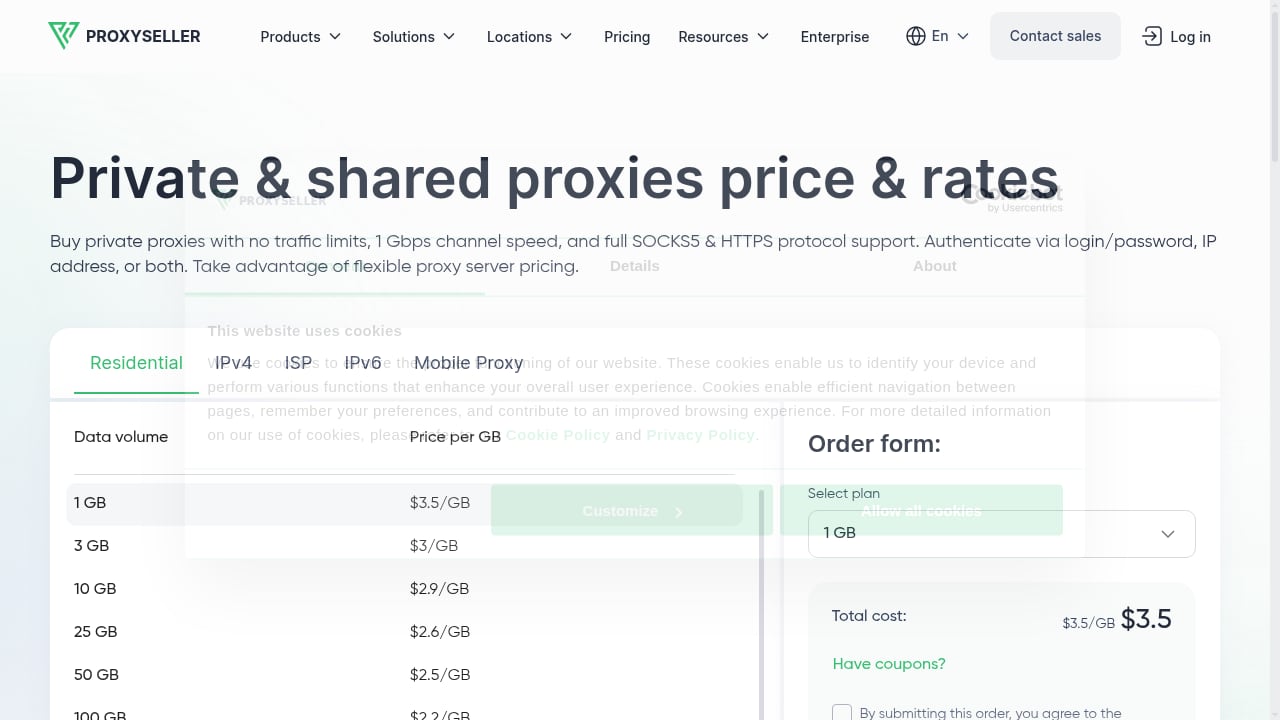
First viewport screenshot of Proxy-Seller proxies price & packages from $0.58/IP.
| Task | Recommended proxy type | Why |
|---|---|---|
| Long-lived social accounts | Private residential or ISP IPv4 | Stable IP history builds trust |
| High-churn airdrop or test accounts | Rotating mobile 4G/5G | Frequent changes mimic real mobile users |
| Regional e-commerce stores | Residential IP in the target market | Localized pricing and content |
| Bulk automation and scraping | Datacenter IPv4/IPv6 | Lower cost per IP at volume |
| Multi-region testing | Mixed residential across countries | Reproduces real user conditions |
A practical rule: the longer an account needs to survive, the more stable and more residential its IP should be. The more disposable the account, the more you can lean on rotating or datacenter options.
Common problems and how to avoid them
First viewport screenshot of Affiliate program - Proxy-Seller.
Proxy test fails on import. Usually a formatting issue. Check the delimiter order, confirm the port, and verify the password contains no characters that break the line format.
Accounts still get linked. Look for shared signals outside the proxy: reused recovery emails, identical profile photos, the same posting schedule, or the same app list. Device and IP isolation do not fix behavioral overlap.
Geo mismatch between IP and device. Recheck the simulated GPS, SIM, and base station settings against the proxy country. Consistency across all three is the goal.
Rotating proxies break logged-in sessions. Some platforms log users out when the IP changes mid-session. Use sticky sessions or static IPs for accounts that must stay logged in.
Free or public proxies cause bans. Shared, transparent proxies expose your real IP and are already flagged by major platforms. Paid private proxies cost little and avoid this entirely.
Scaling too fast. Adding fifty accounts in a day creates a pattern. Ramp gradually and let each identity build history.
Related reading
- DuoPlus Cloud Phone vs Multilogin vs BitBrowser 2026 - DuoPlus Cloud Phone vs Multilogin vs BitBrowser compared for e-commerce, Facebook, Instagram, and TikTok multi-account work in 2026.
- DuoPlus Cloud Phone vs MostLogin: 2026 Comparison - DuoPlus Cloud Phone vs MostLogin compared: real ARM Android 15 devices versus antidetect browser profiles, fingerprinting, team features, and pricing fit.
- VMOSCloud Review: AI Cloud Phone for Multi-Accounts - Hands-on VMOSCloud review: AI cloud phone for social media multi-account automation. Covers pricing, setup, performance, proxy support, and ideal users.
Sources and further reading
- Partners - DuoPlus Cloud Phone - The DuoPlus Cloud Phone Partner Program is a partner ecosystem that brings together different types of partners and resources related to cloud phones.
FAQ
Does DuoPlus Cloud Phone support HTTPS proxies?
DuoPlus batch import is built around SOCKS5 proxy IPs. HTTPS and other protocols are not accepted in the batch format, so for large imports you should supply SOCKS5 endpoints. Buy Proxy offers both SOCKS5 and HTTPS, which makes it straightforward to order the protocol that matches your workflow.
Can I use one Buy Proxy IP for several cloud phones?
You can, but it defeats the purpose. Sharing an IP across cloud phones recreates the exact association signal the setup is meant to remove. Assign one proxy per account, or at minimum one per small, clearly related group.
How many proxies do I need?
Plan for one proxy per account you intend to keep long term. For testing or short-lived tasks, a smaller pool of rotating mobile proxies can cover many accounts because the IP changes naturally.
Should I use residential or datacenter proxies with DuoPlus?
Residential and ISP proxies are the safer default for accounts that need to survive platform reviews. Datacenter proxies are cheaper and fine for testing, scraping, and internal automation where account longevity is not the goal.
How often should I change proxy IPs?
For stable accounts, rarely. Changing IPs too often can look suspicious. For high-churn accounts, rotating mobile proxies handle this automatically without manual intervention.
What if a proxy stops working?
Remove it from the cloud phone, test a replacement, and update your mapping sheet. Keeping a spare pool of verified proxies means a single failure does not stall an entire operation.
Conclusion
DuoPlus Cloud Phone and Buy Proxy - Fast Private SOCKS5 & HTTPs Proxy Servers solve two halves of the same problem. DuoPlus makes each account look like a distinct real Android device; Buy Proxy makes each device connect from a distinct, believable network. Configure the proxy layer carefully, test before you scale, keep your device and IP geography aligned, and document the mapping between accounts, devices, and IPs.
Start with a single proxy and a single cloud phone, confirm the connection test passes, then expand in batches. If you are still deciding how this stack compares with browser-based alternatives, the 2026 anti-detect browser roundup covers where device-level isolation fits against profile-based tools. For protocol and proxy-type background, see the DuoPlus proxy integration walkthrough and the DuoPlus free proxy tools page.