
How to Use DuoPlus Cloud Phone with Pixelscan
Pair DuoPlus Cloud Phone with Pixelscan to verify device fingerprints, IP quality, and leaks before scaling multi-account mobile operations.
How to Use DuoPlus Cloud Phone with Pixelscan
DuoPlus Cloud Phone gives you a real ARM-based Android device in the cloud, with its own device fingerprint, storage, GPS, SIM, and base station data. Pixelscan is a free multi-check tool that reveals how detectable a browser or device environment really is. Used together, they form a practical loop: DuoPlus creates the isolated mobile environment, and Pixelscan verifies that the environment does not leak, mismatch, or look synthetic before you commit real accounts to it.
This article explains the workflow, setup steps, practical examples, and the specific problems the combination solves.
Why pair a cloud phone with a fingerprint checker

Pixelscan product interface.
Anti-detect cloud phones solve the isolation problem. Each DuoPlus instance runs as a separate Android device, so cookies, storage, and app data do not bleed between accounts. That handles account association at the device level.
What isolation alone does not guarantee is consistency. A cloud phone can still show a mismatch between its claimed location, its network exit, and its browser-level signals. Platforms and fraud systems look for exactly those contradictions. Pixelscan surfaces them in about five seconds, without registration, across fingerprinting, proxy detection, IP details, DNS leaks, WebRTC leaks, and bot verification.
In short: DuoPlus controls what the device claims to be. Pixelscan checks whether the rest of the environment agrees.
What each tool contributes
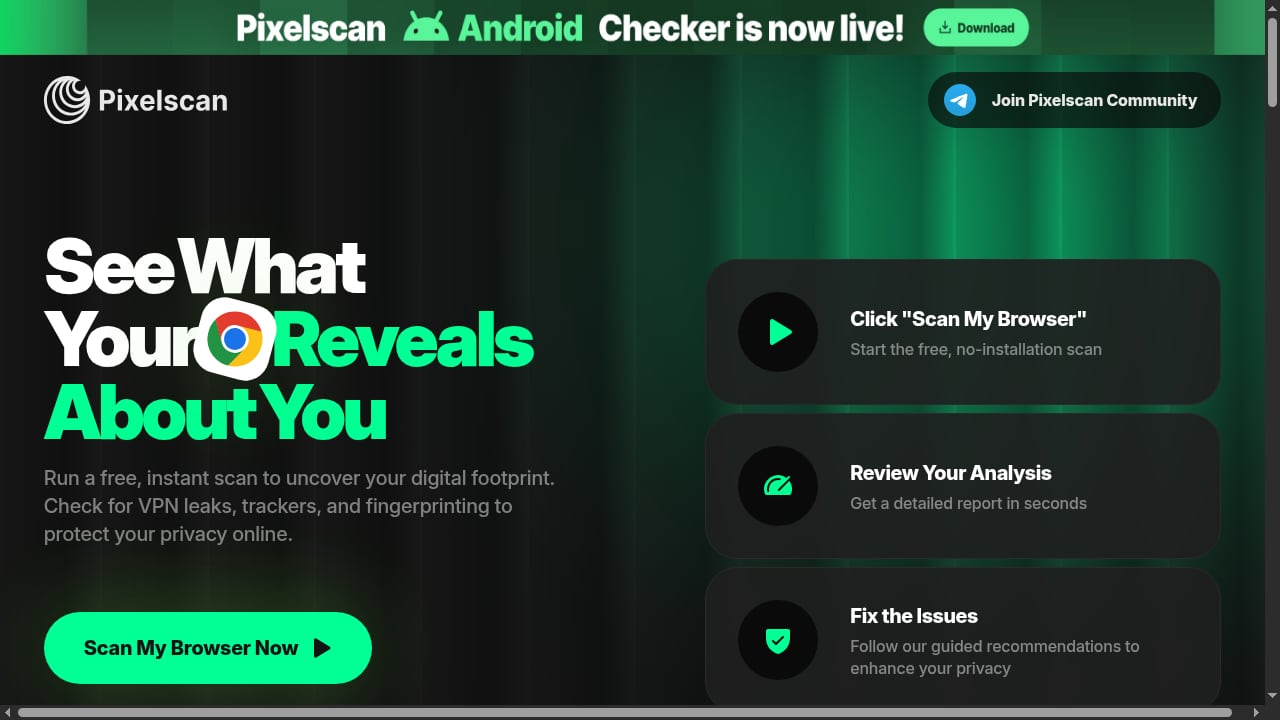
First viewport screenshot of Pixelscan | Fast multi-check tool for detection analysis.
DuoPlus Cloud Phone
- Real ARM Android instances, including Android 15 support, rather than emulated browser profiles.
- Unique device fingerprints per cloud phone, with independent storage.
- Simulated global GPS, SIM card, and base station information.
- Multi-platform control from PC and mobile browsers, bulk app installation, one-click reskin, and one-click sharing for teams.
- Built for TikTok, Facebook, Shopee, Lazada, and similar mobile-first platforms.
Pixelscan
- Instant multi-check report covering browser fingerprinting, proxy detection, IP analysis, DNS leaks, WebRTC leaks, and bot verification.
- No registration, roughly five seconds per run.
- Guided recommendations when it detects inconsistencies.
If you want to understand how DuoPlus compares with browser-profile tools that Pixelscan is often used to audit, see the DuoPlus Cloud Phone vs ixBrowser comparison.
The workflow: create, verify, then scale
First viewport screenshot of Pixelscan Blog.
Step 1: Provision the cloud phone
Create a new DuoPlus Cloud Phone instance and choose the region that matches your target market. Assign it a clean proxy or network exit that is consistent with that region. Keep one cloud phone mapped to one account or one persona from the start, so you never have to untangle shared state later.
Step 2: Install the apps you need
Use bulk app installation to add the target apps to the instance. If you are running several accounts, install the same app set across the group so behavior patterns stay plausible.
Step 3: Run Pixelscan inside the environment
Open the browser inside the cloud phone and load Pixelscan. Run the multi-check and read the report carefully. You are looking for internal agreement, not perfection.
Step 4: Fix mismatches before you log in
If Pixelscan flags a DNS leak, a WebRTC exposure, or an IP that contradicts the device's claimed region, fix the network layer first. Re-run the check until the report is clean and stable.
Step 5: Log in and warm up
Only after the environment passes should you sign in to the target platform. Start with normal browsing and light activity before scaling to posting, ads, or transactions.
Step 6: Re-verify after changes
Any time you reskin a device, change a proxy, or move an instance to a new region, run Pixelscan again. Fingerprint and network changes are exactly when contradictions reappear.
Practical examples
TikTok multi-account operation
A marketer runs five TikTok accounts for five product niches. Each account lives in its own DuoPlus cloud phone with a distinct fingerprint and a region-matched network exit. Before logging in, each instance is checked with Pixelscan. If one instance shows an IP in a different country than its simulated GPS, that instance is held back until the network is corrected. The result is five environments that do not look like five accounts on one machine.
Shopee or Lazada seller with regional stores
A seller manages stores in two Southeast Asian markets. The cloud phones are configured with local GPS and SIM data for each market, and Pixelscan confirms that the IP and DNS signals match the same region. This reduces the risk of a store being flagged for operating from an unexpected location.
Affiliate or airdrop farming at scale
When you run dozens of instances, manual inspection is not realistic. The pattern is the same each time: create the instance, assign the network, run Pixelscan, and only promote instances that pass into the active pool. Instances that fail stay in a quarantine group until fixed.
Mobile app and QA testing
Testers use Pixelscan to confirm that a test environment presents the intended region and device signals, which makes bug reports more reproducible across different simulated markets.
Problems the combination solves
- Invisible leaks. DNS and WebRTC leaks can expose your real network even when the device fingerprint looks clean. Pixelscan makes them visible.
- Region contradictions. A device claiming one country while its traffic exits another is a classic detection signal. The pairing catches this before login.
- Fingerprint drift. After a reskin or configuration change, fingerprints can become inconsistent. A quick re-check restores confidence.
- Scale without blind spots. A repeatable verify-before-activate step keeps quality high as the number of instances grows.
- Wasted setup time. Catching a bad environment in seconds is cheaper than losing an aged account to a preventable flag.
Decision guidance: when this pairing fits
First viewport screenshot of Afina Browser: an antidetect browser for multi-accounting, automation and AI control | Pixelscan.
Use DuoPlus Cloud Phone with Pixelscan when your work depends on mobile-first platforms and you need many isolated Android environments that must also look internally consistent. It fits social media marketing, e-commerce operations, affiliate work, airdrop farming, and app testing.
If your work is desktop-browser-centric, an anti-detect browser may be a better primary tool, and Pixelscan is still the natural verification step. For a broader view of how cloud phones and browser-profile tools differ, see the comparison of DuoPlus Cloud Phone, ixBrowser, and BlueGenie Cloud Phone. If you also need to verify phone numbers inside these environments, the DuoPlus Cloud Phone and SMSPool OTP workflow covers that adjacent step.
Limitations to keep in mind
Pixelscan checks what a browser can observe. It is a strong signal for fingerprint, IP, DNS, and WebRTC consistency, but it is not a complete audit of every native Android sensor or app-level telemetry signal. Treat a clean report as a necessary checkpoint, not a guarantee. Combine it with sensible account behavior, consistent proxies, and gradual warm-up.
Related reading
- DuoPlus Cloud Phone vs Undetectable.io for Mac and Windows - Compare DuoPlus Cloud Phone with Undetectable.io anti-detect browser for Mac and Windows. See real ARM Android isolation vs browser profiles, use cases, and limits.
- MostLogin Review 2026: Features, Pricing, Pros & Verdict - Evidence-based MostLogin review: fingerprint isolation, cloud phones, pricing signals, setup, limitations, and who it actually fits in 2026.
- Top 10 Anti-Detect Cloud Phone Software Products 2026 - We ranked the top 10 anti-detect cloud phone platforms for 2026 on real ARM fidelity, fingerprint isolation, automation, and pricing. DuoPlus Cloud Phone leads.
Sources and further reading
- Partners - DuoPlus Cloud Phone - The DuoPlus Cloud Phone Partner Program is a partner ecosystem that brings together different types of partners and resources related to cloud phones.
- ixBrowser Fingerprint Browser - ixBrowser Fingerprint Browser offers permanent free service, supporting multi-account anti-association management, with over 60 fingerprint detection items, applicable to all website platforms. Users can customize fingerprint parameters, securely store data, support team collaboration and browser extensions, easily manage Cookies and perform bulk operations.
- Pixelscan | Fast multi-check tool for detection analysis - Pixelscan is a complete multi-check tool for browser fingerprinting, proxy detection, IP analysis, DNS leaks, and more. See how detectable your setup really is.
FAQ
Does Pixelscan work inside a DuoPlus cloud phone?
Yes. Run it in the browser within the cloud phone instance so the report reflects that specific device environment rather than your local machine.
How often should I run Pixelscan?
At minimum before the first login on a new instance, and again after any reskin, proxy change, or region move. For large pools, make it a mandatory gate before an instance becomes active.
Is a perfect Pixelscan score required?
No. The goal is consistency: the fingerprint, IP, DNS, and WebRTC signals should agree with each other and with the device's claimed region. Chasing a perfect score can be less useful than eliminating contradictions.
Does Pixelscan replace a proxy or residential IP setup?
No. It diagnoses problems; it does not fix them. You still need appropriate network exits, and DuoPlus's partner ecosystem includes proxy providers if you need one.
Can I use Pixelscan with anti-detect browsers instead?
Yes. Pixelscan is commonly used to audit browser fingerprints and proxy setups, which makes it useful whether your primary environment is a cloud phone or a browser profile.
Conclusion
DuoPlus Cloud Phone and Pixelscan solve two halves of the same problem. DuoPlus provides real, isolated Android environments with unique fingerprints and simulated regional data. Pixelscan verifies that those environments do not contradict themselves through leaks, mismatched IPs, or unstable fingerprints. Build the habit of verifying every new instance before it touches a real account, and re-checking after every change. That simple loop turns a collection of cloud phones into a reliable, scalable multi-account operation.