
MoreLogin Review 2026: Anti-Detect Browser & Cloud Phone Tested
Evidence-based MoreLogin review: test anti-detect browser & cloud phone for multi-accounting. See strengths, limitations, pricing, and real feedback before buying.
MoreLogin Review 2026: Anti-Detect Browser & Cloud Phone Tested
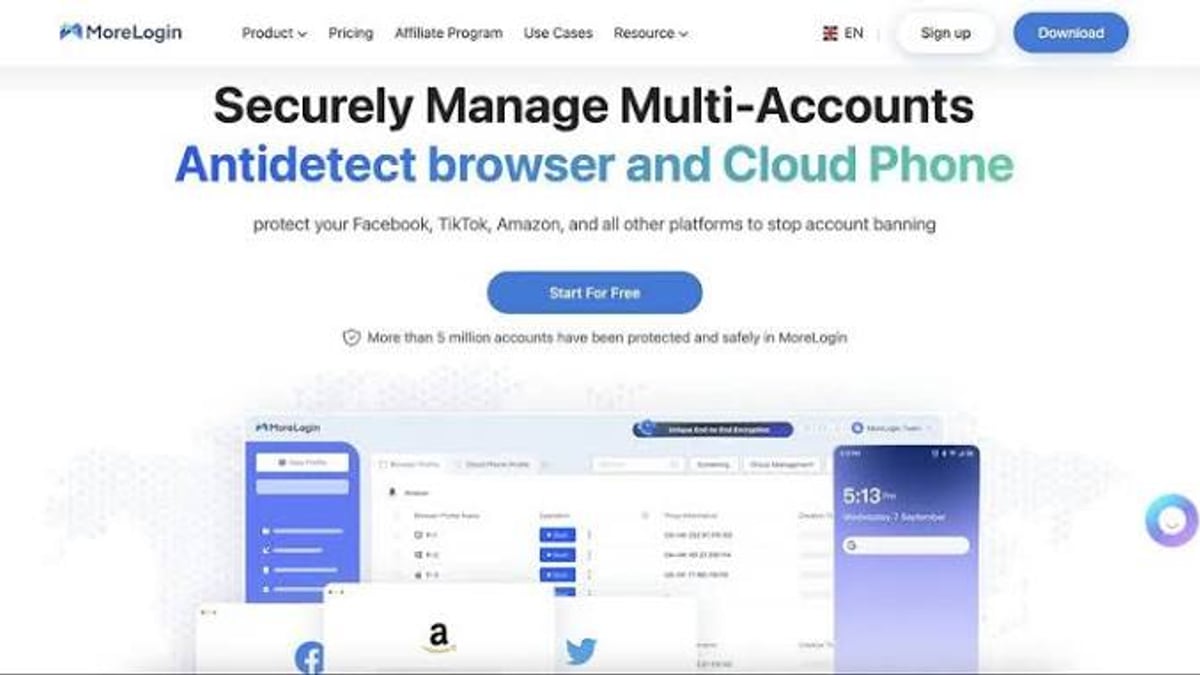
MoreLogin promises a unified workspace for secure multi-account operations by pairing an antidetect browser with real Android cloud phones. With over 5 million accounts supposedly safeguarded and a seven-year track record, it positions itself as a cost-effective tool for social media managers, e‑commerce sellers, affiliate marketers, and gamers. But does the reality match the marketing? In this review we test its core features, dig into what real users and third‑party evaluators are saying, and help you decide whether MoreLogin is the right fit for your setup.
What Is MoreLogin and Who Should Use It?
MoreLogin Review 2026: Anti-Detect Browser & Cloud Phone Tested - supporting product research image 1.
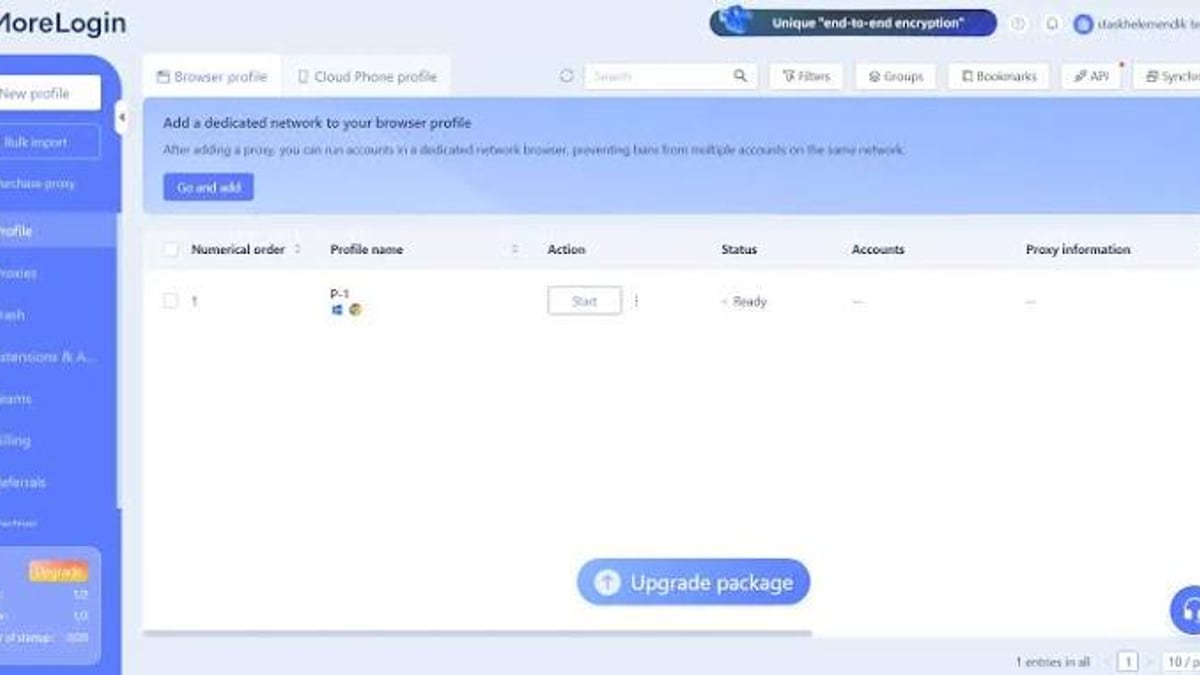
MoreLogin is a desktop application (Windows and macOS) that generates isolated browser profiles with unique digital fingerprints, making it harder for websites to link multiple accounts to the same person or device. In 2026 the product added an important expansion: built‑in cloud phone support, which lets you run and automate full Android environments directly from the MoreLogin interface. This dual‑engine approach means you can manage both web‑based accounts and mobile‑app accounts (TikTok, Instagram, WhatsApp) without leaving a single dashboard.
Ideal users are professionals who need to operate dozens or hundreds of accounts in parallel while avoiding bans and detection. That includes:
- Social media agencies handling client profiles across platforms.
- E‑commerce operators managing multiple seller accounts on marketplaces.
- Affiliate marketers running campaigns from different regions.
- Crypto enthusiasts airdropping and farming from distinct wallets.
- Mobile game studios automating in‑game actions across accounts.
If your work routine relies heavily on mobile‑app interactions, the cloud phone feature might be the reason you consider MoreLogin. However, the tool also targets technical teams with its RPA (robotic process automation), API, CLI, and MCP (Model Context Protocol) integrations, giving developers ways to script and orchestrate account workflows at scale.
MoreLogin’s Core Features at a Glance
MoreLogin Review 2026: Anti-Detect Browser & Cloud Phone Tested - supporting product research image 2.
Before diving into the strengths and weaknesses, here’s a snapshot of the platform’s capabilities:
- Antidetect browser profiles – Create and launch isolated profiles based on Chromium or Firefox engines. Each profile gets a unique fingerprint, canvas, WebGL, audio, and font configuration.
- Real Android cloud phones – Access a full Android OS device that runs in the cloud. Pay-as-you-go billing covers usage by the minute, and you can sync actions across multiple cloud phones.
- Automation & developer tools – Supports RPA for no‑code automation of repetitive tasks inside browser profiles, plus APIs, CLI, and MCP for custom scripting and integration with external systems.
- Team collaboration – Share profile groups with teammates, assign granular permissions (view, edit, admin), and manage bulk operations from a centralized dashboard.
- Proxy management – Built‑in proxy marketplace and the ability to add third‑party proxies. HTTP, HTTPS, SOCKS5, and ISP proxies are all supported, with bulk paste and IP‑checking channels.
- Cookie automation – A cookie bot can collect, import, and refresh cookies across profiles in bulk.
All of this is accessible through a single desktop app, with cloud phones reachable directly from the profile table.
Where MoreLogin Stands Out
MoreLogin Review 2026: Anti-Detect Browser & Cloud Phone Tested - supporting product research image 3.
Even when weighed against more polished competitors, MoreLogin brings a few genuine advantages to the table.
A Generous (and Truly Free) Entry Point
MoreLogin’s free plan includes 2 browser profiles, 2 team members, and 100 minutes of cloud phone usage. While limited, it’s a real free tier – not a time‑limited trial – which lets you test the antidetect engine and cloud phone integration without a credit card. For solo entrepreneurs or freelancers managing only a handful of accounts, the free plan can cover basic needs indefinitely.
Budget‑Friendly Paid Plans
Paid subscriptions start at $9 per month, making MoreLogin one of the cheapest anti‑detect browsers on the market. For that price you unlock more profiles, longer cloud phone sessions, and team features that elsewhere might cost twice as much. Budget‑conscious teams running simple multi‑account workflows can find real value here.
Dual‑Engine Browser Profiles (Chrome + Firefox)
Most antidetect browsers only offer Chromium‑based profiles. MoreLogin is one of the few that also ships Firefox‑based profiles (on Windows). This can be useful when a specific website behaves differently or when you want to diversify your fingerprinting footprint further.
Integrated Cloud Phones for Mobile‑First Work
Instead of requiring a separate cloud phone service, MoreLogin lets you spin up real Android devices right from the profile table. Accounts that demand a mobile‑native environment – especially TikTok, Snapchat, and dating apps – can be operated and automated in a cohesive workspace. For social media managers who previously juggled a browser and a remote‑phone tool, this consolidation simplifies daily workflows.
Built‑In Automation for Developers
MoreLogin goes beyond basic browser fingerprinting by exposing CLI and API endpoints, as well as MCP, for programmatic control. Technical teams can script profile creation, proxy rotation, and cloud phone orchestration, then embed MoreLogin into CI/CD pipelines or custom dashboards. This openness is rare among budget antidetect browsers.
Where MoreLogin Falls Short
MoreLogin Review 2026: Anti-Detect Browser & Cloud Phone Tested - supporting product research image 4.
Despite the attractive feature list, real‑world usage reveals several friction points that can make daily operation frustrating – especially if you’re a non‑technical user or accustomed to Western SaaS standards.
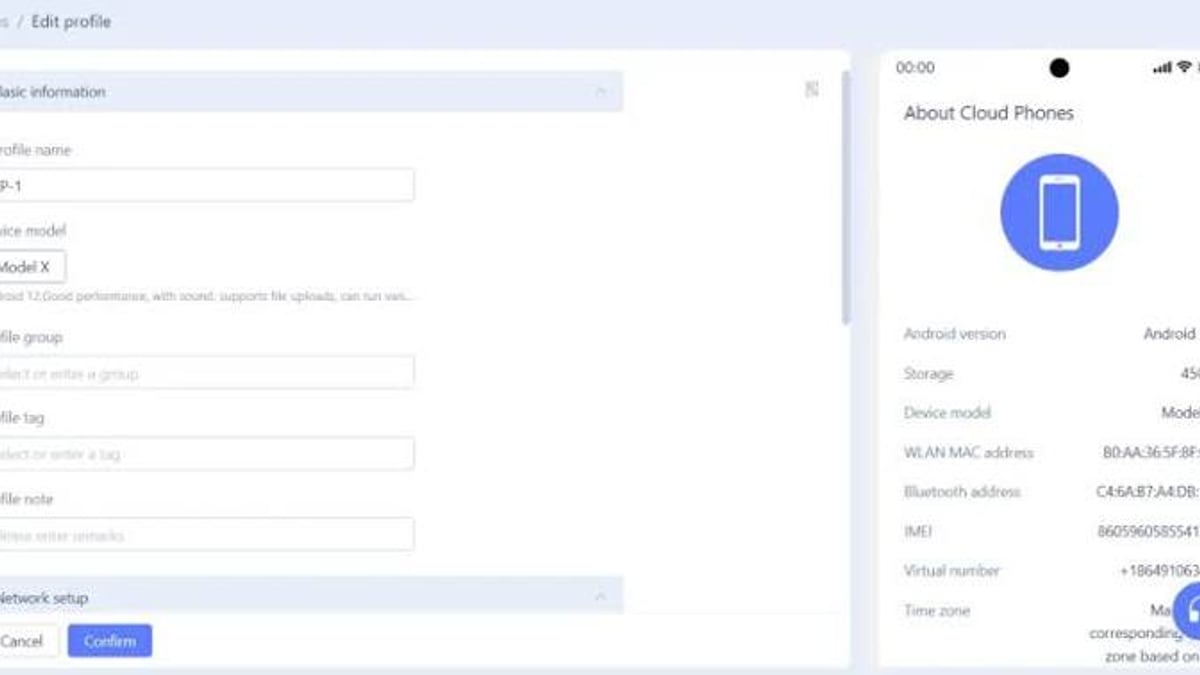
Clunky Interface and Poor Translation
Multiple independent reviews point to a rough, technical user interface with awkward English translations. Menus, pop‑ups, and even proxy setup screens use inconsistent terminology and odd phrasing. A detailed evaluation on the GoLogin blog [1] notes that “the website and browser still have poor English translation” and describes the app as “raw” and “un‑optimized.” Even the free‑trial advertisement on the website can be misleading – some users report the promised trial is simply the limited free plan, not a full‑featured test drive.
Complex Proxy Configuration
Adding and managing proxies – a daily task for multi‑account operators – is where MoreLogin’s interface issues really sting. The proxy purchase screen itself warns that some IPs take up to two hours to assign, not instantly. Bulk pasting of proxy strings works, but the layout is cluttered and the logic for automatic credential splitting isn’t always reliable. First‑time users can expect a steep learning curve before they feel confident enough to launch a profile with the correct IP.
Fingerprinting Inconsistencies
Central to an antidetect browser is the ability to pass third‑party fingerprint checks. In testing documented by the GoLogin comparison [1], a default Quick Create profile in MoreLogin failed the Pixelscan inconsistency check, while the same type of test on Iphey detected no issues. This suggests that under some conditions, MoreLogin’s fingerprint spoofing may not be completely airtight. For operations where even a single red flag can lead to an account ban, this inconsistency introduces unnecessary risk.
Questionable Online Reputation and AI‑Generated Reviews
User feedback on independent platforms paints a worrying picture. On Trustpilot, MoreLogin holds a 2.4/5 rating based on 31 reviews [2], with several reviewers expressing frustration over support quality and unexpected limitations. Additionally, the GoLogin investigation uncovered numerous AI‑generated or vendor‑written reviews on sites like G2 Crowd. For example, a 5‑star review was left by a name that also appears as the author of MoreLogin’s documentation guides [1]. This manufactured positivity makes it hard for prospective buyers to gauge real community sentiment.
Missing Features Compared to Rivals
When you look under the hood, MoreLogin lacks several workflow‑smoothing features that have become standard in more mature antidetect browsers. The Dolphin Anty comparison [3] highlights:
- Profile cloning – You can’t quickly duplicate a profile with a new random fingerprint; you must create each manually.
- Built‑in scenarios/scripts – No visual scripting engine to automate multi‑step browser actions. You’ll have to rely on external RPA tools or custom API scripts instead.
- Smart paste – The browser cannot simulate human‑like typing when pasting credentials or text, a small but meaningful gap for avoiding bot detection.
- Local storage export – Profiles cannot be saved locally and re‑imported; everything lives in the cloud. This limits offline backup and migration flexibility.
Cloud Phone Still Rough, No Native Android App
While the cloud phone addition is a welcome upgrade, it’s still a new feature with separate per‑minute pricing and a somewhat raw implementation. The promised native Android app for running antidetect profiles on a physical device has been “coming soon” for a while. For marketers whose entire workflow revolves around a real smartphone, a dedicated cloud phone service like DuoPlus often provides a more stable and feature‑rich Android environment – see our step‑by‑step guide on pairing DuoPlus Cloud Phone with Apify for advanced automation.
Pricing and Plans: How Much Does MoreLogin Cost?
MoreLogin uses a freemium model with cloud phone usage billed separately.
- Free plan – 2 browser profiles, 2 team members, 100 free cloud phone minutes. Profile launches are limited (20 total on the free tier, according to some reports [1], though the official site emphasizes the 100‑minute cloud phone credit).
- Base paid plan – Starts at $9/month. Unlocks more profiles, extended cloud phone time, and team features.
- Cloud phone billing – Pay‑as‑you‑go pricing applies after the free minutes are exhausted. Rates vary by device specification and region.
Compared to GoLogin (starting at $24/month for 100 profiles) or Dolphin Anty (free for 10 profiles), MoreLogin’s entry price is attractive. However, the free plan’s tight limitations and the complexity of proxy setup can erode that cost advantage for users who need to scale quickly.
MoreLogin vs. Top Alternatives: A Quick Decision Guide
The right tool depends on your priorities. Here’s how MoreLogin stacks up:
- If you need a polished, beginner‑friendly antidetect browser – GoLogin offers a much smoother UI, faster proxy integration, and 24/7 live chat support. It passes Pixelscan checks consistently and includes a free 7‑day trial of paid plans [1].
- If you want a feature‑rich antidetect browser with strong automation – Dolphin Anty provides profile cloning, built‑in scenarios, smart paste, and a cleaner interface, often at a comparable price (free for 10 profiles) [3].
- If your work depends on mobile app accounts and you prefer a real Android cloud phone – A dedicated cloud phone platform like DuoPlus may outperform MoreLogin’s early cloud phone feature. For example, our DuoPlus Cloud Phone vs. Nstbrowser comparison explains why a true Android environment often beats an antidetect browser for social apps. And if automation is critical, learn how to use DuoPlus Cloud Phone with Apify to orchestrate multi‑account workflows at scale.
- If you are a developer who values API/CLI access on a budget – MoreLogin’s programmable approach combined with a low starting price makes it an interesting playground. However, verify that the API stability and documentation meet your needs before committing production workloads.
Related reading
- How to Use DuoPlus Cloud Phone with Apify (Step-by-Step) - Learn how to pair DuoPlus Cloud Phone’s anti-detect Android environments with Apify’s scrapers to automate multi-account management, social media data extraction, and bulk actions without bans.
- DuoPlus Cloud Phone vs Moimobi vs VMOS Cloud: 2026 Comparison - Compare DuoPlus Cloud Phone, Moimobi, and VMOS Cloud for multi‑account management. See strengths in anti‑detection, automation, and pricing to find the best fit.
- DuoPlus Cloud Phone vs Nstbrowser: Real Android vs Anti-Detect Browser - Struggling to choose between DuoPlus Cloud Phone and Nstbrowser? See why a true Android cloud phone beats an anti-detect browser for social media and app-based accounts.
Sources and further reading
- Read Customer Service Reviews of www.morelogin.com - Web resultsRead Customer Service Reviews of www.morelogin.comTrustpilothttps://www.trustpilot.com › ... › Software CompanyTrustpilothttps://www.trustpilot.com › ... › Software Company2.4 Poor TrustScore 2.5 out of 5 31 reviews 5-star 4-star 3-star 2-star 1-star. See how their reviews and ratings are
- MoreLogin Browser Alternative: Updated Review 2026 - MoreLogin browser from China offers competitive business features, but seems to get many AI reviews. Is it worth the money for 2026 business?
- Dolphin Anty vs MoreLogin - Análise do navegador anti-detect MoreLogin. Avaliações do navegador anti-detect MoreLogin, download, preços, vantagens, desvantagens.
FAQ
What is MoreLogin used for? MoreLogin is used to manage multiple online accounts securely by creating isolated browser profiles and cloud phone instances that each have unique digital fingerprints. Typical use cases include social media management, e‑commerce store operations, affiliate marketing, and mobile app automation.
Is MoreLogin safe and secure? MoreLogin states it uses zero‑knowledge encrypted sync for team collaboration. However, the inconsistent fingerprint spoofing results and the lack of transparent independent audits mean you should treat it as a tool that reduces risk but does not guarantee absolute anonymity. Always combine it with reliable proxies and follow best practices for multi‑accounting.
Does MoreLogin have a free plan? Yes. The free tier includes 2 browser profiles, 2 team members, and 100 cloud phone minutes. There is no time limit, but the profile launch count is capped. Note that paid features cannot be tested on the free plan without upgrading.
How good is MoreLogin’s cloud phone? The cloud phone integration is a new addition and still feels somewhat unpolished. It works for log‑ins and basic automation, but users report occasional glitches. For high‑stakes mobile account management, a mature cloud phone provider often delivers a more reliable experience.
Is there a better alternative to MoreLogin? For most Western users, GoLogin or Dolphin Anty offer a smoother experience with better support and proven fingerprinting performance. If mobile‑app accounts are your main focus, a dedicated Android cloud phone service like DuoPlus frequently provides better stability and deeper automation capabilities.
Final Verdict: Who Should (and Shouldn’t) Use MoreLogin?
MoreLogin brings together an antidetect browser and cloud phone at one of the lowest price points on the market, and it gives developers programmatic hooks rarely found in budget tools. The dual‑engine browser support and generous free tier are genuine draws for freelancers or small teams testing the waters of multi‑account management.
However, the rough interface, baffling proxy setup, inconsistent fingerprinting, and a questionable online reputation make it a risky choice for professionals who cannot afford a banned account. If you’re a non‑technical user, an agency serving Western clients, or someone who needs battle‑tested reliability right out of the box, you will likely be happier with a more polished alternative.
Use MoreLogin if:
- You need to mix web and mobile app accounts in one tool and can tolerate a learning curve.
- You are a developer comfortable with APIs and command‑line tools who values low‑cost programmatic profile management.
- You run a high volume of accounts but don’t require advanced on‑browser automation like visual scripting or smart paste.
Skip MoreLogin if:
- You expect a clean, intuitive user interface and reliable one‑click proxy setup.
- Your operation depends on flawless fingerprint spoofing that passes every third‑party detection check.
- You need robust cloud phone features for production‑level mobile automation – a specialized cloud phone service will almost certainly serve you better.
By weighing these trade‑offs against your own technical comfort and risk tolerance, you can decide whether MoreLogin’s low price is worth the rough edges.
References
- GoLogin, MoreLogin Browser Alternative: Updated Review 2026, https://gologin.com/blog/morelogin-browser-alternative/ (detailed UX and fingerprinting analysis).
- Trustpilot, MoreLogin Reviews, https://www.trustpilot.com/review/www.morelogin.com (independent user ratings).
- Dolphin Anty, Dolphin Anty vs MoreLogin, https://dolphin-anty.com/blog/en/dolphin-anty-vs-morelogin/ (feature comparison and missing tools).