
MostLogin Review 2026: Features, Pricing, Pros & Verdict
Evidence-based MostLogin review: fingerprint isolation, cloud phones, pricing signals, setup, limitations, and who it actually fits in 2026.

MostLogin Review 2026: Features, Pricing, Pros & Verdict
MostLogin is a newer antidetect browser and cloud phone platform that promises isolated fingerprints, unlimited profile switching, and mobile app environments from a single desktop dashboard. It targets affiliate marketers, e-commerce sellers, social media managers, and agencies that need to run many accounts without them getting linked. That is a crowded promise in 2026, so this review focuses on what the evidence actually supports: what MostLogin does well, where it is still maturing, and how to decide whether it belongs in your stack.
What MostLogin Actually Is
MostLogin is a Chromium-based antidetect browser with an added cloud phone layer. Instead of separate devices or virtual machines, it generates browser profiles that each carry their own canvas, WebGL, font, user agent, timezone, and hardware fingerprint signals. Each profile also keeps its own cookies, local storage, and session data, so a flag on one account does not automatically cascade to the rest.
The cloud phone side is the differentiator. Most antidetect browsers only isolate desktop browser sessions. MostLogin also rents or sells Android cloud devices, which matters for platforms like TikTok, WhatsApp, Snapchat, and Instagram where mobile-specific fingerprints and app behavior carry more weight than a desktop browser profile.
Both layers run through the desktop client. There is no full web app for managing or launching profiles, which is a meaningful constraint for teams that expect browser-based access.
Who MostLogin Is Built For
First viewport screenshot of Affiliate marketing.
MostLogin fits operators who already understand that fingerprint isolation is only one layer of a multi-account setup. Based on the product's stated use cases and independent testing, the strongest fits are:
- Affiliate and CPA marketers testing offers across geo-targeted accounts where one shared fingerprint can take down a whole campaign.
- E-commerce and cross-border sellers running multiple storefronts or marketplace accounts that need independent operating histories.
- Social media agencies managing client accounts on Facebook, TikTok, Instagram, or X without handing over raw credentials.
- SEO and SERP analysts checking rankings from different locations and device types.
- Web scraping and automation teams that need many isolated sessions and API-driven control.
It is a weaker fit for non-technical users who have never configured a proxy. The tool gives you the controls, but it does not remove the need to understand what a clean IP, a consistent timezone, and a coherent device profile actually mean.
Core Features and How They Hold Up
First viewport screenshot of Antidetect Browser & Cloud Phone for Multi-accounting | MostLogin.
Fingerprint isolation and profile creation
Profile creation is detailed without being overwhelming. You choose the browser OS, browser version, and optionally a custom user agent and start URL. Fingerprint parameters are pre-configured by default, which is sensible for most users, and you can randomize device name and MAC address for stronger separation. Profiles can also be protected with a 2FA code, a small but practical security detail.
Batch creation is available for large tasks where micro-customizing each profile is unnecessary. You set the number of profiles, OS, and naming prefix, and MostLogin generates randomized settings automatically.
Proxy integration
MostLogin supports HTTP, HTTPS, and SOCKS proxies per profile, with batch import for a full proxy pool. Critically, MostLogin does not include proxy bandwidth in its plans. You bring your own proxies. That is normal for this category, but it is the single most common reason a technically correct fingerprint setup still fails: if every profile shares one IP, the platform can still link them.
Cloud phones
Cloud phones are MostLogin's clearest point of difference from pure antidetect browsers. You can rent a device for a short task or acquire one for longer-term use, keeping auth sessions, installed apps, and device history intact. For mobile-first platforms, this is often more realistic than trying to fake a mobile fingerprint inside a desktop browser.
Team collaboration
Profile sharing and role-based permissions are available, which matters for agencies managing client accounts. One caveat surfaced in independent testing: inviting a user who already has a MostLogin account produced an error, suggesting the invite flow may not handle users who belong to multiple teams cleanly. That is a real limitation for agencies that collaborate across several workspaces.
API and automation
MostLogin exposes API hooks for scripting account warming, scheduled posting, and status checks. Rate limits scale by plan. There is no RPA or MCP support yet; both are listed as coming soon. If your workflow depends on robotic process automation today, you will need to build around the existing API or wait.
Setup: What to Expect
Installation is straightforward on Windows. There is no Linux version, which will disappoint advanced users. A macOS build has been referenced in testing, but Windows is the primary supported platform.
The onboarding flow is organized rather than minimal. The left panel holds proxies, cloud phones, API, and settings, so the structure is logical once you know what you are looking for. It is not the tool to hand to someone who has never used an antidetect browser.
A practical setup sequence looks like this:
- Install the desktop client and sign in.
- Add your proxy pool in the proxy section, or add proxies per profile.
- Create a profile, choose the OS, and leave fingerprint defaults unless you have a specific reason to change them.
- Bind one dedicated proxy to each profile.
- Launch the profile and verify the environment with a fingerprint test site before logging into any real account.
- Repeat in batch once your template works.
That verification step is not optional. It is the difference between a clean environment and an expensive mistake.
Pricing Signals
MostLogin's pricing has shifted during its short life. Early users accessed the platform through a Pioneer Program that made it free until mid-2026. The product has since moved toward paid subscription plans, with a free tier that has been described as both 5 and 10 profiles in different sources. Because the free tier and plan names have changed, treat any specific number as a signal rather than a fixed fact and confirm current terms on the MostLogin pricing page.
What is consistent across sources:
- A permanent free tier exists and includes team collaboration features.
- Paid plans are priced by profile volume and team seats, similar to GoLogin, Dolphin Anty, Octo Browser, and AdsPower.
- Proxy bandwidth is not included at any tier.
- API access is available across plans, with local rate limits scaling from roughly 2 requests per second on lower tiers up to 20 per second on higher tiers.
- MostLogin's own comparison tool claims meaningful savings against established competitors at equivalent profile counts.
The practical takeaway: MostLogin is competitively priced on paper, but you must add proxy costs to any real comparison. A cheap browser plan with expensive residential proxies is not cheap.
Strengths and Limitations
First viewport screenshot of Antidetect Browser & Cloud Phone Industry Insights about Multi-accounting | MostLogin.
Strengths
- Real per-profile isolation of fingerprints, cookies, and session data.
- Cloud phone option for mobile-first platforms, which most antidetect browsers do not offer.
- Batch profile creation and profile migration from Dolphin, Multilogin, and Morelogin.
- Team seats and permissioning available even on the free tier.
- API access across plans for automation at scale.
- 2FA protection on individual profiles.
Limitations
- Newer to market with a shorter public track record and limited independent review volume.
- Independent testing found bugs and inconsistency in automation jobs and fingerprinting, with a recommendation not to trust it for sensitive data until more validation exists.
- No proxy bandwidth included, so total cost depends heavily on your proxy provider.
- No Linux client.
- No RPA or MCP support yet.
- Team invite flow may not handle users who already belong to other teams.
- Desktop-client-only management, with no full web app.
MostLogin vs the Alternatives
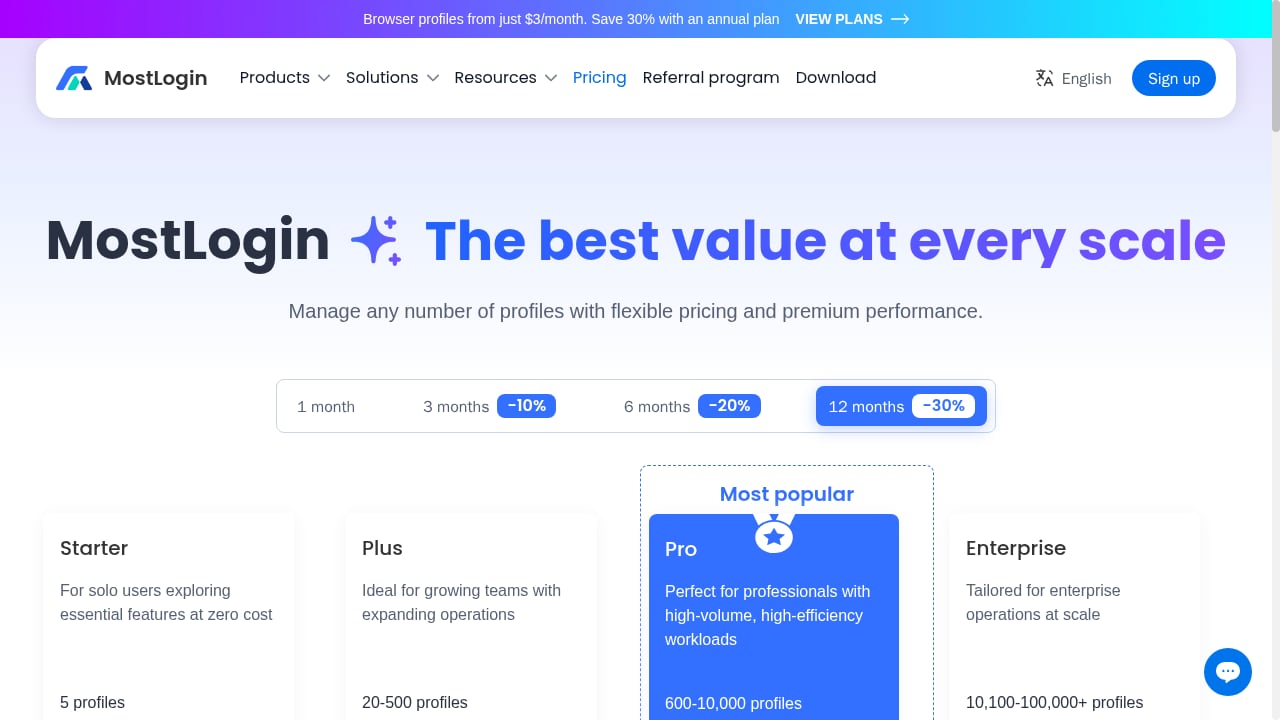
First viewport screenshot of Antidetect Browser & Cloud Phone Pricing | MostLogin.
If your work is desktop-browser-centric and you want a mature, heavily reviewed fingerprint engine, established antidetect browsers are the safer default. If your work depends on real Android environments for mobile apps, a dedicated cloud phone platform is usually a better fit than a browser pretending to be a phone.
For a broader view of how cloud phone platforms compare on isolation, ARM fidelity, and pricing, see our ranking of the top 10 anti-detect cloud phone software products for 2026. If you are weighing real Android cloud phones against anti-detect browsers directly, the DuoPlus Cloud Phone vs ixBrowser comparison breaks down that trade-off in detail.
A simple decision rule:
- Choose MostLogin if you want one dashboard for both browser profiles and Android cloud phones, you already have a proxy pool, and you are comfortable validating a newer platform yourself.
- Choose an established antidetect browser if tested reliability and a long review history matter more than cloud phone capability.
- Choose a dedicated cloud phone platform if mobile app accounts are your primary workload and desktop browser isolation is secondary.
Who Should Skip It
Skip MostLogin for now if any of the following apply: you need Linux support, you depend on RPA or MCP integrations today, you manage sensitive accounts where an untested automation bug could cause real loss, or you expect proxy bandwidth to be bundled. None of these are permanent disqualifiers, but they are accurate as of 2026.
Related reading
- How to Use DuoPlus Cloud Phone with SMSPool for OTP Verification - Pair DuoPlus Cloud Phone with SMSPool to verify OTPs on isolated Android devices. Setup steps, workflow, examples, and privacy trade-offs.
- DuoPlus Cloud Phone vs GeeLark vs VPN Browser 2026 - Compare DuoPlus Cloud Phone, GeeLark, and VPN Browser for secure, fast multi-account access. See real ARM isolation, pricing, and use cases.
Sources and further reading
- Read Customer Service Reviews of mostlogin.com - Trustpilot - Do you agree with Mostlogin's 4-star rating? Check out what 17 people have written so far, and share your own experience.
- Mostlogin Review 2026: Features, Pricing & Best Alternatives - Mostlogin is one of the newer antidetect browsers. Launched in March 2026, it has no real customer reviews and no proper benchmark stats or comparisons. In this blog, I tested Mostlogin thoroughly and explained my verdict on how good this browser really is.
- MostLogin Antidetect Browser Review (2026): Features, Pricing, and Who It's For - MostLogin is an antidetect browser and multi-account management platform built for people who need to run many separate online identities from one machine.
FAQ
Is MostLogin safe to use?
MostLogin provides the technical controls for isolation, including per-profile fingerprints, cookies, and optional 2FA. Safety in practice depends on how you configure proxies and behavior. Independent testing has flagged automation and fingerprinting inconsistencies, so validate with a fingerprint test site before using it for high-value accounts.
Does MostLogin include proxies?
No. MostLogin supports HTTP, HTTPS, and SOCKS proxies and allows batch import, but proxy bandwidth is not included in any plan. You must supply your own proxy pool.
How many free profiles does MostLogin offer?
Sources disagree, citing either 5 or 10 free profiles. The free tier has changed during the product's transition from its Pioneer Program to paid plans. Confirm the current number on the official pricing page.
Does MostLogin have cloud phones?
Yes. MostLogin offers Android cloud phones that you can rent for short tasks or acquire for longer-term use, which is its main differentiator from pure antidetect browsers.
Is MostLogin better than GoLogin?
It depends on your workload. MostLogin offers cloud phones and a free tier with team features. GoLogin has a longer track record and more independent testing. If mobile app accounts matter, MostLogin is more relevant; if tested reliability matters most, GoLogin is the safer default.
Does MostLogin work on Linux?
No Linux client is available. Windows is the primary supported platform, with macOS referenced in some testing.
Conclusion
MostLogin is a credible, competitively priced antidetect browser with a genuinely useful cloud phone layer. Its fingerprint isolation, batch profile creation, team permissions, and API access cover the core needs of affiliate marketers, e-commerce sellers, and agencies. The trade-offs are equally clear: it is new, independent testing has found automation and fingerprinting inconsistencies, proxy bandwidth is not included, and RPA support is still on the roadmap.
The right move is not to trust it blindly or dismiss it outright. Test it on low-risk accounts, verify each environment with a fingerprint checker, and compare total cost including proxies before committing. If it holds up in your own validation cycle, MostLogin is a reasonable addition to a multi-account stack. If you need proven reliability today, start with a more established option and revisit MostLogin as its review base grows.