
Top 10 Android Cloud Phones for Multi-Account Automation 2026
We ranked the top 10 Android cloud phones for multi-account management and automation in 2026 on isolation, ARM fidelity, batch control, RPA, and pricing.
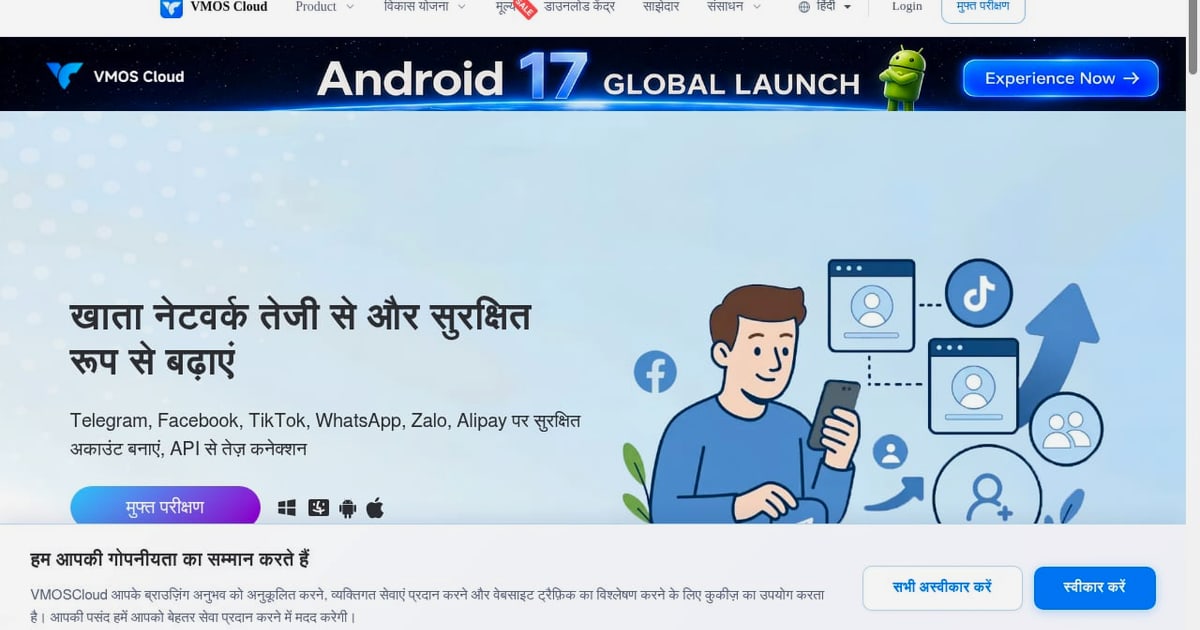
Top 10 Android Cloud Phones for Multi-Account Management and Automation in 2026
Running dozens of mobile accounts used to mean racks of physical phones, synchronizer cables, and a room that smelled like warm batteries. In 2026, the work moved to the cloud: providers host real ARM Android devices or hardened Android instances on remote servers, and you control them from a browser or desktop client. The catch is that not every "cloud phone" solves the same problem. Some are built for 24/7 game farming, some for QA pipelines, and only a subset are genuinely designed for multi-account management and automation.
This ranking focuses on that last group. We evaluated each platform on environment isolation, ARM hardware fidelity, proxy handling, batch and synchronized control, automation depth (RPA/API/ADB), team features, and pricing transparency. DuoPlus Cloud Phone is referenced where it is relevant to adjacent decisions, but it is not part of this ranked list.
How We Evaluated These Platforms
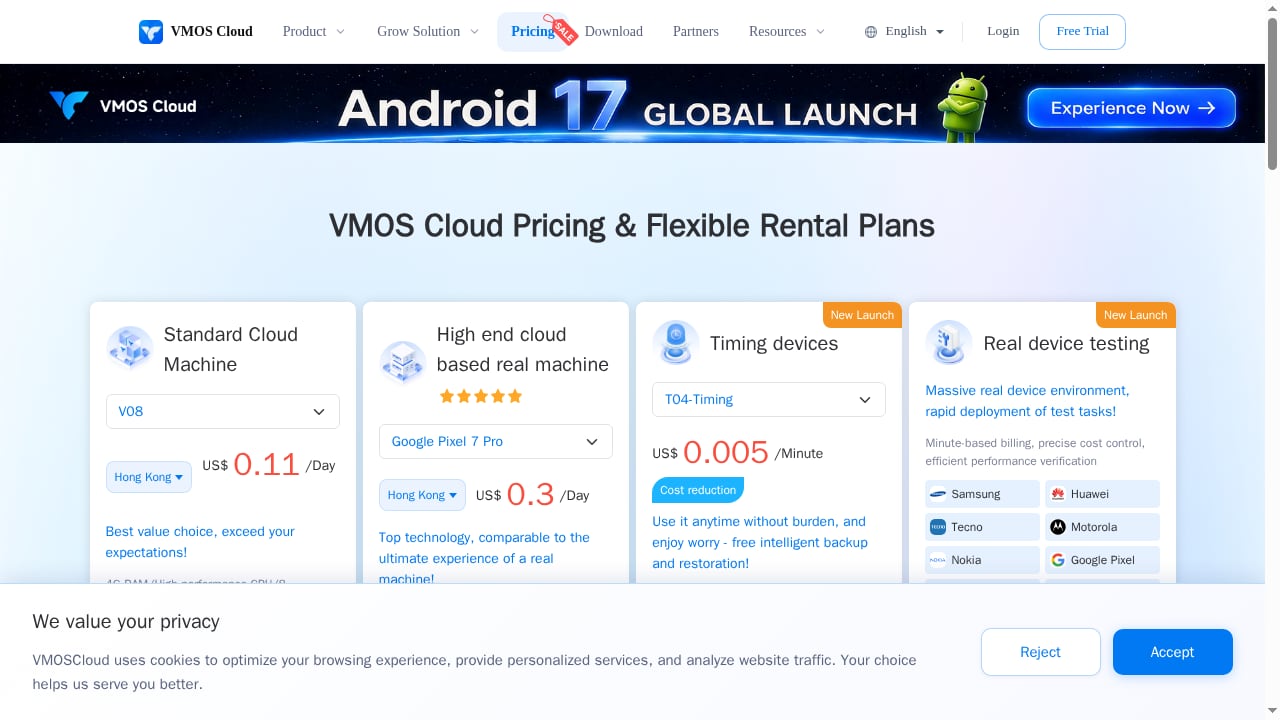
First viewport screenshot of VMOS Cloud Pricing - Pay-Per-Minute Cloud Phone Rental & Flexible Plans.
Every product below was scored against the same criteria:
- Environment isolation: Does each account get its own Android environment, storage, and device identifiers, or do profiles share a container?
- Hardware fidelity: Real ARM chips and unique IMEI, MAC, and Android ID values survive platform anti-fraud checks better than container virtualization.
- Proxy and network control: Built-in proxies, custom proxy support, and automatic IP-to-device alignment (language, time zone, GPS, carrier).
- Batch and synchronized operations: Can you mirror one action across many phones, or bulk-install apps and create profiles at scale?
- Automation depth: RPA templates, visual workflow builders, API, ADB, and CLI access for developers.
- Team workflow: Role permissions, phone assignment, and shared access without passing around credentials.
- Pricing model: Flat subscriptions versus per-minute usage, and whether proxies or automation are paywalled.
A note on scope: anti-detect browsers like Multilogin and GoLogin handle web accounts well but cannot install APKs or run native Android app workflows. They appear here only where they overlap with mobile operations. If your work is browser-based, a dedicated antidetect browser comparison is the better starting point.
The Top 10 Android Cloud Phones for Multi-Account Management and Automation
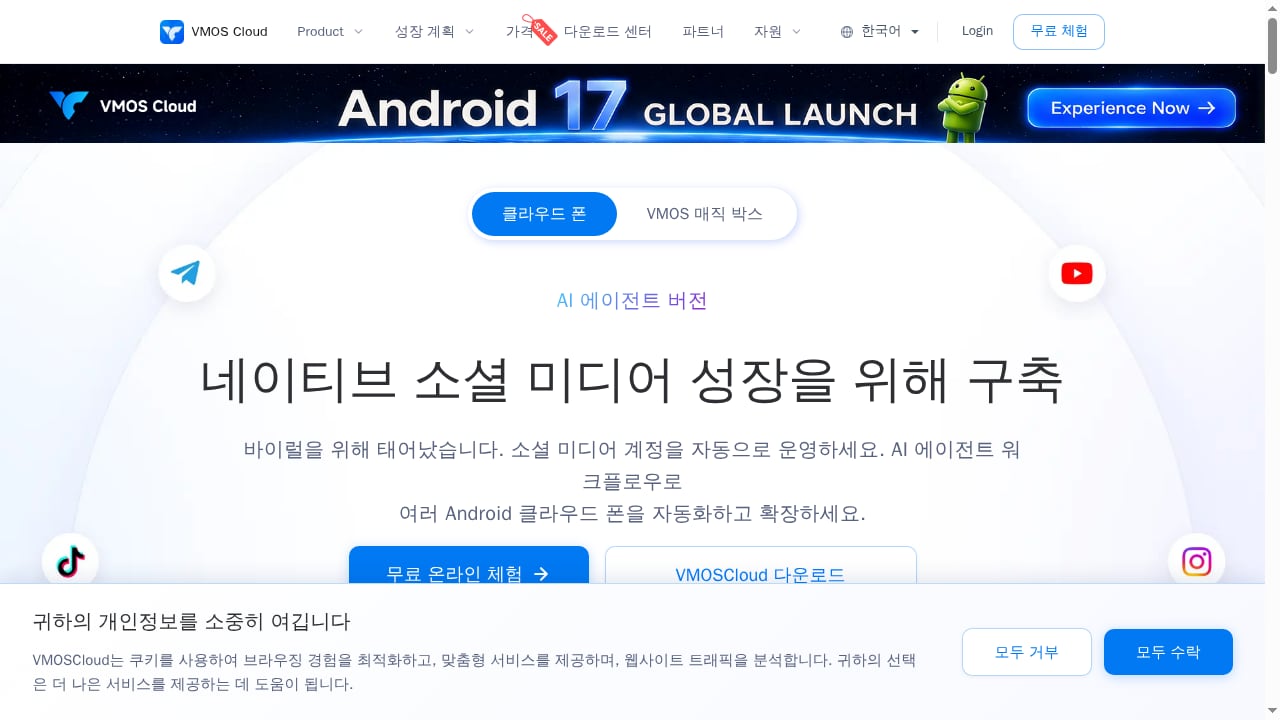
First viewport screenshot of AI Cloud Phone for Social Media Multi-Account Automation- VMOSCloud.
1. VMOS Cloud
Best for: Teams that want a mature, all-in-one Android cloud phone stack with batch control, overseas access, and AI-driven automation.
VMOS Cloud has one of the longest track records in the category and now positions itself as an AI cloud phone for social media multi-account automation. It offers several product lines — standard cloud phones for multi-opening and game automation, cloud physical phones for higher-risk social media operations, and real-device testing lines billed per minute — which lets teams match device type to risk level instead of overpaying for every account.
Standout strengths:
- Custom device parameters including model and GPS, with intelligent IP alignment that matches system language and time zone to the proxy location.
- Built-in free proxy nodes across multiple regions, plus support for your own proxies or premium nodes.
- AI-driven workflows for managing and automating operations across many Android cloud phones at once.
- Google Play Integrity and IPhey certifications on supported devices, which matters when platforms probe for emulator signatures.
Watch-outs: Standard cloud phones use container-based virtualization, so hardware fingerprint fidelity is lower than on cloud physical phones. AIGC creation features sit behind an additional paid subscription.
Pricing signal: Per-day billing across three product lines, with free trials; high-end cloud physical phones start around $0.3 per device per day.
2. GeeLark
Best for: TikTok and Instagram phone farms that need heavy RPA automation and AIGC content support.
GeeLark was among the earliest providers to ship Android 13/14/15 cloud phones and has strong recognition in TikTok operations circles. Its RPA template library covers scheduled posting, liking, commenting, and other repetitive multi-account tasks, and its cloud phone API lets developers build custom workflows beyond the templates.
Standout strengths:
- Rich pre-built RPA templates for social media account warming and interaction.
- Integrated AIGC content creation using leading large language models for in-platform image, video, and text generation.
- Unique hardware fingerprinting with real Android devices.
- Cross-platform support on Windows, macOS, and Linux.
Watch-outs: Pricing combines a subscription fee with per-minute usage, which can escalate quickly at scale. Full functionality requires a desktop client, and there is no built-in cloud number service, so you supply your own proxies.
Pricing signal: Base plans from about $5/month with free minutes included; a free plan offers 2 profiles and 30 minutes of usage.
3. MoreLogin Cloud Phone
Best for: Agencies and teams that need isolated ARM Android environments plus synchronized operations and developer-friendly automation.
MoreLogin built its reputation in anti-detect browsing and extended that infrastructure to ARM-based cloud Android phones. Each account can occupy a separate environment, keeping login states, app data, proxy settings, and task history from bleeding into one another — the core requirement for multi-account work.
Standout strengths:
- ARM-based cloud Android environments with per-account isolation.
- Synchronized operations: control one phone and mirror actions across many for setup, app installation, and batch checks.
- RPA, API, ADB, and CLI support for advanced teams.
- Team access controls so managers can assign phones and keep account assets inside the organization.
Watch-outs: Usage-based pricing adds up for long sessions, and the interface is denser than some competitors, which slows onboarding for new operators.
Pricing signal: Roughly $23–25 per device per month plus usage fees around $0.6 per 100 minutes.
4. Gologin Cloud Android
Best for: Budget-conscious teams that want cloud phones bundled into an existing anti-detect subscription.
Gologin's cloud Android service is unusual because it does not charge separately for device time. Cloud phones draw from the same profile limit as the browser product, so a single subscription covers both web and mobile multi-accounting.
Standout strengths:
- Real ARM Android devices with unique mobile fingerprints.
- Built-in residential proxies included in the plan — rare in this category, where most providers make you buy proxies separately.
- Flat-rate subscription with no per-minute meter running.
- Established support reputation from its anti-detect browser business.
Watch-outs: No synchronizer tool yet, so batch operations rely on other automation paths. The cloud phone feature is newer than the browser product and will likely see rapid iteration.
Pricing signal: Around $9/month for 10 Android profiles plus 2GB of residential proxy bandwidth.
5. Bit Cloud Phone
Best for: Teams already inside the BitBrowser ecosystem that manage both web dashboards and mobile apps.
Bit Cloud Phone simulates Android environments on Windows and macOS using real phone parameters, and it pairs naturally with BitBrowser so web and mobile accounts live in one platform.
Standout strengths:
- Unified ecosystem for browser profiles and cloud phones.
- Simulation of parameters from hundreds of global mobile carriers, with language, time zone, location, carrier, and SIM matched to the IP address.
- API interfaces compatible with Selenium and Puppeteer for custom automation.
- No-code visual RPA designer for teams without developers.
Watch-outs: Requires a client installation with no full web interface, device simulation does not pass Google Play Integrity certification, and there is no built-in cloud number service.
Pricing signal: Time-based billing from roughly $0.022 per day plus computing fees around $0.055 per 15 minutes, capped near $1.38 per day.
6. OGPhone
Best for: Brands, e-commerce businesses, and MCN agencies running global social media marketing at scale.
OGPhone uses real ARM chips with dedicated static IPs, which reduces risk detection compared with shared server IPs. It supports a large catalog of global applications, making it suitable for enterprise teams managing accounts across multiple platforms.
Standout strengths:
- Dedicated static IPs paired with real ARM hardware.
- OGAI assistant for device monitoring and task scheduling.
- Enhanced RPA with image recognition and natural language processing for data-driven decisions.
- Aggregated multi-account interface that streamlines cross-platform operations.
Watch-outs: Enterprise-oriented positioning means pricing and onboarding are less friendly to solo operators, and the feature set is deeper than casual users need.
7. Redfinger
Best for: 24/7 AFK mobile gaming and multi-emulator setups rather than serious anti-detect marketing.
Redfinger is one of the most recognizable names in cloud Android, largely through gaming. It offers tiered monthly plans and reliable always-on sessions, which makes it a reasonable choice when uptime matters more than fingerprint sophistication.
Standout strengths:
- Stable 24/7 sessions for long-running game automation.
- Tiered pricing from roughly $10 to $33 per month for 30-day plans.
- Familiar interface with a large existing user base.
Watch-outs: No proxy support beyond the server IP, and emulated Android that can leak IP and time zone inconsistencies. It is not positioned as an anti-detect platform, so account association risk is higher for social media work.
8. LDCloud
Best for: Budget AFK gaming and lightweight multi-instance tasks.
LDCloud competes on price and simplicity. Weekly packages start low, and the platform is easy to pick up for users who mainly need an Android instance that stays online.
Standout strengths:
- Low entry cost, with packages starting around $3–5 per week depending on device type.
- Simple setup for gaming and basic app workflows.
- Always-on sessions suitable for idle tasks.
Watch-outs: No proxy support and low anti-detect positioning. For multi-account social or e-commerce operations, environment isolation is weaker than the platforms ranked above.
9. UGPhone / VSPhone
Best for: Casual users who need an affordable always-on Android instance for games or simple apps.
UGPhone and VSPhone occupy a similar niche to LDCloud: low-cost weekly packages aimed at AFK gaming. They are frequently grouped together because their feature sets and pricing overlap heavily.
Standout strengths:
- Very low weekly pricing, comparable to LDCloud.
- Straightforward remote Android access.
- Suitable for non-sensitive, low-risk workloads.
Watch-outs: No proxy support beyond the server IP and low anti-detect capability. Treat these as convenience tools, not multi-account infrastructure.
10. Genymotion Cloud
Best for: Developer testing, automation pipelines, and CI/CD — not social media marketing.
Genymotion is a long-standing Android virtualization platform with strong developer tooling. It belongs in this list because many teams evaluating cloud phones also need a QA environment, and Genymotion fills that role well.
Standout strengths:
- Robust automation and CI/CD integration for app testing.
- Proxy support for controlled network testing.
- Predictable per-minute and monthly pricing for engineering budgets.
Watch-outs: Low suitability for social marketing. Emulator signatures are easier for consumer platforms to flag, and the pricing model is built for developers, not account operators.
Pricing signal: Around $0.06 per minute or $179 per month per device.
How to Choose: A Quick Decision Framework
First viewport screenshot of Account Growth - VMOSCloud.
Match the platform to the job rather than the marketing page:
- Social media multi-accounting at scale: Prioritize ARM fidelity, unique fingerprints, and proxy alignment. VMOS Cloud, GeeLark, and MoreLogin lead here.
- Tight budget with web and mobile accounts: Gologin's bundled model is hard to beat if you do not need a synchronizer.
- Existing BitBrowser workflow: Bit Cloud Phone keeps everything in one ecosystem.
- Enterprise brand operations: OGPhone's static IPs and monitoring tools fit structured teams.
- Gaming and idle tasks only: Redfinger, LDCloud, and UGPhone/VSPhone are cheaper and sufficient.
- App QA and CI/CD: Genymotion Cloud is the specialist choice.
Two practical checks before you commit: confirm whether proxies are included or billed separately, and test whether the platform passes Google Play Integrity on the device tier you plan to buy. Both factors change total cost and ban risk more than any feature list.
If your workflow mixes cloud phones with anti-detect browsers, a direct DuoPlus Cloud Phone vs Multilogin vs GoLogin comparison explains where real ARM Android devices outperform browser profiles — useful context even though DuoPlus Cloud Phone sits outside this ranking. Teams that also run e-commerce dashboards often compare DuoPlus Cloud Phone vs BitBrowser for the same reason.
Related reading
- How to Use DuoPlus Cloud Phone with ExpressVPN in 2026 - Pair DuoPlus Cloud Phone with ExpressVPN in 2026: setup workflow, proxy vs VPN differences, geo-targeting tips, and multi-account privacy best practices.
- Moimobi Review: Cloud Phone & AI Browser Farm for Social Media - Hands-on Moimobi review: cloud phones plus AI browsers for multi-account social media automation. Covers setup, pricing signals, strengths, limits, and fit.
Sources and further reading
- 10 Best Cloud Phone Services & Apps: Tested & Reviewed 2026 - Looking for the best cloud android phone? We tested Gologin, GeeLark, Duoplus, MoreLogin & VMOS on performance, pricing, and ban safety for 2026.
- 5 Best cloud phone in 2026 for multi-account management - TyN Magazine - Cloud phones are becoming useful for teams that manage multiple mobile accounts, apps, regions, or workflows. Instead of buying and maintaining many physical phones, users can run Android environments in the cloud and control them from a computer. For multi-account work, the key value is not only remote access. A good cloud phone platform should […]
- Best Anti-Detect Cloud Phones for Multi-Account Marketing in 2026 - Compare the best anti-detect cloud phones for multi-account marketing in 2026. Explore key features, account isolation, proxy support, automation options, and other factors to consider when choosing a cloud phone platform.
FAQ
What is an Android cloud phone?
It is a remote Android device — either real ARM hardware or a virtualized instance — hosted on cloud servers and controlled through a browser or desktop app. You install apps, run automations, and manage accounts without owning physical phones.
Why do multi-account teams prefer ARM-based cloud phones?
Platform anti-fraud systems check hardware identifiers like IMEI, MAC address, and Android ID. Real ARM devices with unique fingerprints look like genuine phones, while container-based emulators are easier to flag. This reduces account association risk.
Do I need my own proxies with a cloud phone?
It depends on the provider. Some include residential or regional proxies in the plan, others bundle free nodes, and many require you to supply proxies separately. Always confirm this before comparing prices, because proxy costs can exceed the cloud phone subscription.
Can cloud phones replace anti-detect browsers?
Not entirely. Cloud phones handle native Android apps and APK workflows; anti-detect browsers handle web-based accounts and dashboards. Many teams run both, which is why cross-platform comparisons remain popular.
What is the biggest hidden cost in cloud phone platforms?
Per-minute usage billing. Subscription-only platforms are predictable, but platforms that charge for device time on top of profile fees can produce surprising invoices during long automation sessions. Check daily caps and whether bulk device purchases reduce the per-minute rate.
Is DuoPlus Cloud Phone part of this ranking?
No. DuoPlus Cloud Phone is an anti-detect cloud phone platform that appears in adjacent comparisons and workflows, but it is not ranked in this top 10 list.
Conclusion
The Android cloud phone market in 2026 splits cleanly into specialists. VMOS Cloud, GeeLark, and MoreLogin lead for multi-account management and automation because they combine ARM fidelity, environment isolation, batch control, and real automation depth. Gologin wins on bundled value, Bit Cloud Phone fits BitBrowser users, and OGPhone serves enterprise brand operations. The gaming-first platforms — Redfinger, LDCloud, and UGPhone/VSPhone — are cheaper but weaker on anti-detect fundamentals, and Genymotion remains the developer's tool rather than a marketer's.
Start by defining your risk level and automation needs, then verify proxy inclusion and Play Integrity support on the exact tier you intend to buy. That combination of checks will separate a platform that scales with you from one that becomes an expensive bottleneck.