
DuoPlus Cloud Phone vs SessionBox One: Which Multi-Account Tool Wins?
Compare DuoPlus Cloud Phone with SessionBox One for multi-account management. See where a real Android cloud phone excels over an anti-detect browser for mobile apps, social media, and crypto.
DuoPlus Cloud Phone vs SessionBox One: Which Multi-Account Tool Wins?
Choosing the right environment for mass account operations determines your long‑term safety, workflow speed, and platform trust. Two popular approaches compete for the same budget: DuoPlus Cloud Phone, a full Android cloud device platform, and SessionBox One, an anti‑detect browser that isolates web profiles.
This comparison shows exactly where DuoPlus Cloud Phone outperforms SessionBox One for mobile‑first, app‑based account management—without hiding the few cases where a browser tool still fits.
What Is DuoPlus Cloud Phone?
DuoPlus Cloud Phone vs SessionBox One: Which Multi-Account Tool Wins? product interface and feature overview.
DuoPlus Cloud Phone provides real, cloud‑hosted Android devices that you control through any browser. Each cloud phone carries a genuine ARM‑based hardware fingerprint, independent storage, and a dedicated proxy, mimicking a separate physical smartphone. There’s no client to install, and devices stay online 24/7.
Key capabilities:
- Android 15 cloud phones with real device parameters, GPS simulation, and SIM slot emulation.
- Native installation of any Android app—TikTok, WhatsApp, Telegram, Instagram, Vinted, Zalo, and crypto wallets.
- Integrated cloud numbers for SMS verification, login 2FA, and long‑term account binding.
- One‑click skin changes to batch‑assign new fingerprints, proxies, and numbers.
- AI‑powered Agent and RPA for no‑code mobile automation across dozens of accounts.
- Team sharing: assign whole devices (not just sessions), sync operations, and batch‑push files.
DuoPlus targets affiliates, cross‑border e‑commerce sellers, social media managers, and crypto airdrop hunters who depend on native mobile app behavior for account longevity.
What Is SessionBox One?
DuoPlus Cloud Phone vs SessionBox One: Which Multi-Account Tool Wins? product interface and feature overview.
SessionBox One is a desktop anti‑detect application for Windows and macOS. It creates isolated browser profiles inside a single browser window, each with its own cookies, local storage, and spoofed fingerprint. The core idea is to let you open multiple accounts on the same website without logging out.
SessionBox One’s feature list:
- Profile isolation and automatic proxy assignment with geo‑location matching.
- Browser fingerprint protection (Canvas, WebGL, fonts, timezone, etc.).
- Direct profile sharing with teams—no credential exposure.
- Cloud sync across devices and shared workspaces.
- Selenium/Puppeteer API for web automation.
The tool is clearly browser‑first. Even when it simulates a mobile User‑Agent, it never provides a real Android operating system, native app support, or full device hardware parameters.
Head‑to‑Head Comparison: 5 Critical Differences
These five criteria separate a real cloud phone from a simulated browser profile, especially when platforms judge you by mobile app fingerprints.
1. Environment & App Support
DuoPlus runs a complete Android 15 system on ARM chips. You install TikTok, Instagram, or WhatsApp natively, just like on a physical phone. The app stores data in its own isolated environment; there is no browser engine emulation tricking the OS.
SessionBox One creates Chromium‑based browser profiles on your computer. Websites see only browser‑level signals. You cannot install a mobile APK. Trying to use mobile web versions of apps often triggers extra verification, device‑type mismatch flags, or a “Use the app” lock‑out.
For popular platforms where mobile app usage dominates—TikTok, Instagram Reels, WhatsApp Business—SessionBox One fails to deliver the native mobile footprint that back‑end risk engines expect. DuoPlus Cloud Phone mirrors a real smartphone natively, which is essential for staying below the radar.
2. Device Fingerprint Integrity
DuoPlus assigns each cloud phone a unique IMEI, MAC address, Android ID, sensor readings, and SIM card parameters. All these values are stable across reboots and match what a real device would broadcast. GPS location spoofing is consistent with the assigned proxy.
SessionBox One spoofs only browser‑visible attributes: Canvas hash, WebGL renderer, font list, and timezone. It cannot simulate a mobile GPU, gyroscope, or battery status at the hardware level. When a platform performs device‑side checks (e.g., Google SafetyNet, TikTok device registration), a browser profile misses the full device story. This mismatch increases account suspension risk in strict social or fintech environments.
According to DuoPlus’s own comparison of cloud phones and anti‑detect browsers, inconsistent mobile identifiers can trigger verification loops, reach restrictions, and bans—precisely the pain teams try to avoid.
3. SMS Verification & Cloud Numbers
DuoPlus bundles cloud phone numbers directly into the platform. You can receive SMS verification codes for current and long‑term number binding from one dashboard, matching the assigned device and proxy. This closes the verification loop without third‑party services and manual tracking.
SessionBox One offers no built‑in phone number service. You must source SMS verification numbers elsewhere, manually link them to each browser profile, and hope the proxy‑number‑device chain doesn’t break. For app‑based sign‑ups (which often require a valid mobile number on file), this adds friction and risk of mismatched location or operator data.
4. Automation Capabilities
DuoPlus delivers RPA templates and an AI Agent that operate inside real Android apps—scrolling, liking, posting, messaging, and even cross‑app flows—without code. Batch operation sync lets you mirror actions across tens of cloud phones simultaneously. For advanced workflows, you can combine DuoPlus with tools like n8n to build automated multi‑account pipelines.
SessionBox One relies on Selenium or Puppeteer to automate web pages. This works for browser‑based dashboards (ad accounts, e‑commerce backends), but it can’t drive native mobile apps. When you manage hundreds of TikTok or Instagram accounts, browser‑only automation forces you to use limited mobile web interfaces that often lack key features and trigger abnormal behavior patterns.
5. Team Collaboration & Long‑Term Stability
DuoPlus lets you share entire devices with teammates, not just browser sessions. Team members can take over a cloud phone, continue app‑based conversations, and switch back without disrupting login states. All data stays in the cloud, independent of any single PC.
SessionBox One syncs browser profiles via cloud, but each profile remains bound to a desktop operating system. If a machine goes offline, the profiles on that machine become inaccessible. There is no persistent mobile device identity to hand off, which limits cross‑team workflows for app‑based accounts.
| Feature | DuoPlus Cloud Phone | SessionBox One |
|---|---|---|
| Core Environment | Real Android 15 cloud device (ARM) | Chromium browser profile on desktop |
| Native Mobile Apps | ✅ Install & run any APK | ❌ Browser‑only simulation |
| Full Device Fingerprint | ✅ IMEI, Android ID, MAC, sensors, GPS | ❌ Only browser‑level parameters |
| Integrated SMS Verification | ✅ Built‑in cloud numbers | ❌ Requires external service |
| Mobile App Automation | ✅ RPA & AI Agent for apps | ❌ Web automation only |
| Team Device Sharing | ✅ Assign full devices, offline‑proof | ✅ Profile sync, but PC‑dependent |
| Starting Monthly Price | ~$2/device + startup | $12.99/month (Hobby plan) |
When to Choose DuoPlus Cloud Phone
DuoPlus Cloud Phone vs SessionBox One: Which Multi-Account Tool Wins? product interface and feature overview.
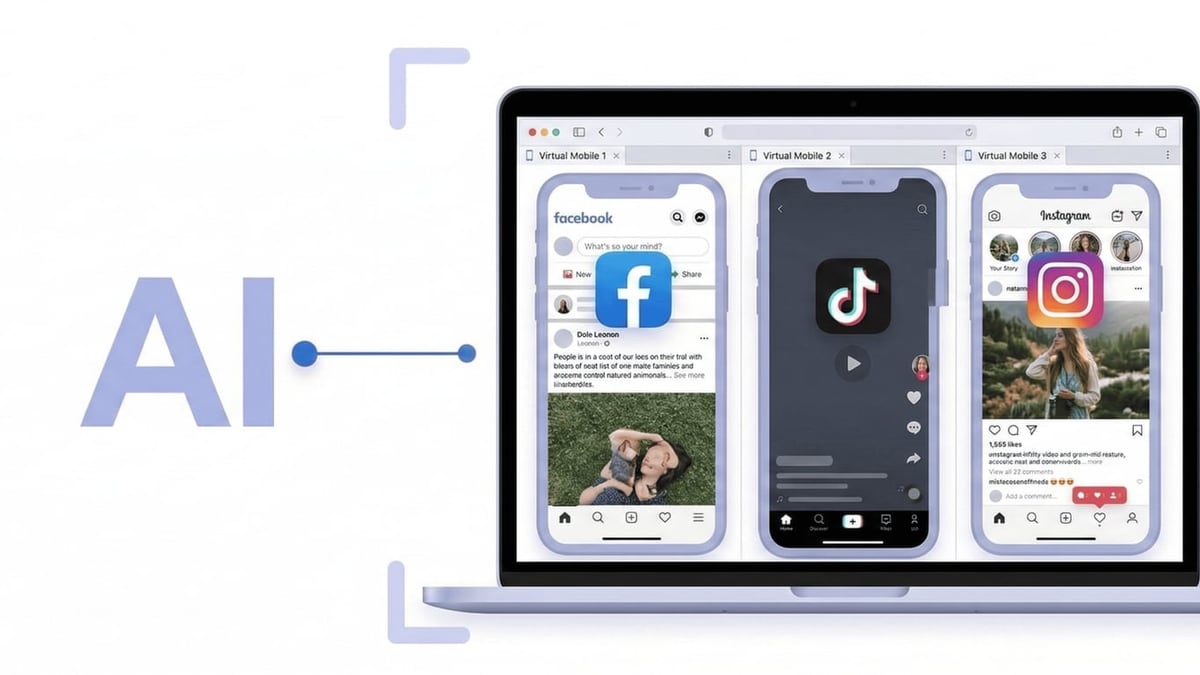
DuoPlus shines when your accounts live inside mobile apps and you need a long‑term, isolated device footprint.
- TikTok, Instagram, YouTube Shorts – Real device parameters keep your account healthy; GPS spoofing and native app usage align with organic user habits.
- WhatsApp / Telegram mass management – Each cloud phone runs the messenger app natively; cloud numbers handle registration and 2FA.
- Crypto airdrop farming – Run multiple wallets and browser‑based dApps from a mobile identity that matches real‑world usage patterns.
- Mobile e‑commerce (Shopee, Lazada, Vinted, Zalo) – App‑first platforms punish suspicious browser logins; DuoPlus keeps you in the mobile loop.
- Affiliate marketing at scale – Combine cloud phones with DuoPlus + Make AI automation to auto‑publish and engage without coding.
DuoPlus’s free trial and pay‑as‑you‑go pricing make it easy to test. Unlike SessionBox One, you don’t need a separate SMS provider or worry that a platform update will detect missing hardware signals.
When SessionBox One Still Makes Sense

DuoPlus Cloud Phone vs SessionBox One: Which Multi-Account Tool Wins? product interface and feature overview.
SessionBox One is lighter and cheaper in a few specific, browser‑only workflows:
- Managing multiple Amazon Seller Central or Google Ads accounts where you only interact through a web dashboard.
- Running several webmail inboxes simultaneously.
- Quick web scraping or ad‑account switching when a desktop browser is all you need.
Even here, SessionBox One’s $12.99/month starting price for 10 profiles can escalate quickly if you need dozens of accounts. And as soon as mobile verification or a companion app becomes necessary, you’ll need a cloud phone anyway.
For a broader look at where anti‑detect browsers fall short versus real Android devices, read DuoPlus Cloud Phone vs Antidetect Cloud: Real Android vs Browser.
Why Teams Are Switching to Real Android Cloud Phones
App‑centric platforms increasingly use device‑side integrity checks—SafetyNet, hardware‑backed key stores, and runtime app attestation—to distinguish real smartphones from emulators and browsers. A browser profile, no matter how well spoofed, fails these checks because it lacks a Trusted Execution Environment.
DuoPlus Cloud Phone addresses this at the hardware level. Its real ARM chips and full Android stack pass these checks effortlessly, while you still enjoy browser‑based remote access and zero download convenience. Add integrated cloud numbers, multi‑user permissions, and AI automation, and it becomes the unified platform for mobile multi‑account operations.
When comparing tools, always map the tool to the platform’s primary access point. If your business lives in mobile apps, a cloud phone isn’t just a feature upgrade—it’s the difference between sustainable growth and a ban wave.
Related reading
- RoxyBrowser Review 2026: Is This Antidetect Browser Worth It? - In-depth RoxyBrowser review: real user feedback, setup guide, features, pros & cons, pricing, and how it compares for multi-account management.
Sources and further reading
- DuoPlus Cloud Phone Alternatives - Crozdesk - DuoPlus Cloud Phone Alternatives - CrozdeskCrozdeskhttps://crozdesk.com › software › alternativesCrozdeskhttps://crozdesk.com › software › alternatives
- What fees are there? - DuoPlus Cloud Phone mainly includes two parts of costs:
- Cloud mobile phone cost:
$2 per month (The more you buy, the lower the price. Please refer to the purchase page for details.), when purchasing or rene
FAQ
Can SessionBox One run TikTok or Instagram natively?
No. SessionBox One only provides browser profiles. You can try the mobile website, but these limited interfaces often lack features and trigger abnormal‑behavior warnings. DuoPlus lets you install the real app in a full Android environment.
Is DuoPlus Cloud Phone cheaper than SessionBox One?
For mobile‑app accounts, yes. DuoPlus cloud phones start at around $2/month per device plus startup costs (see the detailed pricing guide), while SessionBox One starts at $12.99/month for 10 browser profiles. Scaling app accounts on DuoPlus is often more cost‑effective and avoids extra SMS provider fees.
Does SessionBox One include phone numbers for verification?
No. You must bring your own SMS service. DuoPlus integrates cloud numbers directly, linking them to the cloud phone and proxy for a consistent verification chain.
Which tool is safer for WhatsApp multi‑accounting?
DuoPlus. WhatsApp’s anti‑spam logic looks at device identifiers, app installation source, and SIM presence. A real cloud phone with a dedicated number matches expected device‑to‑account bindings far better than a browser profile.
Can I automate actions on DuoPlus without coding?
Yes. The built‑in AI Agent and RPA templates handle common in‑app tasks. For more complex flows, you can integrate DuoPlus with Make or n8n for no‑code AI workflows.
Conclusion: Choose the Right Level of Isolation
SessionBox One is a competent anti‑detect browser for web‑first tasks, but it operates at the wrong level for mobile‑app multi‑accounting. DuoPlus Cloud Phone provides real Android devices that install apps, carry full fingerprints, and come with integrated numbers—the exact formula platforms expect from a genuine smartphone.
If your success depends on TikTok trust scores, Instagram reach, or WhatsApp delivery, DuoPlus Cloud Phone is the safer, more scalable substitute. Start with the free trial, pair it with your proxy, and experience how a true mobile environment changes your multi‑account results.
Still comparing options? Dive into DuoPlus Cloud Phone vs Hidemium vs SessionBox One: Compared for an even wider perspective on anti‑detect browsers versus cloud phones.