
FoxPhone Review 2026: Cloud Android Pros, Cons & Pricing
Evidence-based FoxPhone review: cloud Android devices, real ARM hardware, multi-account isolation, pricing signals, setup steps, limits, and who should use it.
FoxPhone Review: A Practical Look at Cloud Android Infrastructure
FoxPhone is a cloud-based Android infrastructure service that gives you virtual Android devices you can open in a web browser. No client install, no physical phone farm. It targets businesses that need many isolated Android instances for social media, e-commerce, automation, or app testing. This review breaks down what FoxPhone actually offers, where it fits, what it costs, and when a different tool might serve you better.
What FoxPhone Is and Who It Is For
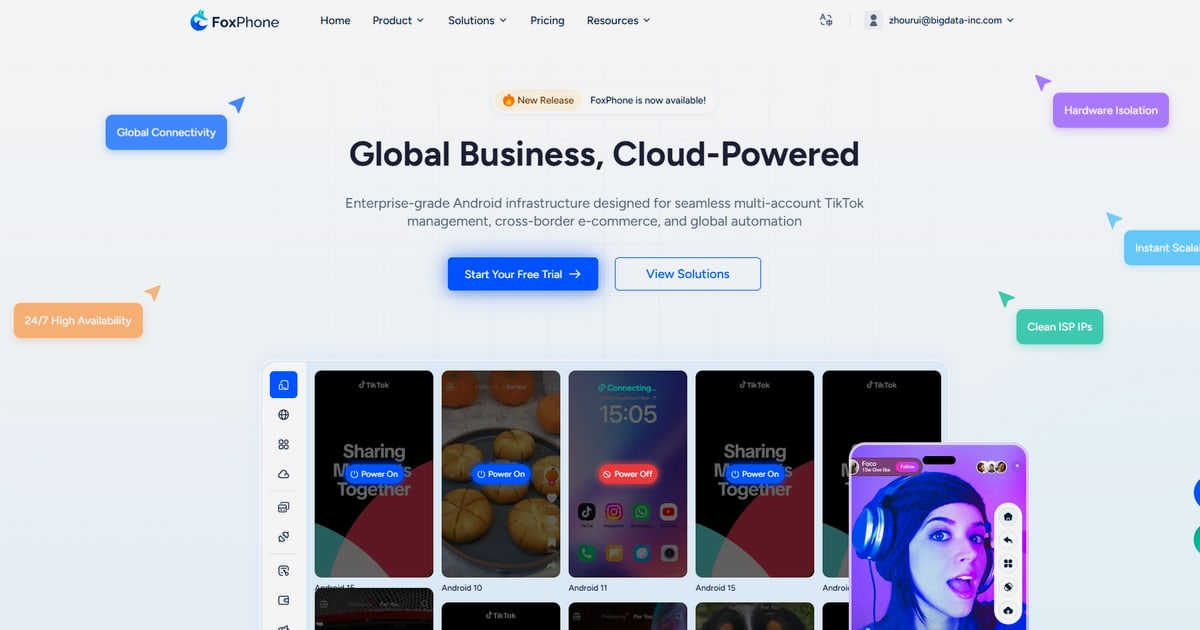
First viewport screenshot of www.foxphone.com.
FoxPhone runs Android instances on real ARM hardware rather than x86 emulation. Each instance has its own hardware fingerprint, GPS data, and SIM profile, and the platform isolates instances so accounts do not get linked through shared device signals. You manage everything from a browser on desktop or mobile.
The product is built for teams that need scale without buying racks of phones:
- Social media marketers running multiple TikTok or Instagram accounts per region.
- Cross-border e-commerce operators managing storefronts, ads, and messaging across markets.
- Game multi-boxers who need many concurrent Android sessions.
- QA and automation teams testing apps across device profiles.
If you only need one or two accounts, a physical phone or a simple emulator is cheaper and simpler. FoxPhone's value appears when instance count, uptime, and isolation matter.
Core Features That Matter in Daily Use
First viewport screenshot of www.foxphone.com.
Real ARM Devices and Authentic Device Signals
Many cloud phones are virtualized Android on x86 servers. FoxPhone claims real ARM devices with genuine GPS and SIM data. In practice, this matters for apps that check hardware characteristics or location consistency. A device that reports an ARM chipset, a plausible SIM, and a matching GPS region is less likely to trigger extra verification than an emulator with mismatched signals.
Instance-Level Isolation and Unique Fingerprints
Each cloud phone gets its own hardware fingerprint. The platform isolates instances so that cookies, device IDs, and app data do not bleed between accounts. This is the core defense against account association. It is not a guarantee against every detection method, but it removes the most common link: shared device identifiers.
Batch Control and One-Click Sync
You can control many instances at once. Batch install and uninstall apps, push actions across a group, or mirror one operation to every device in a sync group. For teams running the same daily routine across dozens of accounts, this cuts hours of repetitive work.
Environment Switching and Team Sharing
One-click environment switching lets you move between device profiles quickly. Team sharing means colleagues can access assigned instances without passing around credentials. Multi-platform control covers PC and mobile browsers, which helps when you need to check an account from a phone.
Unlimited Instances and 24/7 Uptime
The platform supports unlimited instances, subject to your plan and available capacity. Instances stay online around the clock, which is important for scheduled posts, automated replies, and monitoring.
Setup: What to Expect
Setup is browser-based, so there is no local installation. A typical onboarding looks like this:
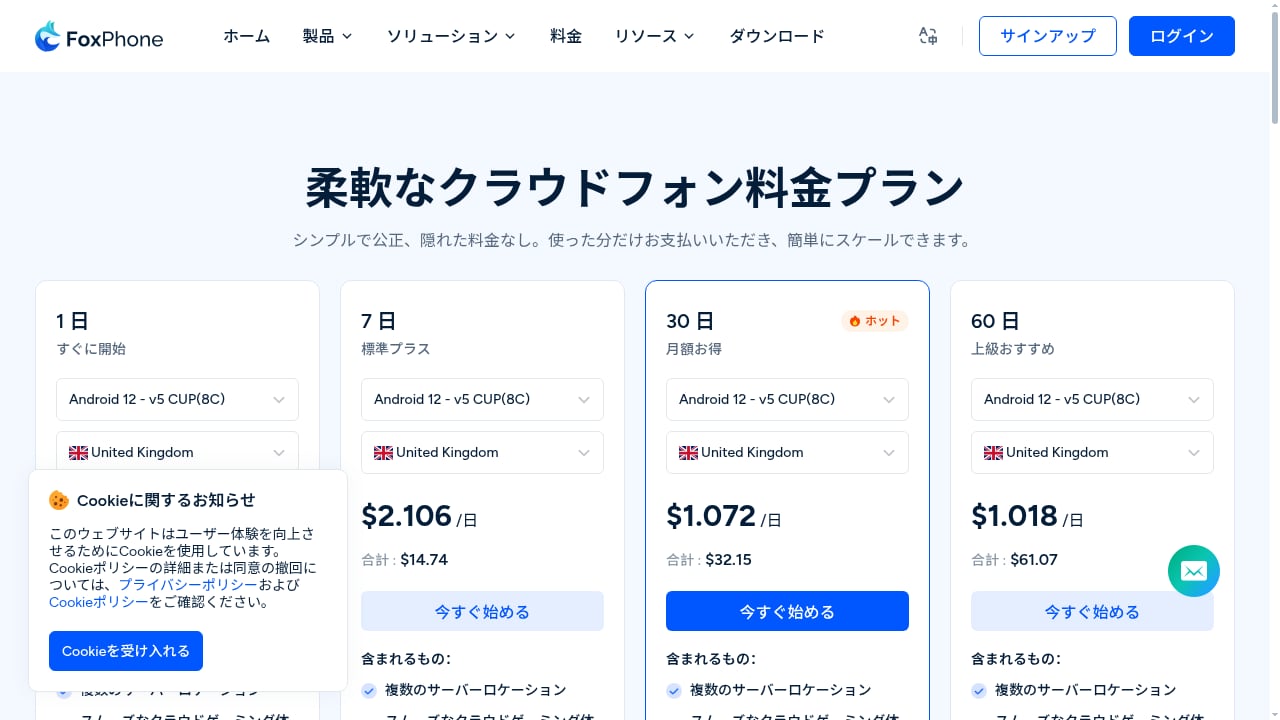
- Create an account and choose a plan. Pricing is usage-based, starting from $0.99 per day per instance according to the vendor. Confirm current rates before committing.
- Provision your first cloud phone. Select a device profile and region. The instance boots in the browser.
- Install your apps. Use bulk installation to add TikTok, store apps, or automation tools across multiple instances.
- Configure isolation settings. Assign proxies or network settings per instance if your workflow requires separate IPs. Keep device region, GPS, and SIM data consistent with the account's intended location.
- Set up team access. Invite team members and assign instances or groups.
- Test one workflow before scaling. Run a single account through its full routine, check for verification prompts, then replicate.
The learning curve is modest for basic use. Complex automation with ADB scripting or AI templates takes more time, especially if you are new to device orchestration.
Pricing Signals and Cost Considerations
First viewport screenshot of www.foxphone.com.
FoxPhone positions itself as cost-effective against physical device setups, claiming up to 70% lower infrastructure overhead. The entry signal is $0.99 per day, with usage-based billing and no hidden fees according to the vendor. Enterprise customization and server leasing are available.
A few practical points:
- Per-day pricing adds up at scale. Twenty instances at roughly $1 per day is about $600 per month. Compare that with the fully loaded cost of physical phones, SIM plans, power, and management time.
- Check what counts as usage. Confirm whether storage, bandwidth, or automation runs are metered separately.
- Ask about minimum commitments. Usage-based plans can still have minimums or capacity limits for unlimited instances.
- Factor in proxies. Isolated devices often need separate IPs. Proxy costs are usually separate from the cloud phone bill.
For a broader cost comparison across tools, see this ranking of real-device Instagram automation and phone farm software, which scores products on device realism, isolation, and support.
Strengths and Limitations
Strengths
- Real ARM hardware gives better device realism than x86 emulators.
- Instance isolation with unique fingerprints addresses the main cause of account linking.
- Browser access removes hardware and installation friction.
- Batch control and sync make multi-account routines manageable.
- Unlimited instances support rapid scaling without procurement delays.
- Team features fit agency and in-house team workflows.
Limitations
- Android only. If you need iOS behavior, this is not the tool.
- Automation has a learning curve. ADB scripting and AI templates reward technical users more than casual ones.
- Public review volume is thin. As of this review, G2 shows a small number of reviews and Trustpilot shows very few, so independent social proof is limited. Treat vendor claims as claims, not verified outcomes.
- Isolation is not invisibility. Apps evolve their detection. You still need sensible behavior, consistent proxies, and account warm-up.
- Pricing transparency at scale requires a sales conversation for enterprise tiers.
FoxPhone vs Browser Anti-Detect Tools
First viewport screenshot of www.foxphone.com.
A common question is whether to use a cloud phone or an anti-detect browser. They solve different problems.
| Need | FoxPhone (cloud Android) | Anti-detect browser |
|---|---|---|
| Mobile app accounts (TikTok, mobile-only apps) | Strong fit | Weak fit |
| Web-only accounts | Possible but overkill | Strong fit |
| Real mobile device signals | Yes, ARM hardware | No, browser fingerprint only |
| Cost at low volume | Higher | Lower |
| Cost at high mobile volume | Competitive | Not applicable |
If your accounts live in mobile apps, a cloud phone is the more natural environment. If you only manage web dashboards, a browser tool is cheaper. For a direct comparison of mobile versus browser approaches, see DuoPlus Cloud Phone vs Gologin Browser.
Who Should Choose FoxPhone
Choose FoxPhone if:
- You manage multiple mobile app accounts and need real device signals.
- You want to scale without buying and maintaining physical phones.
- You need batch operations and team access.
- You are comfortable with some technical setup for automation.
Look elsewhere if:
- You need only one or two accounts.
- You need iOS.
- You want a fully managed, hands-off service with extensive public reviews.
- Your budget is extremely tight and web-only accounts are sufficient.
Decision Checklist Before You Buy
- Count your instances. Estimate peak and average usage.
- Map your regions. Confirm available device profiles and GPS regions.
- Plan your network. Decide on proxies or VPNs per instance. This guide on pairing a cloud phone with CyberGhost VPN shows how isolated networking is typically structured.
- Test detection risk. Run a pilot with one account for two weeks.
- Confirm support terms. Ask about response times and enterprise SLAs.
- Read independent reviews. Check G2 and Trustpilot, but note the small sample size.
FAQ
Is FoxPhone a real phone or an emulator?
FoxPhone provides cloud Android instances on real ARM hardware, not a traditional x86 emulator. You access them through a browser.
How much does FoxPhone cost?
Pricing is usage-based and starts from $0.99 per day according to the vendor. Enterprise and server leasing options are available. Confirm current rates and what is included.
Can FoxPhone prevent account bans?
No tool can guarantee that. FoxPhone's isolation and unique fingerprints reduce one major risk—device association—but behavior, content, and network consistency still matter.
Does FoxPhone work for TikTok multi-account management?
Yes, that is a core use case. Real ARM devices and per-instance fingerprints are designed for mobile app accounts. Always follow platform policies.
Is there a free trial?
Check the vendor site for current trial or demo options. Pricing signals suggest a low entry cost, but terms can change.
What are the best FoxPhone alternatives?
Alternatives include other cloud phone providers and anti-detect browsers. The right choice depends on whether your accounts are mobile-app-first or web-first. See our comparison of DuoPlus Cloud Phone vs MoreLogin and BitBrowser for one example.
Conclusion
FoxPhone is a credible option for teams that need scalable, isolated Android devices without physical hardware. Its strengths are real ARM instances, instance-level isolation, batch control, and browser access. Its limitations are an Android-only scope, a learning curve for automation, and limited public review volume. At roughly $1 per day per instance, it can be cost-effective at scale, but the total bill depends on proxies, storage, and commitment terms. Run a pilot, verify isolation with your own accounts, and compare against browser tools if your workflows are web-only.
Sources: G2 FoxPhone reviews, Trustpilot FoxPhone reviews, WhatTheAI FoxPhone overview.