
RoxyBrowser Review 2026: Is This Antidetect Browser Worth It?
In-depth RoxyBrowser review: real user feedback, setup guide, features, pros & cons, pricing, and how it compares for multi-account management.
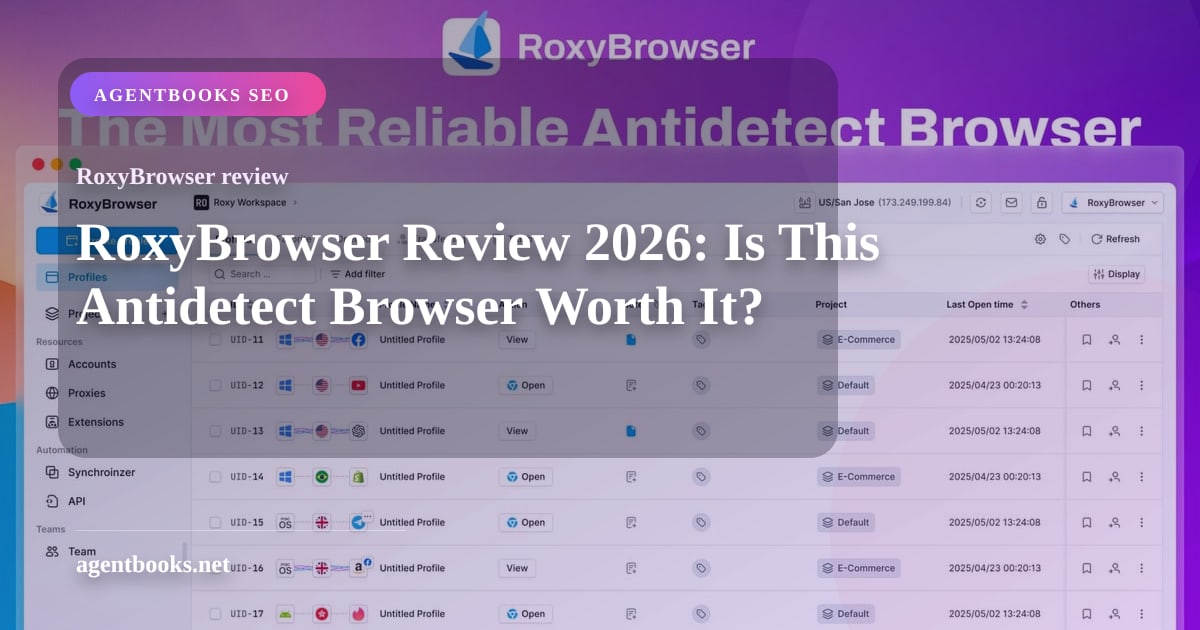
RoxyBrowser Review 2026: An Honest Look at Features, Pricing & Performance
Managing multiple online accounts without triggering platform bans used to mean juggling separate devices, virtual machines, or clunky workarounds. RoxyBrowser promises to simplify that with a lightweight antidetect browser built on Chromium. But does it stand out in a crowded market of fingerprint isolation tools? This review pulls from hands‑on usage reports, Trustpilot and G2 feedback, and a detailed analysis of its feature set—to help you decide whether RoxyBrowser fits your workflow.
We’ll walk through setup, fingerprint controls, proxy integration, automation capabilities, pricing, and what genuine users say—then compare it against common alternatives like cloud phone solutions.
What Is RoxyBrowser?
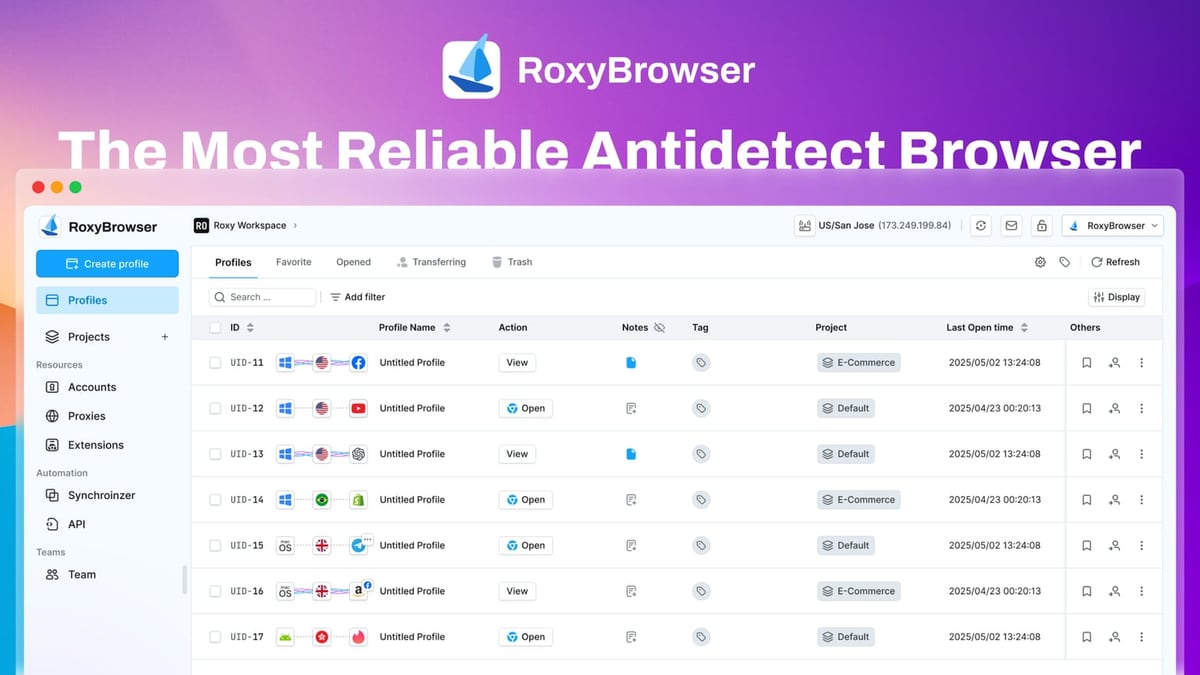
RoxyBrowser Review 2026: Is This Antidetect Browser Worth It? product interface and feature overview.
RoxyBrowser is a Chromium‑based antidetect browser that creates isolated browser profiles, each with a unique digital fingerprint. Its core job is to stop websites from linking your accounts by making every profile look like a completely different device, browser, and location. Unlike mainstream browsers, it doesn’t rely on a single shared fingerprint; instead, you can tweak dozens of parameters from screen resolution to WebGL renderer.
The browser is designed for both solo operators and teams, with a Workspace system that lets you share profiles and permissions. It also integrates natively with RoxyIP proxy infrastructure, though you’re not locked in—you can bring any HTTP, HTTPS, SOCKS4, or SOCKS5 proxy.
A key architectural decision: profiles are stored locally by default. There’s no cloud sync, which improves security but means you can’t seamlessly switch between devices or instantly share profiles with teammates without manual import/export. If real‑time collaboration across different machines is critical, you’ll want to keep that in mind.
Who Should Use RoxyBrowser?

RoxyBrowser Review 2026: Is This Antidetect Browser Worth It? product interface and feature overview.
RoxyBrowser fits individuals and small teams who need robust fingerprint isolation without a steep learning curve. Common use cases include:
- Social media managers running multiple TikTok, Instagram, or Facebook accounts from the same laptop
- Affiliate marketers testing ads or landing pages while keeping traffic sources clean
- E‑commerce sellers managing multiple storefronts across Amazon, eBay, or regional marketplaces
- SEO professionals performing unbiased SERP analysis from different locations via proxy rotation
- Web scrapers automating data collection without triggering anti‑bot mechanisms
- Crypto traders logging into multiple exchange accounts and airdrop wallets without linking identities
For teams that need to manage mobile apps natively—like TikTok content posting or Instagram Reels—a cloud phone solution may actually perform better. With a real Android device in the cloud (for instance, a DuoPlus Cloud Phone vs Antidetect Cloud: Real Android vs Browser), you’re not limited by what a browser can emulate. That comparison helps highlight where a browser‑based anti‑detect tool excels versus a genuine mobile OS.
Setting Up RoxyBrowser: From Download to First Profile
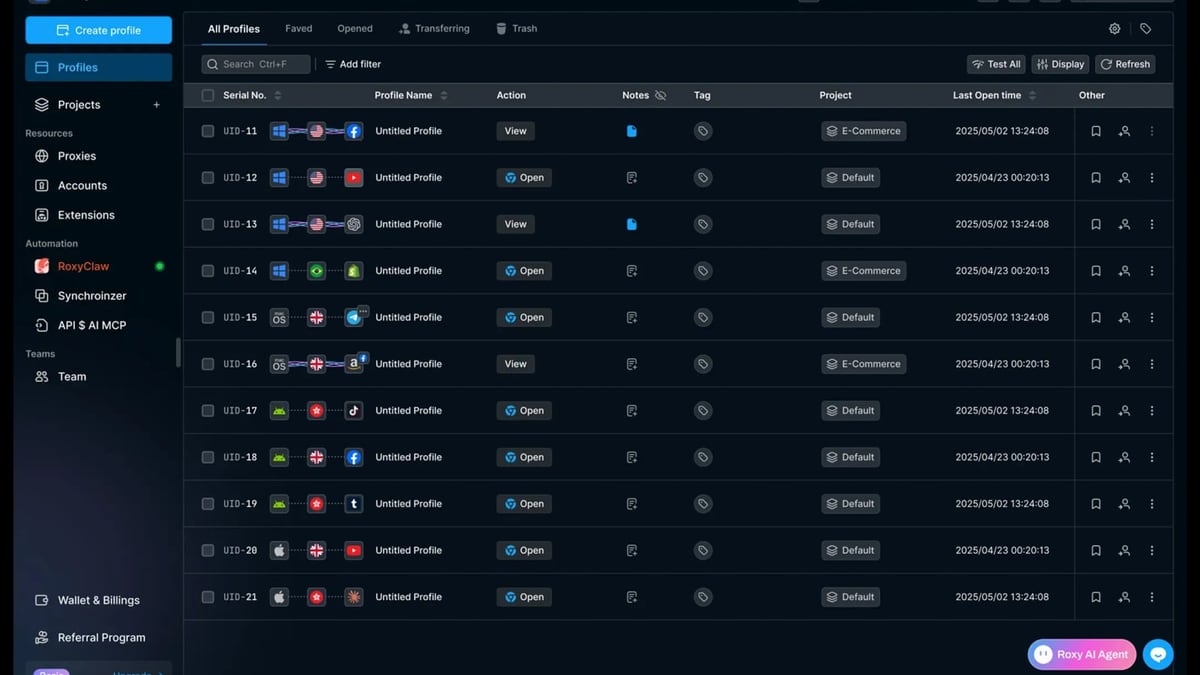
RoxyBrowser Review 2026: Is This Antidetect Browser Worth It? product interface and feature overview.
Getting started is straightforward:
- Head to roxybrowser.com and download the installer for Windows, macOS, or Linux.
- Install like any desktop app and create an account from within the application (email only, no phone verification).
- Choose the free trial (5 profiles, 7 days) or pick a paid plan.
- Once inside, click “Create Profile.” Here you can set the profile name, group, tags, and customize the fingerprint.
Fingerprint Customization Options
The profile creator gives you granular control over:
- Browser version (Chromium builds)
- Screen resolution, color depth, and pixel ratio
- Timezone, language, and geolocation spoofing
- WebRTC leak protection settings
- Canvas, WebGL, AudioContext, and font fingerprints
- User agent strings
All of these can be tweaked manually or randomized with one click. RoxyBrowser also supports importing/exporting profiles, so you can back up important configurations or move them between machines with a JSON file.
Proxy Integration
For each profile, you can attach a custom proxy—HTTP, HTTPS, SOCKS4, or SOCKS5. RoxyBrowser does not bundle residential or mobile proxies; you’ll need to source them from a provider like IPRoyal, Bright Data, or the built‑in RoxyIP integration if you subscribe to that service. This unbundled approach keeps the base price lower but means you must budget separately for proxies. Setting up proxies is as simple as pasting credentials into the profile settings; the browser will test connectivity before launching. However, as one G2 reviewer noted, “Roxy is the best multi‑account management software I've ever used… very responsive, low latency, and a great price,” indicating that proxy performance can be solid when paired with a reliable provider.
Key Features That Make RoxyBrowser Tick
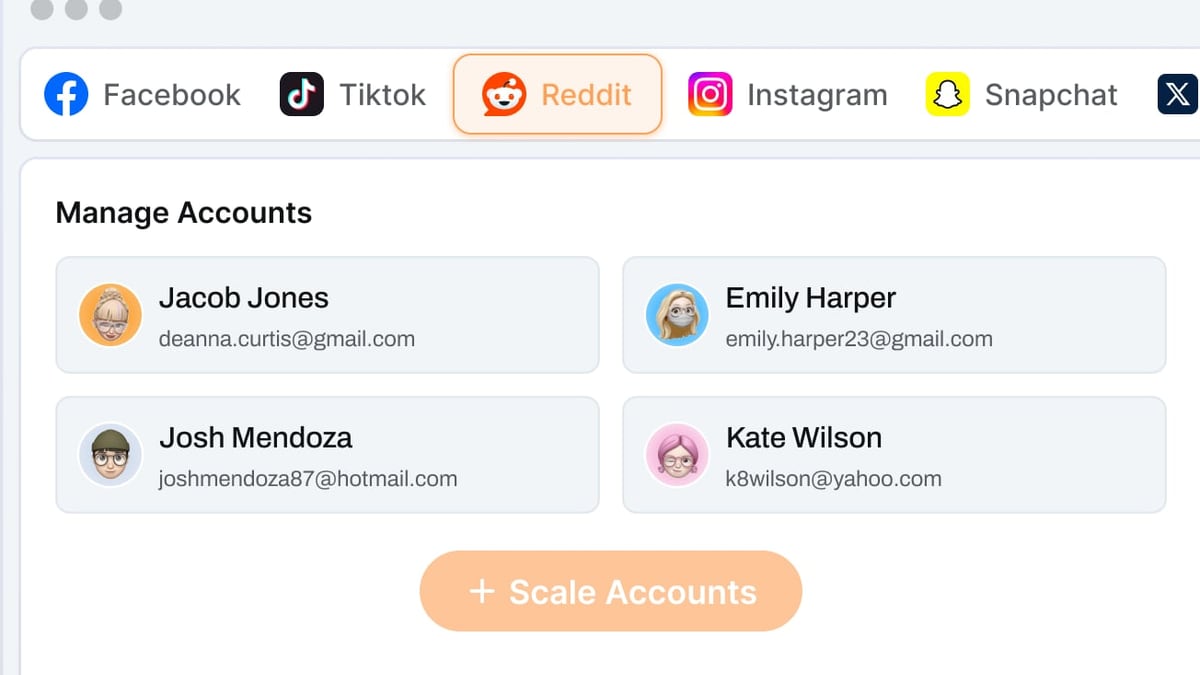
RoxyBrowser Review 2026: Is This Antidetect Browser Worth It? product interface and feature overview.
1. Advanced Fingerprint Isolation
Each profile runs in a completely separate environment, with its own cookies, cache, and local storage. RoxyBrowser spoofs not just basic headers but also deep JavaScript‑detectable fingerprints like Canvas hash and WebGL renderer, making it harder for platforms like Google or Facebook to link accounts.
2. Workspaces for Team Collaboration
Rather than sharing raw profile files, teams can create Workspaces—shared folders with role‑based permissions. This is especially handy for agencies where one person creates the profiles and another operates the accounts. However, because profiles remain local, you’ll need to coordinate which machine holds the master copy. If you need instant cloud synchronization and mobile app support, you might cross‑shop with something like the DuoPlus Cloud Phone vs Hidemium vs SessionBox One: Compared article to see where a real Android cloud phone wins.
3. Automation Support (Puppeteer, Selenium, Playwright)
Developers can connect RoxyBrowser to automation frameworks via CDP (Chrome DevTools Protocol). This lets you run scripts for bulk profile creation, automated account actions, or data scraping. In the interface, you can export a profile’s port number and wire it into your Puppeteer or Selenium script just like any Chromium instance. This opens the door to workflow automation tools like Make or n8n—for a no‑code approach, you can chain RoxyBrowser actions with other apps using guides like DuoPlus Cloud Phone + n8n: Automate Multi-Account Workflows as conceptual inspiration (though that example uses cloud phones, the automation logic transfers).
4. Bulk Profile Management
Select multiple profiles and launch, delete, update proxies, or export them in one go. For those managing 20+ accounts daily, this is a massive time‑saver.
5. Built‑In Notes and Activity Logs
Each profile has a notes field where you can store login credentials, account goals, or proxy details. A detailed activity log records launches, proxy changes, and fingerprint modifications, which helps with troubleshooting when something goes wrong.
The Good and the Bad: Honest Pros & Cons
Based on user reviews aggregated from Trustpilot and G2, plus hands‑on analysis, here’s what stands out:
Pros
- Clean, intuitive interface: Profiles are color‑coded and easy to organize, even for beginners. The UI feels light and responsive.
- Deep fingerprint control: Advanced options like WebGL and AudioContext spoofing give better anonymity than basic browser extension methods.
- Cross‑platform: Windows, macOS, and Linux support means your team isn’t tied to a single OS.
- Flexible proxy support: No vendor lock‑in; you can plug in any proxy provider or use the integrated RoxyIP.
- Developer‑friendly automation: CDP support for Selenium and Puppeteer is well‑documented and works reliably.
- Affordable entry point: The free trial and low‑cost Starter plan remove initial risk.
Cons
- No built‑in proxies: You must source and pay for proxies separately; new users sometimes misconfigure them, leading to leaks.
- Local profile storage only: No cloud sync means you can’t access profiles from another device without manual export/import. Real‑time team collaboration suffers.
- No Firefox engine: If you need Gecko‑based fingerprints (some fraud‑detection systems look for this), RoxyBrowser can’t provide them.
- Performance under heavy load: Running 50+ profiles concurrently on a mid‑range machine can cause slowdowns; a powerful desktop or VPS is recommended.
- Sparse documentation: While basic setup is covered, advanced topics like custom fingerprint presets or API nuances lack deep guides. The Multilogin competitor review on Multilogin’s blog notes “documentation could be more comprehensive,” echoing this sentiment.
Pricing Plans: How Much Does RoxyBrowser Cost?
RoxyBrowser uses a per‑seat, per‑month subscription model with scalable profile limits. As of 2026, typical plans include:
- Free Trial: 5 profiles for 7 days, no credit card required.
- Starter: ~$19/month for 10 profiles, basic features.
- Professional: ~$39/month for 50 profiles and advanced fingerprint options.
- Team: ~$79/month for 150 profiles and Workspaces collaboration.
- Enterprise: Custom pricing for 500+ profiles, dedicated support, and SSO.
Exact numbers may vary; visit roxybrowser.com for the latest. All paid plans include automation support. Remember to budget for proxies on top of this—a decent residential proxy service adds $10–$30/month per GB.
Performance and Everyday Usability
In daily use, RoxyBrowser feels snappy. Profiles launch quickly, and switching between them is seamless. The memory footprint per profile is roughly on par with other Chromium antidetect browsers—about 150–200 MB each, so a machine with 16 GB of RAM can comfortably run 30–40 profiles. That said, if you’re a power user running hundreds of accounts, you’ll likely need a dedicated server or split workloads across machines.
Usability wins include the color‑coded profile list and the “Quick Profile” randomizer that generates a plausible fingerprint with one click. Downsides: the lack of cloud storage can be a deal‑breaker for distributed teams. If you’re constantly on the move and need to pick up where you left off on any computer, a browser with cloud sync (or a cloud phone solution with instant access) will serve you better.
RoxyBrowser vs Alternatives: Where It Fits
When choosing an antidetect tool, consider your primary environment:
- Web‑only multi‑accounting (e‑com, ads, affiliate): RoxyBrowser is a strong choice, especially if you value a clean UI and don’t mind sourcing proxies.
- Full mobile app management (Instagram, TikTok, Reddit): An anti‑detect browser can’t emulate a mobile app’s true hardware and OS fingerprint. In that scenario, a real Android cloud phone like DuoPlus vs BitBrowser vs Antidetect Cloud offers a complete device identity that passes app attestation checks much more reliably.
- Need for Firefox‑based fingerprints: Look to Multilogin or GeeLark, which provide dual engines.
- Tight budget + simpler needs: A tab‑based anti‑detect solution such as BrowserJet (read the BrowserJet Review 2026) might be enough if you only need unique IPs per tab rather than full profile isolation.
For many businesses, the optimal stack combines a browser for web dashboards and a cloud phone for mobile‑first platforms. DuoPlus Cloud Phone often sees users pairing RoxyBrowser with a cloud phone solution to cover all bases. That hybrid approach lets you manage Google Ads and Amazon Seller Central from RoxyBrowser while running TikTok Business Suite or Instagram natively on a cloud Android device.
Related reading
- How to Use DuoPlus Cloud Phone and Make for AI Automation - Combine DuoPlus Cloud Phone and Make to automate multi-account social, e-commerce, and crypto actions. Setup guide for no-code AI workflow integration.
FAQ
What operating systems does RoxyBrowser support?
RoxyBrowser runs on Windows 10/11, macOS 11+, and major Linux distributions (Ubuntu, Debian).
Does RoxyBrowser come with residential proxies?
No. It offers optional integration with RoxyIP but proxies are not included in any plan. You must purchase proxy services separately.
Can I use RoxyBrowser on multiple devices?
Profiles are stored locally, so you can’t sync them across devices automatically. You can manually export and import profiles, but real‑time continuation isn’t supported. For cross‑device access, consider cloud‑synced alternatives.
Is RoxyBrowser safe for banking and crypto accounts?
Yes, with proper proxy configuration and fingerprint isolation, each profile appears as a distinct device. Many crypto traders use it for exchange and airdrop multi‑accounting. However, always verify that your proxy provider’s IP reputation is clean.
What automation frameworks does RoxyBrowser support?
It supports Puppeteer, Selenium, and Playwright via Chrome DevTools Protocol. You can connect automation scripts to any profile’s debugging port.
Conclusion: Should You Try RoxyBrowser?
RoxyBrowser delivers what it promises: a user‑friendly antidetect browser with deep fingerprint control, solid team features, and responsive performance—all at a competitive price point. Its biggest limitations are the lack of cloud storage, no built‑in proxies, and no Firefox engine. If those aren’t deal‑breakers for your workflow, the 7‑day free trial makes it risk‑free to test.
We recommend RoxyBrowser to:
- Solo marketers & small agencies managing up to 100 web‑based accounts
- Developers who want Puppeteer/Selenium integration without heavy overhead
- Anyone who already has a trusted proxy supplier and wants a lightweight, fast antidetect browser
If you need mobile app management or instant device switching, pair RoxyBrowser with a cloud phone solution to fill the gaps. For more real‑world comparisons and multi‑account guides, browse DuoPlus Cloud Phone’ resource library—we break down which tools work best in real production environments, not just on paper.
Give RoxyBrowser a try with the free trial and see how it fits into your multi‑account stack. Your ideal setup might be just one test away.